Hey Nina13132012
I've moved your post from the Polish EA forums to the English EA Forums.
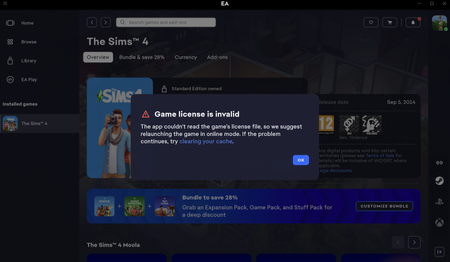
Have you tried deleting the license folder already? Can't determine what you've meant by "Dug deep into the location folder and such." 😉If not, let's try this step as it might be a solution to this issue.
- Completely close the EA App.
- Open Task Manager and end:
- EA App
- EA Background Service
- EADesktop
- Press Windows + R
- Enter:
- Navigate to:
- Electronic Arts\EA Services
- Move or delete the License folder.
- Launch the EA App as Administrator and try starting Sims 4