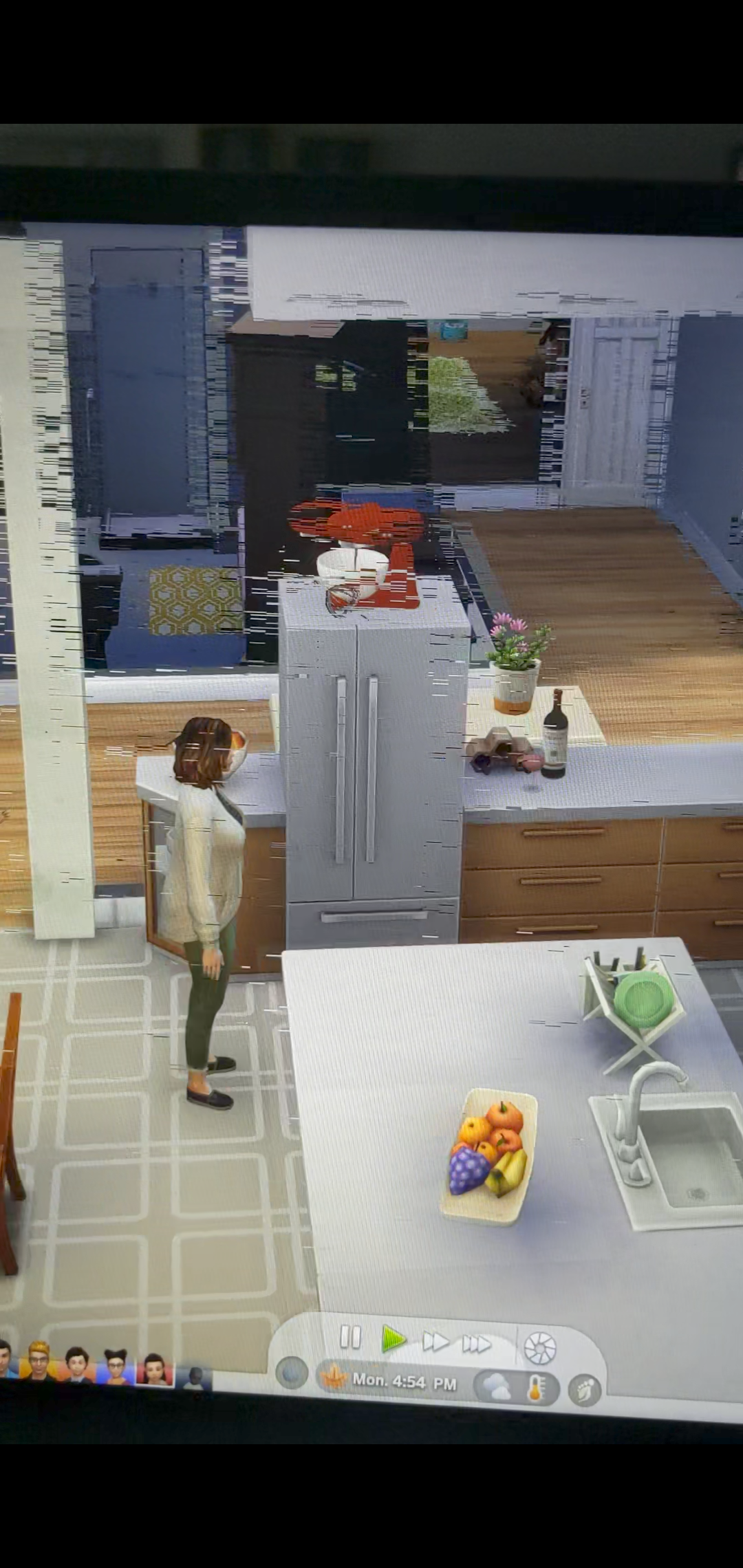
Line glitch when moving around
I recently got a new laptop with a NVIDIA(R) GeForce MX570 video card and when I started up the Sims 4 the picture was a little weird. When I move the cursor or messages open I get glitchy lines. It's hard to explain so I attached a picture to show what's going on. This was taken as I was moving back and forth. When I'm in gameplay and move around while zoomed out I get the lines. This also happens when I go from build mode to gameplay; there's also lag and more lines across the screen. The Sims graphics are all ultra, turned on vsync, and it doesn't happen when I'm not in fullscreen. I updated my driver, but I'm not sure what all the NVIDIA control panel settings mean.
Any help would be very helpful.
@kayaustin Your dxdiag shows a couple of crashes of the graphics driver (or one of them, at least) as well as some Windows update errors. So please start with a couple of basic checks of your Windows system files:
- Hit Windows key-X
- Choose either “PowerShell (Administrator)” or “Windows Terminal (Administrator),” whichever option is offered
- Inside the window that appears, copy and paste “DISM.exe /Online /Cleanup-image /Restorehealth” without quotes, and enter
- The system will start validating soon. If it throws an error, please list it here
- After it reaches 100%, hit Windows key-X again
- Again, choose “PowerShell (Administrator)” or “Windows Terminal (Administrator)”
- Inside the window, copy and paste “sfc /scannow” without quotes, and enter
- Post the message you receive here
Restart your computer, hit Windows key-i, select Update & Security, and click the box to check for updates. If any install, restart again afterwards.
The Intel graphics driver should be updated, and you've actually installed a newer Nvidia driver than the latest one Dell provides for your laptop. So you'll need to clean-uninstall the current Nvidia driver and reinstall the one from Dell, plus update the Intel driver. The proper order of operations is uninstall the Nvidia driver > install the new Intel driver > install the Nvidia driver, with a restart after each step. Please keep your computer offline for the entire process. You can find the drivers on the Dell support page for your laptop:
https://www.dell.com/support/home/en-tc/product-support/product/vostro-16-5620-laptop/drivers
Here's how to clean-uninstall a graphics driver: