Forum Discussion

goosebumpsheime's avatar
3 years ago
Solved

Lost all my game progress on the Sims 4

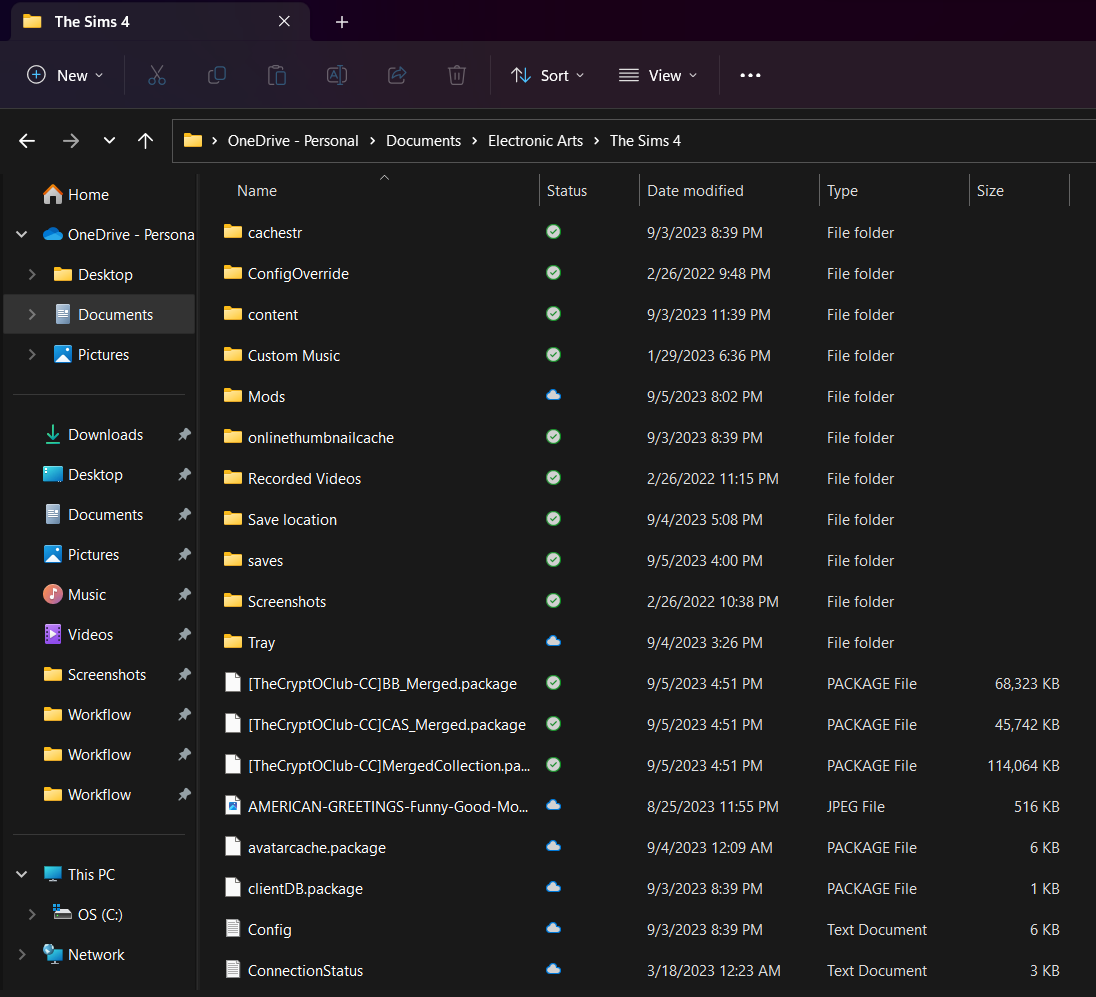
I lost all my sims 4 data(the save files are still in the proper folder), and the article didn’t help. Additionally, all my CC and CAS mods are gone (besides the ones I just downloaded).

  • puzzlezaddict's avatar
    puzzlezaddict
    3 years ago

    @goosebumpsheimer  Great, so put your saves in the same Sims 4 folder that holds your custom content, and you should be good to go.  You might need to rename the save you just made so it doesn't conflict with your other saves.  Just give it a higher number, still eight digits long.

8 Replies

  • Hey, sorry I got back to you so late. So I just noticed that I did have all my mod files, they were just in my onedrive, so  I moved them back to where they were. However, I do have my save files on Onedrive, but I only have the option to make a new game in the Sims 4. As I said before, the "Restore Data" article didn't help. Thank you in advance.

    Also, please tell me if I did this wrong. I am not good with Tech.

  • goosebumpsheime's avatar
    goosebumpsheime
    3 years ago

    Forgot the other screenshots

  • puzzlezaddict's avatar
    puzzlezaddict
    Hero+
    3 years ago

    @goosebumpsheimer  I still need to know what folder Sims 4 is reading, as described in the article I linked.  Please check whether that file path has OneDrive in it and let me know.

    Please also create a new save, save your progress, quit, restart your computer, and see whether you can load that save after you launch Sims 4 again.

  • Okay, I realized that the cc that I put in my onedrive weren't in the sims, so I put them in my computer document for the Sims 4. When I went into the game, the cc was there, so that means the Sims 4 is in my computer storage. I made a character in the Sims, gave it a preset house, saved and exited the game. I restarted my computer, went back in the Sims, and I could load my save.

  • puzzlezaddict's avatar
    puzzlezaddict
    Hero+
    3 years ago

    @goosebumpsheimer  Great, so put your saves in the same Sims 4 folder that holds your custom content, and you should be good to go.  You might need to rename the save you just made so it doesn't conflict with your other saves.  Just give it a higher number, still eight digits long.