Forum Discussion

11 Replies
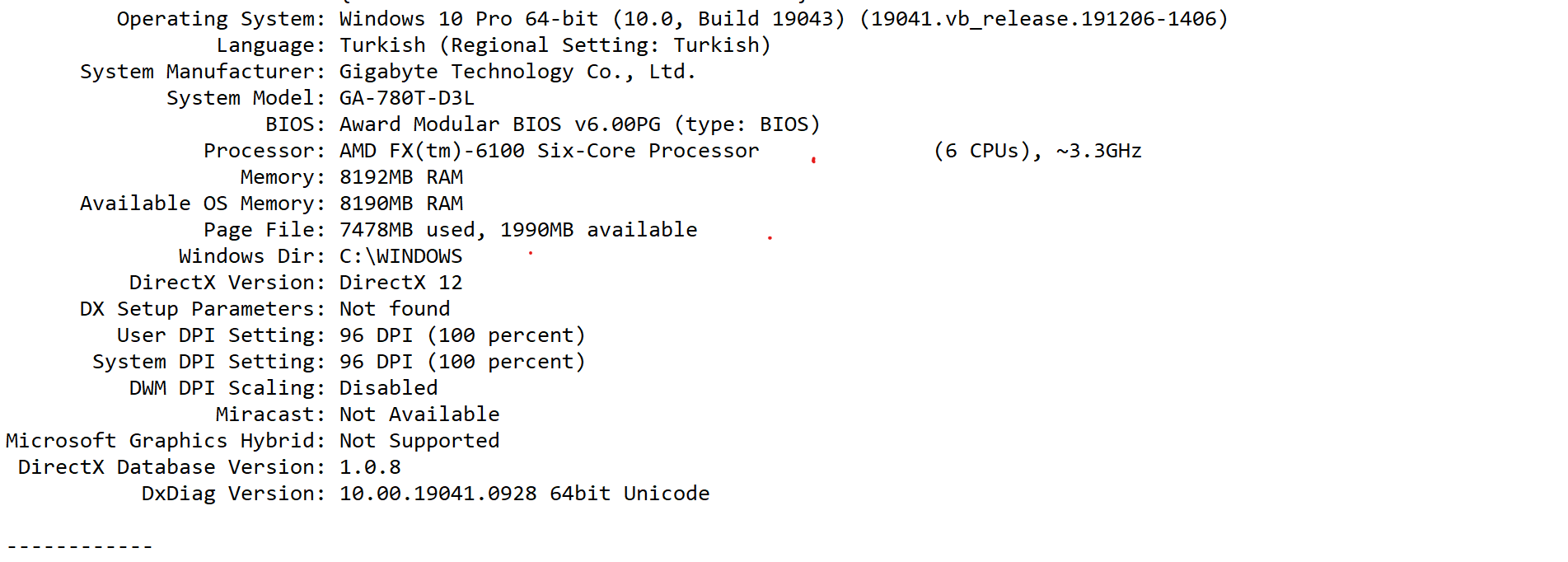
@Mertsho Please post a dxdiag, as I requested before.
 roberta5913 years agoHero (Retired)
@Mertsho Use the save file in dxdiag. Then attach the created text (.txt) file to the paper clip in the lower right of the forum response window. Really need the whole thing.
 jpkarlsen3 years agoHero (Retired)
Your graphics driver is several years old. Please visit amd.com to upgrade.
@Mertsho Does this happen if you launch Sims 4 through Origin? You can download an Origin installer from here:
@gwyncanileave Is your computer actually trying to run the Legacy Edition, or is the problem that the LE files keep downloading? Origin and the EA App will both try to download any missing Sims 4 content you own, often even when you've specifically declined to install it, but that doesn't mean that the LE is in fact running. The question is whether the game launches in 64-bit or not.
If the LE is in fact running, try installing Origin (link above) and repairing the game, then switching to 64-bit: open your game library, right-click on the Sims 4 icon, select Game Properties > Advanced Launch Options, and choose 64-bit from the dropdown menu. If you don't see that as an option, please let me know. And in that case, you may need to set additional exceptions in your antivirus: the most common cause of this issue is that an antivirus has quarantined TS4_x64.exe, making Origin or the EA App think the system can't run the 64-bit .exe at all.
The game loads just fine through Origin. Thanks for the suggestion. I'll just play on Origin for now... I can select 64-bit on Origin and everything, but the EA app keeps trying to put legacy edition files in my Electronic Arts folder. I have TS4_x64.exe on the allow list of Malwarebytes and Avast.
@gwyncanileave If you haven't already, please compare your Avast settings to the ones here:
https://crinrict.com/blog/2020/10/add-exceptions-to-anti-virus-programs.html#avast
And add exceptions for the EA App (EADesktop.exe) as well.
The LE files in the Electronic Arts folder will get recreated each time the Legacy Edition launches, just as the "The Sims 4" folder will get recreated each time the standard version launches and the folder isn't already there.
I downloaded origin but there is no 64 bit option.
@Mertsho Did you clear Origin's cache and repair the game within Origin after installing it? If not, please do so now:
https://help.ea.com/en/help/faq/clear-cache-to-fix-problems-with-your-games/
Then look for the 64-bit option. Select it, then add exceptions within Avast as described in the guide I linked earlier, both before trying to launch Sims 4.
@puzzlezaddict my game is fixed thanks for your help.


Featured Places