Forum Discussion

1 Reply
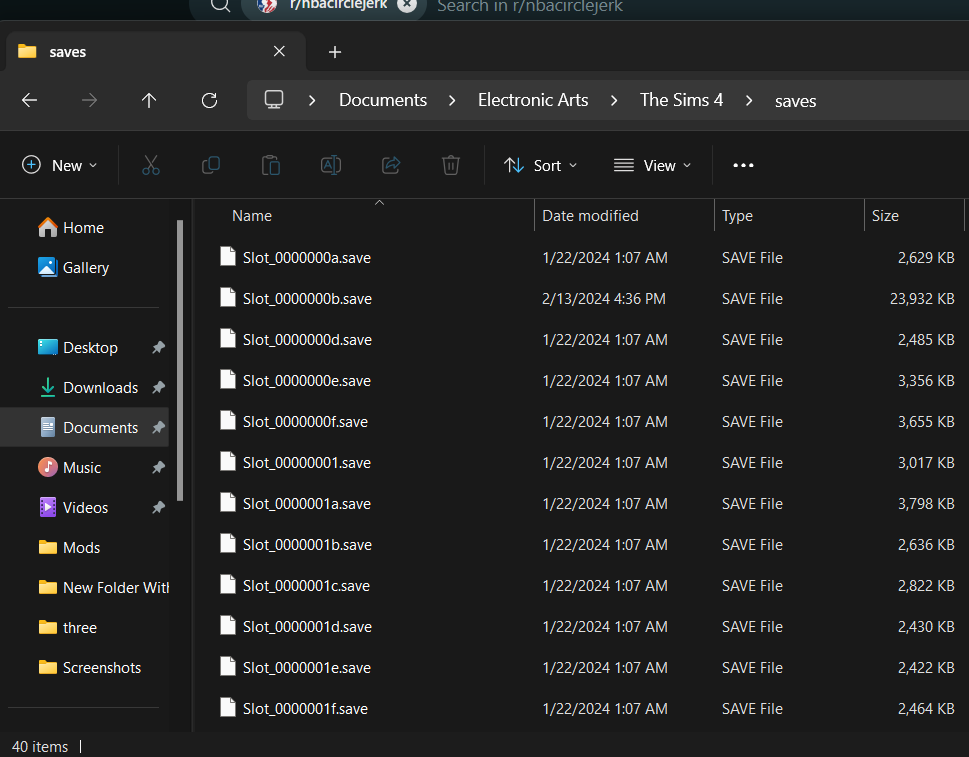
@layniiiiii You're right, that does look fine. Sometimes saves can get renamed, by OneDrive or for other reasons, which would prevent the game from reading them, but that hasn't happened here.
If you want to move Documents out of OneDrive, I'd suggest doing that first, as described in the link I included in post 2. From there, you'd launch the game once, to create a new Sims 4 folder in the proper location, then copy one save to that folder and see whether it shows up.
If the save isn't available in-game, try a different one. If that doesn't work either, you can send me a few saves to look at, to see whether they show up on a different system. To do that, zip them together, upload the .zip to a free filesharing site (Google Drive, Dropbox, etc.), and either post the link here or send it to me via private message.

Featured Places