Forum Discussion

2 Replies
@nilisavictor That's odd considering how much RAM your system has. Does this happen on new saves as well, or just your current ones? And if only some saves are affected, how large are their files? You can see them in Documents\Electronic Arts\The Sims 4\saves.
The next time this happens, please also open the Task Manager and see how much memory your computer is using without Sims 4 open.
 JackGarrus4 years agoSeasoned Newcomer
[I FIXED THIS]
Idk if this would help anyone but it's worth posting it.
DISCLAIMER:
All my system hardware are well beyond the minimum listed for the game (dxdiag attached), so they weren't the problem.
It wasn't Origin or the hard disk where I placed the game.
It wasn't neither the graphic card.
I literally tried everything I could imagine for about 3 hours.
It was Windows Defender.
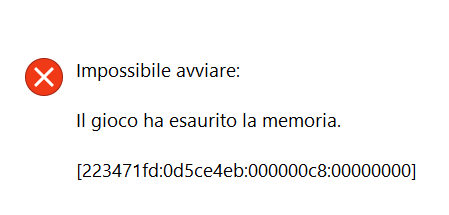
At a certain point I noticed that when the game crashed showing the infamous message I got a notification from WD that stated that it blocked an app from accessing a folder.
Now, my guess is that WD was blocking TS4 from accessing the RAM, otherwise I don't explain to myself that error triggering from the game.
The solution is to click on WD notification and allow the game to access whatever it needs.
I attach the screenshot error, WD notification (in italian, but just to give you an idea) and my dxdiag.
Sorry for the name of the PNG, I'm too lazy to give names to my screenshots
Featured Places