[READ FIRST] Unrecognized video card
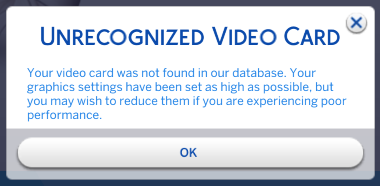


I am having trouble with my graphics card as well. I downloaded the file and put it in my configoverride folder and it still isnt working. here is my stuff
=== Graphics device info ===
Number: 0
Name (driver): NVIDIA GeForce RTX 3060 Ti
Name (database): [Found: 0, Supported: 1]
Vendor: NVIDIA
Chipset: Vendor: 10de, Device: 2489, Board: 405a1458, Chipset: 00a1
Driver: nvldumdx.dll, Version: 30.0.14.9613, GUID: D7B71E3E-67C9-11CF-6552-54600EC2D335
Driver version: 9613
@JuztCleb The file in the first post doesn't have your GPU either. But you can add it yourself. Open it and crtl-F to search for 2503 , which will bring you here:
card 0x2503 "NVIDIA GeForce RTX 3060" $cardLevelUber $resolutionHigh
Change the 2503 to 2489 , but don't edit anything else. Then launch the game and see whether your card is recognized.