[READ FIRST] Unrecognized video card
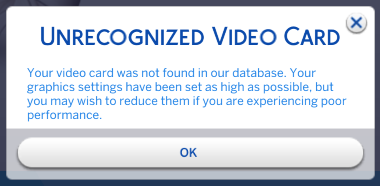


My card wasn't found either.
=== Graphics device info ===
Number: 0
Name (driver): NVIDIA GeForce RTX 3050
Name (database): [Found: 0, Supported: 1]
Vendor: NVIDIA
@c1y4jgkxbhl2 I need the next line under the one you posted. That's the one that lists the device ID that needs to be added.

Hi, I have bought a new laptop today but I get the de4ee14f:29f00e76:00000000:4b0d852b error code when trying to launch the game. I then moved my mods out of my sims 4 folder, but now getting an unrecognised video card message.
I hope this is the right info you need to help me?
=== Graphics device info ===
Number: 0
Name (driver): AMD Radeon (TM) Graphics
Name (database): [Found: 0, Supported: 1]
Vendor: ATI
Chipset: Vendor: 1002, Device: 15e7, Board: 16401025, Chipset: 00c2
Driver: aticfx64.dll, Version: 30.0.14040.0, GUID: D7B71EE2-56A7-11CF-9573-98006DC2D335
Driver version: 0
Monitor: \\.\DISPLAY1
Texture memory: 941MB
Vertex program: 3.0
Pixel program: 3.0
Hardware TnL: 1
Opt. features: +sab +a8l8 +rgba16f +r32f +bc4 +bc5 -rawz +intz
@mollieah Yes, that's the info I need. Having a graphics card recognized tells the game what graphics profile to assign by default, which just means the in-game graphics options you see when you first open the game. Since you can adjust these options yourself, it makes no practical difference what the game chooses for you.
If you want to get your graphics card recognized, first go into the Bin folder within the game's program files. By default, the folder will be in one of these locations:
Program Files (x86)\Origin Games\The Sims 4\Game\Bin
Program Files (x86)\Steam\steamapps\common\The Sims 4\Game\Bin
Program Files\EA Games\The Sims 4\Game\Bin
Right-click on the graphicscards.sgr file and select Copy. Then open Documents > Electronic Arts > The Sims 4 > ConfigOverride and select Paste. When you put an .sgr file inside this folder, its contents override the file in the Bin folder, which in helpful since the file inside Bin will be reverted to its original state every time you patch or repair the game.
Open the copy of graphicscards.sgr inside ConfigOverride and right at the top, you'll see this:
vendor "ATI" 0x1002
card 0x1638 "AMD Ryzen 5000" $cardLevelLow $resolutionLow
card 0x66AF "AMD Radeon VII" $cardLevelUber $resolutionHigh
Under the ATI line, create a new line and add this:
card 0x15e7 "AMD Ryzen 5000" $cardLevelHigh $resolutionHigh
There should be four spaces in front of card so the entry lines up with the ones below it. Save the file and close it, open the game and quit, and look at the Config.log inside the same Sims 4 folder. It should now say [Found: 1, Supported: 1] under your card name.
The initial error message is likely due to your mods, as you've found out, and separate from this one.