[READ FIRST] Unrecognized video card
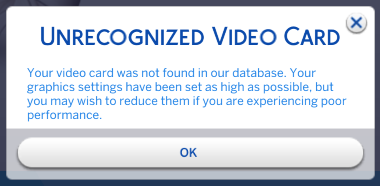


Hi @puzzlezaddict thanks so much for your reply. Unfortunately I don't have either of those folders in my Programs/Program Files x86? I have uninstalled and reinstalled Sims twice, and still nothing. Is it due to me only having the EA app, and not origin?
@mollieah The graphicscards.sgr file has to be somewhere since Sims 4 is installed on your computer. If you chose a custom install location, look there. You should also be able to see the install location within the EA App.
Hi @puzzlezaddict still no luck..
Hi @puzzlezaddict I have just uninstalled and installed both The Sims 4 and the EA app. I can now go to C:\Program Files\EA Games\The Sims 4\Game\Bin, but the only graphics card item I have is GraphicsCards.sgr_DiP_Staged. Is this the same as the one you were referring to?
@mollieah That's the file I was referring to, but DiP_Staged is actually a designation for a temporary file, as in, files are labeled this way while the game is being installed but should lose that extra bit once the install process is complete. If your GraphicsCards.sgr file still has DiP_Staged in its name after you've finished installing and have restarted your computer, please delete that file and repair the game: open My Collection, hover over the Sims 4 icon, click the three dots, and select Repair.
If this doesn't help, please let me know what antivirus you use.
@puzzlezaddictthanks so much, seems to be working now! Now just to sort my mods issue!