[READ FIRST] Unrecognized video card
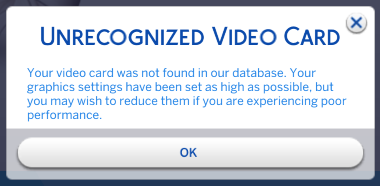


I know this post is old but im not sure what else to do so heres my info 🙂
=== Graphics device info ===
Number: 0
Name (driver): NVIDIA GeForce RTX 4060 Laptop GPU
Name (database): [Found: 0, Supported: 1]
Vendor: NVIDIA
Chipset: Vendor: 10de, Device: 28a0, Board: 13b61462, Chipset: 00a1
Driver: , Version: 32.0.15.6614, GUID: DE46BD77-E982-11EF-91BD-8C2C5377EC66
Driver version: 6614
Monitor: \\.\DISPLAY1
Texture memory: 7957MB

Hey were you able to solve this? We have the same graphics card.

I downloaded the file from puzzleaddict's post and Googled how to edit it myself, then put the edited file into my Sims 4 user folder. It fixed the issue for me, as in the pop up doesn't appear anymore.
Nvidia won't optimize the game for me though, I'm unsure if it's related. I click Optimize and it reverts once I load the game. 😅 Eh well. I decided I don't care as long as I can play.


