Forum Discussion

Applez's avatar
2 years ago
Solved

The Sims 4 - The trees in my game looks blocky

I was in the middle of building, when I noticed the trees in my game looks blocky, like there's a border around the leaves. All my graphic settings are on high, my graphics card RTX 2070 super, I've also repaired my game so i dont know what causing this bug. 

  • simonevans1963's avatar
    simonevans1963
    2 years ago

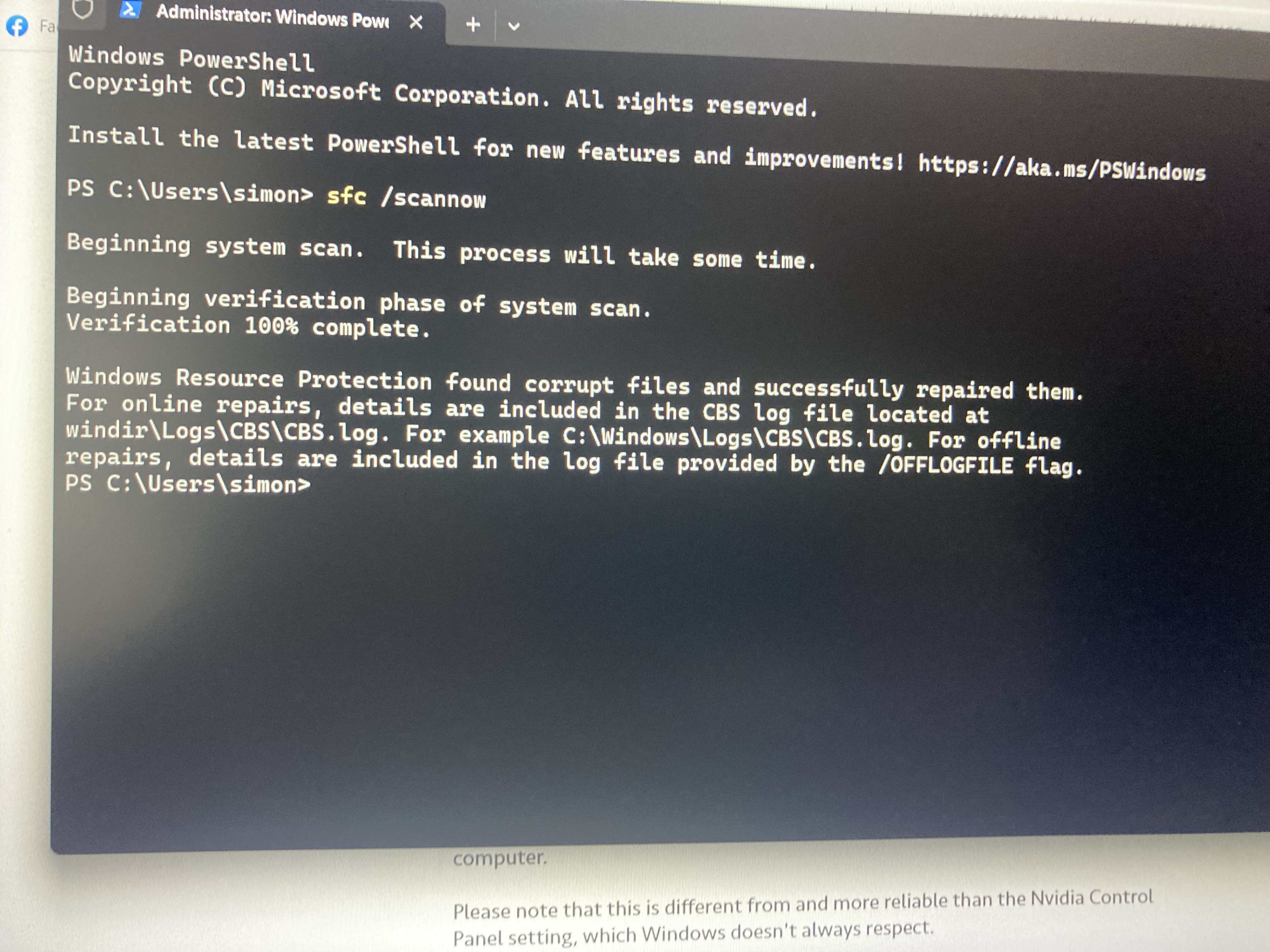
    Thanks for this advice @puzzlezaddict. I’ve followed all your instructions and I think update errors are cleaned (see snapshot of onscreen message).

    However, my problem still remained.

    I decided to check my mods - I should have done this earlier. It seems a piece of custom content (an art deco lamp, no less) is somehow affecting how the trees/bushes etc render.

    Everything seems  ok again now, now I’ve removed it, but I will keep monitoring.

    Thanks again for your help.
28 Replies

  • Naluyaki's avatar
    Naluyaki
    Rising Novice
    1 year ago

    And have you been able to solve the problem in the meantime? I have exactly the same problem, but only with trees in Windenburg. 

  • puzzlezaddict's avatar
    puzzlezaddict
    Hero+
    1 year ago

    @Naluyaki  Please test with no mods or custom content, as in, move the Mods folder to the desktop and delete localthumbcache.package.  You don't need to save your progress.

  • Naluyaki's avatar
    Naluyaki
    Rising Novice
    1 year ago

    Unfortunately, it's hard to see in the screenshots. But I've marked the type of tree in question with arrows. No other tree is affected, in any world or neighborhood. Only the one type of tree in Windenburg.  

  • Naluyaki's avatar
    Naluyaki
    Rising Novice
    1 year ago

    When you pan the camera, move around the environment as a Sim, etc., you can obviously see that the trees are not in 3D.

  • puzzlezaddict's avatar
    puzzlezaddict
    Hero+
    1 year ago

    @Naluyaki  A lot of assets in Sims 4 aren't really 3D if you pan out or zoom in on something that's supposed to remain in the distance.  That's not a technical issue, just the way the game was designed.  This particular thread is about sets of leaves looking like they've been drawn on sheets of paper.  Please have a look at the screenshot attached to the first post on page one.

    If you do have the same issue as in that first post, please take close-up screenshots.  And in that case, I need the full dxdiag, attached as a text file, not a screenshot of the mostly-irrelevant first page.  Otherwise, I wouldn't worry about it—this is just how Sims 4 is built.