Fresh install; game fails to generate neighborhoods
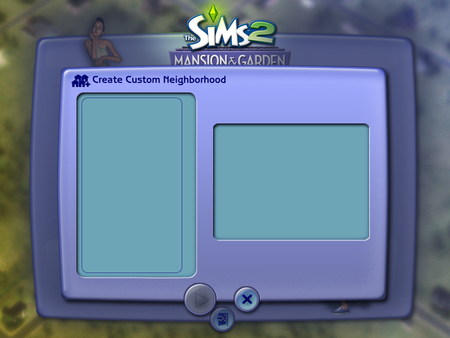


Hm, it should not be empty, i'd suggest moving your EA Games folder(s) if both are empty, being when it detects nothing is there, it will regenerate, move it to, let's say, your downloads. Now, boot the game, it should at least try to make something, if it doesn't make them, please reinstall to your program files/x86. Keep us updated. Thank you.

Hi.
Still no EA games folders are being generated when I install. Moreover, there is no Origin Games folder under Program Files (x86). None are being generated when I install [one of my attempts I made one myself and directed install there, still no luck.)
This is weird, because I have TS4 installed through Origin.
I am at my wits' end here. I've tried every install combination imaginable, including sticking it back on my D drive in the same location as my TS4/TS3 install. No luck. It just won't generate a Documents folder.
https://forums.thesims.com/en_US/discussion/965642/fresh-install-game-does-not-produce-documents-folder-game-unplayable#latest
I started a thread on TSForums. Nooger's response mentioned the registry. I tried their steps [removing the TM], and that did not fix the problem. I still think this might be a registry issue... how does one go about COMPLETELY removing a game from a system? Maybe that could help?
[Remember: the very first time I installed this on my PC, it generated a docs folder and was playable. It was only when I uninstalled and reinstalled on my D drive that I began to run into this problem.]
I'm really not sure what else to do here.. Are EA games folders interchangeable? If someone were to lend me theirs [w/o saves], could I stick it in my Docs and allow the game to use their neighborhood files?

@tomanynote , to my knowledge trying to install the game on anything other than your main hard drive at first results in problems for the game recognizing where to direct saves and to look for the EA Games/Sims 2 folders. Uninstall the game from your D drive and allow it to install on your C drive to begin with. Then start up the game and make sure that an EA Games folder generates in your Documents folder the first time you start up the game.
Please post back here once you have completed these steps and we can then research and see about moving the game to your D Drive.
I've not only tried uninstalling from D and reinstalling to C MULTIPLE times, but I've also tried creating a new user account on my PC and installing it under that accounts' C/Documents folder.
No luck whatsoever.



