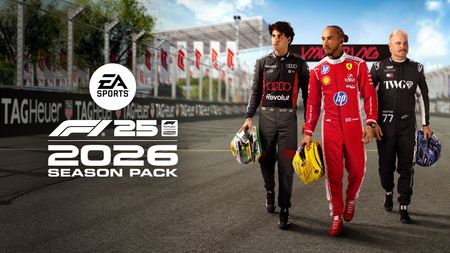
F1® 25 - v1.18 - PATCH NOTES
Season Six is just around the corner and we’re making a handful of quality of life fixes to go along with the update. Patch v1.18 will begin rolling out at 10am UTC on Monday, March 2. Please ensure your PC or console is connected to the internet in order to receive the update. v1.18 Patch Notes Season 6 Content - Available from March 4 Season 6 content additions, including new Podium Pass and Shop items All other changes - Available from March 2 Updated sponsors on the McLaren livery to include Gemini Added support for Native Mode on the Thrustmaster T598 for Xbox Check in with our ‘Engineers’ Whether it’s on the EA Forums, r/F1Game on Reddit, or across our social media pages, thank you for making your voice heard by contributing to the F1® 25 discussion so far. Be sure to keep an eye on the Community-Raised Issues thread. This post on the EA Forums serves as the go-to place to stay up to date on what the development team is working on regarding bugs and issues raised by you, the community. This thread will be updated regularly between patches. To be notified of these changes, sign in to the EA Forums and tap the bell in the top-right corner of the post. If you would like to take the time to log a bug, please do so on our dedicated Technical Issues & Bug Reports page on the EA Forums, where a member of our team will get back to you. You can find the best bug reporting process by clicking here. We also have a number of support guides for F1® 25, including a PC Troubleshooting Guide and tips for setting up F1® 25 to work in Virtual Reality and Triple Screens on PC. These can be found in the F1® Game Info Hub on EA Forums. To keep up-to-date on all the other F1® 25 news, be sure to follow us across social media. Links to these profiles and other useful information can be found here.19KViews0likes0Comments
F1® 25: 2026 Season Pack PC and Wheel Troubleshooting Guide
Hey racers! Welcome to the ultimate troubleshooting guide for F1® 25 on PC! Whether you're having issues with your wheel setup or experiencing game crashes, we're here to help. Below, you'll find all the helpful information you need to get back on track. A bunch of us CMs (Community Managers) are active on here too, and we will do our best to help, but we can't respond to everything. So, let's all rely on the community to help each other out, including in this thread. Think of this thread as our pit crew, ready to get us all back in the race! Although we probably won't hit the sub-2 second pit stops. 😉 Firstly, let's start with a Default Setup With hundreds of thousands of different PC hardware and software configurations, it's not always possible for us to identify the exact issue that is causing you a problem with the game. That being said, PC enthusiast tweaks such as undervolting or changing the clock speed of your graphics card have been known to cause undesirable performance issues with our games. We always recommend reverting to default hardware/software configurations when it comes to troubleshooting PC issues. This step alone may solve any issues you are facing but even if it doesn't, it ensures your PC is in a default state should we need to investigate further. Basic Troubleshooting Steps Struggling to boot the game for the first time? Please be patient! Sometimes it can take a minute or two to open if this is your first time playing on your machine. PC System Requirements: Ensure your PC meets the game’s minimum requirements. You can find the requirements specs here: F1® 25 System Requirements Graphics Troubleshooting: For any graphical issues, follow this guide on EA Help: [Troubleshooting graphics on PC]. F1® 25 - Keep Your Graphic Drivers Updated Make sure your wheel/device is supported. Check out the list of peripherals officially supported here: Supported Devices - PC If you use racing wheels, update their firmware. You can find the latest firmware and instructions on your wheel manufacturer's website, like Thrustmaster. We are also seeing some reports of crashes with Logitech devices, so we strongly recommend you update to the latest G Hub version (2024.4). Visit the Logitech G Hub site to download it. ❗Note for Thrustmaster users: If you are using a PlayStation-compatible Thrustmaster wheel on PlayStation 5, please set your wheel to 'PlayStation Mode 1' in order for it to work correctly on F1 25. This may identify your wheel as a different device. Additional Troubleshooting Steps Verify Game Files: Sometimes, game files can get corrupted. Verify the integrity of the game files through your game launcher. - For EA app, go to your library --> click on the 3 dots of F1® 25 --> Repair - For Steam, go to your library --> right-click on F1® 25 --> Properties > Local Files > Verify integrity of game files. Check USB Connections: Ensure your wheel is properly connected to your PC. Try unplugging and re-plugging it into a different USB port. Avoid using USB hubs or extension cables. Configure ingame settings: Go to the settings menu in F1 25 and configure your wheel settings. Make sure to calibrate your wheel and pedals correctly. Adjust graphics settings: Lowering the graphics settings can sometimes resolve performance issues. Try reducing settings like texture quality, shadows, and anti-aliasing. Disable background applications: Some background applications can interfere with the game and use up resources. Close unnecessary applications and processes through the Task Manager. You can also add the EA app or F1 to your anti-virus programs. You can find more information in this EA Help article. Check for Windows updates: Ensure your Windows OS is up to date. Go to settings --> Update. If you are having crashing issues, performance issues, or strange behaviour, it might help repairing windows by running: DISM /Online /Cleanup-Image /RestoreHealth sfc /scannow Game Booting / Anti-Cheat Issues Sometimes AntiVirus or our EA Anti-Cheat software can block F1® 25 from booting. Try adding F125.exe to your anti-virus's list of whitelisted applications. Having 'Windhawk' running on your PC when loading F1® 25 will cause the game to crash every time. If you have this piece of software on your PC, please uninstall or disable this before loading up the game. If you experience other issues loading the game (such as a black screen), please close the game and delete your hardware settings files. This won't affect save games but will instead trigger the game to boot in default settings. These files can be found in C:\Users\USERID\Documents\My Games\F1 25\hardwaresettings. Delete both .xml files, and then restart your PC before loading up F1® 25. EA AntiCheat will report which piece of software needs to close in order for F1® 25 to run - this is shown at the top of the F1® 25 splash screen when you boot the game. Some home automation or device controls may contain "Interception". A post with steps on how to remove this can be found by clicking here. For DiskSoft errors, you will need to uninstall/disable DAEMON Tools, ReWASD or Astroburn. More information about software that can block F1® 25 from booting can be found by clicking here. Game Crashing Issues Where is the game crashing? For example, when loading onto a specific track or when the podium cut scene plays. How many times has the crash happened? Can you repeat it? Does it crash in the same place each time? Does the crash only happen in one mode? Does the crash only happen on one track? Upload a DxDiag file that can give us more information about your system and any issues with drivers or errors. Press the Windows key and enter 'dxdiag' in the search box. Select the dxdiag app. When DirectX Diagnostic Tool opens, select the Run 64-bit DxDiag button. If that button doesn’t appear, move to step 6. While the program is gathering information, a green progress bar will appear at the bottom left of the DirectX Diagnostic Tool window. When the progress bar disappears, it means your report is ready. Select Save All Information. Save the file to your desktop (make sure it’s saving as a text file) and give it a name you’ll remember. Select Exit. Attach the file here in your next post. Remember, this thread is a guide for us to help each other out. If you encounter any technical issues, feel free to post here. Our community is knowledgeable and ready to assist. Let’s work together like a well-oiled pit crew to solve any problems and keep everyone racing! If you found a workaround or solution that fixed your issue, feel free to share it here so it can also help others! Keep in mind though, if you want to report a bug or issue with the game, please use the search function if a topic about it already exists or create your own thread. We've got our own guide on How to report a bug. Also, we are unable to help with any account issues or payment issues on the forum. Please reach out to EA support instead. Here, you can find how to create a case. Other than that, happy racing, and let's keep those wheels spinning!7.9KViews3likes2Comments
[MEGATHREAD] Logitech G920 - Wheel rotation angle is not applied to the wheel.
WHEEL ROTATION on the f1 26 season pack I have Logitech g920 on Xbox and the wheel rotation has a bug because I turn I can barely make that corner because I have to do a full turn like driving a car in real life it work normally before the dlc pack until it came out today where I can’t make the corner at all please fix it soon as !!![MEGATHREAD] Add coop career mode on the season pack 2026
Please add the 2 Player Co-op Career mode to the 2026 Season Pack. Many players only buy F1 games to play online with friends. The 2026 cars, rules, and teams like Audi and Cadillac should be available in Co-op mode too. Split screen is not enough. Please release a post launch patch for this mode. Thanks.SolvedF1® 25: 2026 Season Pack | How to report a bug
⚠ Before reporting a bug, please always check to see if your bug has already been reported. You can use the keyword search for this to possibly find your bug. Then, add your report to the post created for it and click the "Like" button to indicate that you are experiencing the same issues. We've also got a list of Community-Raised Issues, which doesn't include every bug we are tracking, but at least gives you an overview of what's already being investigated or awaiting a patch. We thank you in advance for your help and reports about problems that you face in F1® 25! What doesn't belong in the bug forum? Please use the General Discussion board to discuss account problems, changes to e-mails, passwords, security settings, etc. Bug Statuses: What are they? What do they mean? The new EA Forums platform allows us to categorise all the Bugs that you report. Below, you can find an image with the mean statuses (these statuses aren't the only ones, but the ones we will use the most): New: This is the status by default. When a bug report is created, it will be marked as NEW. Investigating: Once we escalate your bug to the team for investigation, we will change your bug status to INVESTIGATING. Fixed: This status will only appear when a bug is FIXED. Not a bug: Sometimes, players report things that are not bugs, such as account issues or features that work as intended. If that is the situation, your thread will be marked as NOT A BUG. Needs Info: We may contact you directly to get more details on the experience. If that is the case, we will mark the Discussion as NEEDS INFO. It's critical to be as specific as possible when submitting a bug report. We're looking for the following details: Fill in all requested fields in the new thread report form Please include the Report Code (you can get it from the Pause menu, bottom left of the screen; it looks like ABCD-EFGH-IJKL-MNOP). Codes are always letters, so if you think something is a "2," it might be a "Z," or if you think it might be a "0," then it will be an "O." If you are on a PC, the DxDiag and hardware settings XMLs for the machine are helpful, particularly when you experience crashes. A Dxdiag will give you a picture of your machine setup with respect to installed drivers, the number of monitors, and other features that might indicate what is causing the issue. You can save out DxDiag as a text file from the dxdiag.exe that you can launch via WinKey+R You can also attach your Hardware Settings.: user > documents > my games > F1 25 > hardwaresettings right-click the game in Steam > Manage > Browse local files > F1_25.exe.[number].running (please, rename this last file as .txt to be able to upload it) Let us know if you tried restarting your console/PC to fix it (or other technical troubleshooting steps you may have tried) If you have made any changes to the defaults on your operating system or hardware (e.g. overclocking, changes to game-affecting things like shader caching, tuning of graphics drivers...), please let us know to help understand any reports. It can also help us if you can upload a screenshot or video clip of your issue. These can often give us a quick insight into what is happening or has happened in your game to better understand and reproduce the reported bug. Consider that we have some restrictions on clip creation on the EA Forums. If we ask you to make a video, we will give you further guidance on how to include it in your Bug report, but YouTube links would be recommended. Sometimes we will request you to share with us your Save Game. The steps you will have to follow will be different depending on the platform: EA app: You will find the Saves Folder here C:\Users\YourUsername\AppData\Local\F1 25 Steam: You will be able to find your Save Games at the root folder C:\Program Files (x86)\Steam\userdata\[STEAMUSERID]\3059520\remote Epic Games: https://www.epicgames.com/help/en-US/c-Category_TechnicalSupport/c-Tech_PC/where-can-i-find-my-local-game-saves-a000089177 PlayStation: https://www.playstation.com/en-us/support/hardware/ps5-manage-storage-space/ Thanks, everyone, for reading this guide and helping us to make F1® 25 a better experience for everyone! -Groguet6.6KViews3likes0Comments
Bug - Broken OSD Customisation of F1 Dial
In the 2026 season pack, the new 26 F1 Dial element is unable to be customized or repositioned for the 2026 cars. It appears as if only the old 25 F1 dial element is exposed in the interface (or something similar). There is also a secondary bug, where the size of the bounding box of the F1 dial element changes size as it is moved, severely limiting the range of motion of the element. This is on PS5, and occurs across all game modes. Only the F1 dial seems to be affected as far as I can tell. Video of bug: https://youtu.be/uRHo22NW4hU In the footage, the 26 dial is at the bottom of the screen despite it being set to the position of the halo in the interface. I usually have the dial set to be on the halo as I am unable to see it in it's default location. The footage also shows the issue with the bounding box changing size. This is rather game-breaking for me, as not being able to see either the OSD (or in-cockpit ERS data) in its default location severely limits the ability to manage the new ERS system and play the game. Happy to provide more footage if required!F1® 25: 2026 SEASON PACK – V1.22 – PATCH NOTES
Patch v1.22 will begin rolling out at 10am UTC on Monday, June 15. Please ensure your PC or console is connected to the internet in order to receive the update. v1.22 Patch Notes Highlights Fixed an issue which was causing some people to be stuck on the "Communicating With Online Services" screen. This fix is in a separate Online Services update which goes live on Tuesday 16th June at 10.00 UTC Fixed an issue where the position of the dials on the OSD Customisation screen did not accurately represent their position when on track. Fixed an issue where sometimes tyres could be missing from a car when restarting a race after a Red Flag. Wheels & Controllers Added the Thrustmaster SF25 wheel rim control scheme to the wheelbases. Fixed an issue on the Thrustmaster TM SF1000 wheel where the red LED would remain lit after a Red Flag restart. Fixed an issue where the game would show the Lenovo Legion Go 2's controllers as not compatible when detached. Fixed an issue in splitscreen where controller vibration could be lost if the other player is using a keyboard. Cars 2026 vehicles will now flash their lights when going slower than 20 kmph, as per regulations. Fixed an issue which caused graphical corruption on Customised cars when using the "TAA and FidelityFX Sharpening" option. Fixed a minor visual issue with the heat haze coming from the 2026 Mercedes Fixed a number of minor graphical issues with various 2026 Custom car liveries Tracks The Overtake Mode detection line is now in the same place on the track and track map at Las Vegas and Monza. Fixed a number of lighting and shadow issues at various tracks at specific times of day. Misc Fixed an issue where the game could crash when changing the car category in a multiplayer lobby with AI present. Fixed a number of images for R&D upgrades in the 2026 Career. Various UI and Stability Improvements Check-in with our ‘Engineers’ Whether it’s on the EA Forums, r/F1Game on Reddit, or across our social media pages, thank you for making your voice heard by contributing to the F1® 25 discussion so far. Be sure to keep an eye on the Community-Raised Issues thread. This post on the EA Forums serves as the go-to place to stay up-to-date on some of what the development team is working on in relation to bugs and issues raised by you, the community. This thread will be updated regularly between patches. To be notified of these changes, sign-in to the EA Forums and tap the bell in the top-right corner of the post. If you would like to take the time to log a bug, please do so on our dedicated Technical Issues & Bug Reports page on the EA Forums, where a member of our team will get back to you. You can find the best bug reporting process by clicking here. We also have a number of support guides for F1® 25 including a PC Troubleshooting Guide and tips for setting up F1® 25 to work in Virtual Reality and Triple Screens on PC. These can be found in the F1® Game Info Hub on EA Forums. To keep up-to-date on all the other F1® 25 news, be sure to follow us across social media. Links to these profiles and other useful information can be found here.1.7KViews2likes1CommentVibrations turning off on controller
Randomly in online races, usually when someone in the lobby is lagging, all vibrations either reduce to a low setting or completely stop on PS5 and it makes the car extremely difficult to drive. A quick fix is to pause and un-pause the game, bringing back vibrations momentarily until they break again, usually within a lap. An easy fix would be to make vibrations client side if possible to avoid lag breaking them. This has been happening for the whole of F1 25, but since the 2026 DLC released it seems to have gotten worse. As far as I know this only affects PS5.F1® 25: 2026 - v1.20 - PATCH NOTES
Patch v1.20 will begin rolling out at 3 pm UTC on Wednesday, June 3rd. Please ensure your PC or console is connected to the internet in order to receive the update. v1.20 Patch Notes Additions Added content for Season 7 Podium Pass. Added former F1® Esports Series Champion Frederik Rasmussen as a playable Avatar. Supersampling Technology Updates Added PSSR2 support to PlayStation®5 Pro for sharper visuals and better performance. Updates and stability improvements for AMD FSR™, including improved compatibility with Redstone driver overrides. Updated Intel® XeSS and XeFG to version 3. Wheels & Controllers Added Fanatec® SDK support on Xbox for LSB/RSB buttons and LED displays on compatible wheels. Removed restrictions on Wheel Rotation for Xbox players with Fanatec®, MOZA, Turtle Beach and Logitech Pro/RS50 wheels. Added support for the Nacon Revosim RS Pure on PlayStation®5. Added support for the Cammus C12 wheel & LC100 pedals. Fixed an issue where altering Brake and Differential settings with a player-mapped button could cause the value to be incorrect. Career Fixed an issue in Career modes where selecting "Show Sprint Results" would not show the correct race results. Fixed an issue is My Team Career where the player could have the incorrect tyre allocation after changing drivers from the previous race weekend. Multiplayer Fixed an issue in Spectator mode which would cause alignment issues on the timing tower during overtakes. Fixed an issue in Splitscreen where Player 2's screen would frequently not show rain droplets on the camera. Fixed an issue in Splitscreen to improve graphical quality of Player 2's screen when using certain Anti-Aliasing settings. Customisation Fixed an issue in Customisation where the "Copy from Another Design" option is not visible if you've only got one other design. Fixed an issue in Customisation where the "Randomise Design" option did not always create a random design. Misc Fixed an issue where the "Achieve Your Expected Position" milestone goal did not progress. Fixed an issue where the Delta Time could still be visible in some game modes after turning it off in the settings. Various UI and Stability Improvements. Check-in with our ‘Engineers’ Whether it’s on the EA Forums, r/F1Game on Reddit, or across our social media pages, thank you for making your voice heard by contributing to the F1® 25: 2026 Season Pass discussion so far. Be sure to keep an eye on the Community-Raised Issues thread. This post on the EA Forums serves as the go-to place to stay up-to-date on some of what the development team is working on in relation to bugs and issues raised by you, the community. This thread will be updated regularly between patches. To be notified of these changes, sign-in to the EA Forums and tap the bell in the top-right corner of the post. If you would like to take the time to log a bug, please do so on our dedicated Technical Issues & Bug Reports page on the EA Forums, where a member of our team will get back to you. You can find the best bug reporting process by clicking here. We also have a number of support guides for F1® 25 including a PC Troubleshooting Guide and tips for setting up F1® 25 to work in Virtual Reality and Triple Screens on PC. These can be found in the F1® Game Info Hub on EA Forums. To keep up-to-date on all the other F1® 25: 2026 Season Pass news, be sure to follow us across social media. Links to these profiles and other useful information can be found here. -Groguet900Views1like0Comments