Philippine Flag defaults to Dutch Flag cutscene
Platform: PlayStation 5 Game Mode: Driver Career Mode (2025 Season) Issue Summary: When selecting the Philippines as the driver's nationality, podium celebration cutscenes that feature a national flag fail to display the Philippine flag. Instead, the cutscene always defaults to the Dutch flag. The driver is shown holding/wearing the Dutch flag. Other national flags work properly, but the Philippine flag consistently triggers the fallback Dutch texture.
Random FFB loss and sudden force spikes to left and right
Bug Description: While playing F1 25 on PC, my Logitech G920 wheel randomly experiences severe Force Feedback issues. Out of nowhere, the wheel suddenly applies strong force pushing hard to either the left or right side on its own. These spontaneous force spikes last for about 2 seconds before returning to normal. Additionally, I occasionally experience brief, complete losses of Force Feedback during gameplay. Troubleshooting / Isolation Tests Performed: - Repaired Game Files: Verified game files via Steam to rule out corrupted game installation files. - Tested on Xbox Series S (F1 23): Works perfectly with no FFB drops or sudden force spikes. - Tested on PC (Assetto Corsa): Works completely fine with normal FFB behavior. This issue is isolated specifically to F1 25 on PC and is not caused by faulty hardware or corrupted base game files. I have attached a video clip demonstrating this issue. In the clip, the unexpected steering input causes the car to turn sharply off-track involuntarily. Report Code: TGVS-SPHP-BVGL-JTCDController losing ffb when touching walls / making contact
Hello. Me and a few others have a common issue where in a race or qualifying session, if our car slightly touches another car or a wall, the pad/controller will lose any force feedback/vibrations and we can't feel anything as a result. Please fix thisLoad Failed bug
I'm experiencing a persistent "LOAD FAILED - Failed to load, do you want to retry?" error every time I launch F1 25 on Steam (PC). What I have already tried, without success: 1. Verified the integrity of game files via Steam 2. Disabled Steam Cloud synchronization for F1 25 3. Deleted the local save/cache folders (Documents\My Games\F1 25 and AppData\Local\F1_25) 4. Relaunched the game after a clean reinstall of the local files 5. Reinstalled the game Despite these steps, the "Load Failed" error still appears on launch. If I select "Continue Without Saving", I can reach the main menu, but my progress (career mode, settings) is lost again the next time I start the game. This suggests the issue may be related to a corrupted cloud save profile on EA's servers rather than a local file problem.
VR not working (AMD 9070XT)
I also askes AMD about this issue: On my GPU 9070XT i still have a VR issue. Tried everything with new and the latest 25.10.2 driver but no luck. So i'm back on the AMD 25.4.1 release (amd-software-adrenalin-edition-25.4.1-win10-win11-apr22-rdna). INGAME: Tried everything, but i still get a strange grey image in VR and only the HUD ingame is showing correctly (with F1 25). I saw posts online with positive results. Is there anything you can do? Or do you have any tips/tricks? Note: this only occurs in F1 25, all other games DO workF1 25 mid-session crash in Career Mode after recent update (7th September)
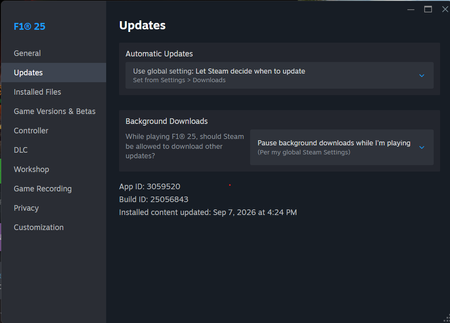
Greetings, I have been facing this issue today where I try to load back into my saved career and the game completely crashes and quits to desktop without any error. Everything else is working - new career, time trial, grand prix, etc. But just when I try to resume my career - it crashes without fail on the loading screen. Tried restarting, removing mid-session game files, validating file integrity from Steam, everything. No solution. Game was perfectly fine last night. Issue has been observed only today, after the most recent update.ERS bug Singapore
Racing in Singapore in driver career and the battery deployment is bugged. In qualifying, I left boost mode ON for the whole lap and the battery wouldn’t deplete past 60% and the there was no speed gained with boost mode on. In the race, with boost on the whole lap, battery doesn’t deplete lower than 70%. This makes the player totally uncompetitive at this track.
F1 25 World Car Slow At 600-1000 Tech for PC Users
The F1 25 world car becoming slow at 1000 tech is a known bug, likely caused by a scaling issue where the game slows down high-tech cars in events. A common workaround is to dismantle your vehicle parts back to a lower tech level (around 500-600), which restores the car's performance to a competitive level, even though this is not a permanent solution. Problem: The car is slow at 1000 tech Cause: It appears to be a bug in the game where cars with a tech level at or near 1000 are scaled down significantly, making them slower than other cars in events like the Invitationals. Symptoms: The car is noticeably slower than other players and AI opponents, often several seconds behind per lap. The problem is most apparent in Invitational events. It is not a hardware or installation issue, as it has been reported across many platforms and re-installs. Workaround: Dismantle parts Action: Dismantle your vehicle parts back to around level 100, but keep your team parts at 1000. Result: This restores the car's performance to a competitive level, allowing you to keep up with other players. Limitation: This is a temporary fix, not a solution to the underlying bug, which developers need to address.Vibrations turning off on controller
Randomly in online races, usually when someone in the lobby is lagging, all vibrations either reduce to a low setting or completely stop on PS5 and it makes the car extremely difficult to drive. A quick fix is to pause and un-pause the game, bringing back vibrations momentarily until they break again, usually within a lap. An easy fix would be to make vibrations client side if possible to avoid lag breaking them. This has been happening for the whole of F1 25, but since the 2026 DLC released it seems to have gotten worse. As far as I know this only affects PS5.