
[GALLERY] 'Content not installed' warning with all content owned
I haven’t played this specific save in a few years. I made some changes to my sims’ house and lot, and saved it to my library. I then demolished a different lot, and when I tried to place my sims’ lot from the library, I get a message saying content is not installed and that I don’t own all the content. I own almost all DLC, and I own the content used in my sims’ house/lot. I’ve never used mods/cc on this save. I’ve tried repairing the game, and then saved the lot to my library again, and deleting the previous saved copy. I still get the same message when trying to place the lot from my library on a different lot. It’s a recent issue, I didn’t have any problems a few days ago on a different save. Edit By Crinrict: Adjusted Title1.4KViews70likes67Comments[W] Werewolf Stuck in animal form
Hi, I just downloaded the pack and I am playing for the firm time. I created a family of 2 Sims, both werewolves. I played a little, both of them were in human form when I stopped playing. I played with another family under the same saved file and were I tried to play with the werewolves family, one of them was in animal form and the other in human. It seems my rage/fury gauge was full, but the sims had no rampage or fury interracions, had a happy modlet and just behave like a human. After 3 days, the sims was still in animal form, not way to turn it back. the other sims, never turned into a werewolfe. I tried to use the Casfulledit cheat, removed the werewolf attribute, but the sims still maintained an animal form, but now had no werewolf abilities. I went to CAS again and put back the werewolf ability, and the human form became a weird naked body with a broken face. What Can I do to fix this? *** I do not have any mods or CC installed. Edit By Crinrict: Added pack tag to title. Note from EA_Solaire: Hello all, If any of you are still encountering this on the latest game version could you share your Electronic Arts folder as well as a video of this happening? You can find this folder under Documents-> Electronic Arts. If so, please send me a DM with a link to your folder and video. Instructions can be found here: [INFORMATION] How to Send User Files to The Sims 4 Team | EA Forums - 5048472 Thanks!573Views8likes18Comments
Business Panel Doesn't Show Owned Businesses
Recently, I am now unable to fill vacancies or properly manage the lot I purchase. After purchasing lot, I can open the ‘owned business’ panel, but to fill vacancy you must return home. Once on home lot, the ‘owned business panel’ no longer shows my rental unit. When looking at world map, when hovering over new rental I just purchased, it does show I own. The only time I’m successful in getting the ‘owned business panel’ to identify that I own property, is after clicking the build/buy mode while on rental lot and returning to live mode. Therefore, all I can do is buy the lot, and change the rental agreement. I cannot however find tenants or collect rent. I play sims 4 on Xbox. Please help! Edit By Crinrict: Adjusted Title fit bug report at AHQ Archived thread had around 18 me toos4.5KViews67likes146Comments
[GALLERY] Uploads showing twice/Can't delete duplicate
When I go to delete duplicate households or lots from my gallery, it says. "item is corrupted do you want to remove it?". This concerns me for 2 main reasons: 1. It didn't show any indication of corruption before I tried to delete it. 2. This relates to the problem with duplicates being created automatically when I save something to the gallery (as it's the auto-created duplicates I'm deleting). Edit By crinrict: Added Tag to Title, Adjusted Title41Views0likes6Comments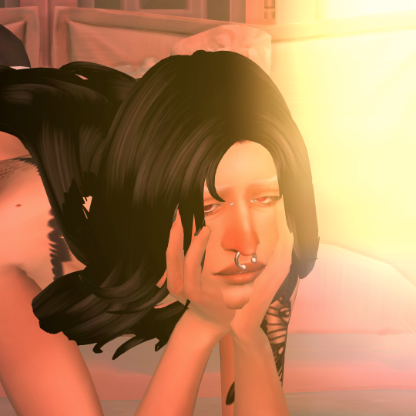
Acne on all ages
Hello! I've been having this issue where my infant, toddler and children sims get acne that will not go away... it's not mod nor cc related and I have acne switched off in the "Pack Settings" so I don't exactly understand why it's happening.... Even freshly made YA spawn in game with acne although I have mods that help remove it for them. I just really want a fix for this. I do use mods and cc. But I know this is not mod nor cc related because even when I take out my mods my sim appears with acne. The second image is the sim when I uninstall the High School Years pack from game. The acne goes away.31Views0likes3Comments
[XB/PS] Console crashing after update 2.13
I ran the update for Xbox today 6/18/25 and every time my sim leaves the lot and returns the games crashes - no mods as it is Xbox - has occurred about 5 times today every time is after my sim visits another lot and comes back to their lot about 3-5 minutes of playing with a different household member the game crashes. Also it keeps resetting my game settings turning back on tutorials and game play overlays and turning back on the music I have turned off in build mode and home screen have most packs except for For Rent, Lovestruck, Growing together, High School Years and Seasons13KViews177likes968Comments
[GRO] Infant Milestone Notifications Appearing Twice
All infant milestone notifications seems to appear twice, which when you have four infants ends up being a lot of notifications. 😅 No mods or cc installed. Playing on macbook. Edit By crinrict: Adjusted Title fit old bug report.402Views41likes16Comments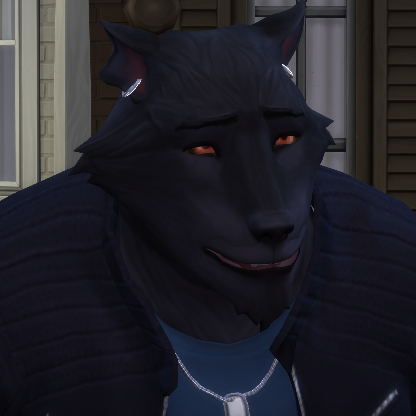
CAS: Infants T-Pose/Weird Angle When Clicking Accessories
As the title explains, when clicking on the accessories option for toddlers in cas, it goes into a weird camera angle. I've figured out that it's because infants have access to rings and bracelets, which on an older sim, isn't strange because it zooms in on their hands. But since infants are sitting down in their natural stance instead of standing, like toddlers-elders, it makes for a weird angle in cas. It gets fixed if you select the socks, leggings, or gloves option, but it's jarring. I wasn't able to capture it either, but at one point, my infant did a t-pose in that strange camera angle (I think to simulate what toddlers-elders do when looking at bracelets and rings). It's not game breaking, but it is very jarring. Edit: Forgot to mention that this started happening after the 2/25/25 update. Edit By Crinrict: Adjusted Title a bit546Views23likes15Comments[RL] Sims get Judgemental Eyes moodlet when they have no scandals
My sim, Baroness Clementine Bailey, messed around with Sidney Price in her own bed on her home lot. This would have been scandalous if it had been on a public lot, but since it wasn't, there is no scandal logged in her notebook. However, she has gotten the Judgemental Eyes moodlet while standing by Sidney and the cafeteria lady in the high school cafeteria. Presumably Sidney is the Secret Witness she is near, unless Ava Harjo was being a peeping Tomasina. But Sidney was a participant, not a Secret Witness. Bottom line: if it was a scandal, it should be logged in the notebook's Scandal section. If it wasn't, it shouldn't be treated as a scandal.379Views9likes8Comments
