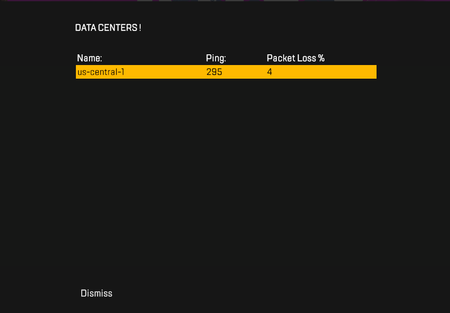
Suggestion: Battlefield Portal - 1v1 - see use case
Community & Dev Team, My Use Case Player Count: Strict 1v1 (2 players total, in separate squads). Map Size: Large scale (e.g., Firestorm) to allow for tactical positioning. Restrictions: Recon class / Sniper rifles only. Spawning: Players must spawn at opposite ends of the map, not in the center. The Problem Currently, Portal limitations make this simple use case impossible to achieve: 1. Custom Mode Issues: Building a 1v1 via Custom Mode forces players to spawn directly in the center of the map. I tried using the SDK to "manually" move the spawn points, but the tool is completely unintuitive and plain hard to use. It failed numerous times. 2. Verified Conquest Issues: Shifting to Verified Mode solves the spawn issue (allowing players to start at separate ends of the map). However, it introduces a hard block: the game forces a 4-player minimum before the match can even start, completely ruining any 1v1 setup. Requested Portal Improvement Remove Player Minimums: Allow Verified Conquest (or similar modes) to start instantly with just 2 players when configured for 1v1 lobbies.
Cheating is at an all time high
EA... these guys are getting past the anti cheat. The cheating in multiplayer is absurd. Pc players cried about aim assist until the point its nerfed so bad you can't keep up with the pcs movement. Consoles Aim assist was the only thing to potentially compete against these guys Aim bots... but on top of that they have wall hacks. Pc alone dominates a console player they have an huge advantage combined with unique movement. It seem literally every match we're encountering cheating. Good job though because I see you're catching some of them but what about the ones you're not?92Views3likes10Comments
🚨 Battlefield 6: DIESER Sound-Regler fehlt und macht wahnsinnig!
In Battlefield 6 gibt es ein großes Problem mit der Lautstärke: Die Sounds im Hauptmenü und während des Matchmakings sind viel zu laut. Damit meine ich das Walkie-Talkie-Gerede usw. Diese Sounds sind an den allgemeinen Lautstärkeregler des Spiels gekoppelt. DICE, fügt bitte einen separaten Regler für diese Sounds hinzu. Das wäre eine enorme Wohltat für die Ohren und würde zwischen den Matches sowie während des Aufenthalts im Hauptmenü für mehr Ruhe sorgen.4Views0likes0Comments
CAT & DOG
Adoption is not possible. When you try to adopt a pet, the Sim will hold the animal for a while and then put it down until time runs out and you can no longer adopt it. Please, The Sims 4 development team, seriously fix this issue and make this game worthy of being the final installment.5Views1like1Comment
[PC/MAC] [EBN] Frequent crashes in Innisgreen
My Sims are unable to live in Sprucederry Grove in Innisgreen because the games crashes frequently when they spend longer periods of time in this neighborhood. It doesn’t crash while my Sims reside in other neighborhoods. Except one time it crashed in Build Mode when I edited the lot “8 Gnome Coast Street" in Coast of Adhmor. The constant crashes are occurring in two different save files so far, which are relatively new and have been created after the new EP released. The crashes did not happen immediately after I created those save files but it started to happen after I played for several days. In both save files I am playing fairies, basically the same fairies because I started a fresh new save file after the first save kept crashing. The crashes usually happen in Live Mode. Reinstalling or repairing the game has not fixed the crashes. Edit By Crinrict: Added pack tag to title. This thread is currently for PC /Mac only. Please post the following info when adding to this report Does it crash on any lot in Innisgreen or only in specific ones ? Specs Windows Press Windows-Key + R Type: DxDiag Click on Save all Information. Attach the Text File to your post Specs Mac as per instructions here: [READ FIRST] Sims 4 - Mac Help, Guides and Troubleshooting | EA Forums - 10887329 Please delete all lastCrash/LastException/LastUIexception files, trigger the error again and provide the content of any of these files in case new ones get created. Please either upload them to google or onedrive and link (make sure the link is public) or copy/paste the content of the file.1.7KViews36likes55Comments
Infinite Loading/Black Screen After Returning to Marker or Completing Challenges
Platform: PC, PS5 (platform-independent) Description: Since Season 3, returning to the session marker (D-Pad up) occasionally causes the game to freeze on either the loading screen or a completely black screen. This happens approximately 1–2 times per hour. Same thing when completing challenges. The screen does not resolve, and the only way to recover is to force close the game (Alt + F4 on PC). Additional Details: The game continues running in the background. You can hear other players, and matches (e.g., OTL) continue without your participation. Occurs on both PC and PS5. Attached: video recording showing the issue. Steps to Reproduce: Play the game normally. Return to the session marker using D-Pad up or finish a challenge. Occasionally, the loading screen will freeze or go black. Frequency: 1–2 times per hour Impact: Prevents gameplay and requires forced shutdown.259Views6likes7CommentsFarm Merge Valley
Just reached rank 45 and was able to purchase the tomato on wheels but the crates are not producing any tomato plants. I've reported this issue through the chat help but am curious if there are any other issues reported? Also I have a blank upgrade card, will this be a wild card or should I delete it. I'm playing on two different updated pcs but still not tomato plants.
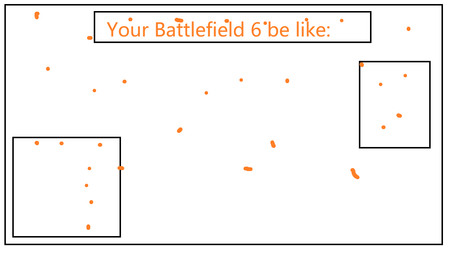
Orange Dot Notifications Will Not Clear
Haven't we all had enough of the endless orange dots in the game? Every mission, every firearm, every season pass level... Even if you patiently click each one to get rid of them, it doesn't matter. With just a minor hotfix update, they'll all be back. Please, great EA. Please, brilliant Dice. No one has ever asked you to set up these endless orange dots. Just add an option to let players disable all the orange dots with one click, okay? I don't mean to be impolite, but I'm really going crazy with these endless orange dots. (cm edit updated title for vis)7.3KViews2likes503Comments
Missing coins
So i authorized money through my steam wallet while inside the game, it gave me two times error but it took the money anyway, now they don't care to help us with their mistakes in their own game telling me is steam fault but at least steam has an actual help support not AI agents that tells you different story for the same subject and steam has receipts that prove EA took the money. Thank you for not caring EA.