
G923 FFB locks up when G535 USB dongle is connected (PS5 F1 24)
description of the problem I’m experiencing a reproducible haptic feedback issue in EA SPORTS F1 24 on the PS5 Slim when using a Logitech G923 steering wheel. When the Logitech G535 LIGHTSPEED USB dongle is plugged in, the steering wheel’s haptic feedback becomes extremely stiff, as if ‘stuck’, and loses its usual vibrations. The steering wheel still works physically, but the haptic feedback is unusable (a single constant and extremely intense force). My setup Console: PS5 Slim Game: EA SPORTS F1 24 Wheel: Logitech G923 TRUEFORCE (PS4/PC version used on PS5 via backward compatibility) Headset: Logitech G535 LIGHTSPEED Wireless (USB dongle) Connection: both devices connected via rear USB ports on PS5 Steps to reproduce 1. Unplug all USB devices from the PS5 2. Connect only the Logitech G923 3. Launch F1 24 → haptic feedback works normally 4. Connect the Logitech G535 USB dongle Once the headset is detected, the haptic feedback becomes extremely stiff / ‘stuck’. It’s really annoying... Expected behavior Force feedback should remain stable and consistent regardless of USB audio device connection. Actual behavior Steering wheel becomes extremely heavy Loss of vibration FFB feels “stuck” or overridden Only fixed strong force remains Issue disappears when G535 dongle is removed and wheel is reinitialized Further information The issue does NOT occur with PS4 games (tested with WRC and F1 2019) The issue occurs consistently on the PS5 Slim Restarting the USB devices temporarily restores normal operation Conclusion This appears to be a USB device interaction issue between Logitech LIGHTSPEED audio devices and force feedback initialization in F1 24 on PS5. Hope I will help people if they had this issue too. :) Matias37Views0likes0CommentsOnline services error
When playing online either in a private lobby with friends or through ranked multiplayer I can enter the lobby and start the race but with. The first 30 seconds of racing (either quali in ranked or the race in the private lobby) I am kicked out and receive an online services error. I get different error codes every time but the most recent was 4181107941:S please advise how to rectify this as I’ve been playing this game for years with friends and have not had any issues99Views0likes0CommentsI can't see the grand prix friends game that we created
We are trying to play in Grand Prix Multiplayer cross-platform, but the room isn't in the list. The F1 24 two-player career mode is working fine. The platforms are XBOX Series S and PS5. We can see and join open sessions normally, just the closed ones we can't. I'll appreciate any help. Cheers207Views0likes3Comments2 player carrer problem
Last night I wanted to do a 2-player career on F1 24 with a friend, but when I created the career myself, once he accepted the invitation in the start menu, it didn't appear, while I was on his TV. So we tried having him create the career, but unfortunately the invitations aren't arriving in my inbox. What's the problem, and thanks if you can fix it.260Views0likes1Comment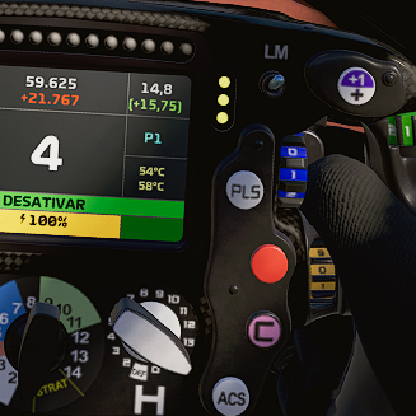
Removal of Invalid Driver in F1 24 League
Dear EA Support Team and friends, I would like to request assistance regarding an issue in our F1 24 league on the Racenet platform. In our Racenet league named "BRSPBI Team Racing", during the Monaco round, a driver named F1 Player appeared automatically, despite never having participated in any race. Since then, this driver has been listed in all subsequent rounds up to Monza, always with zero points and no race starts, as shown in the attached message. We believe that this invalid entry is preventing the driver with the username "Joao_Ferrigno" from joining the Red Bull team, even when he selects this team as his main preference. We kindly request your guidance on how to fix this issue, or alternatively, that this F1 Player driver be removed from the league so we can continue the championship properly and allow the real driver to join. Thank you in advance for your attention, and we look forward to your guidance or resolution. Sincerely, Drixtter93Views0likes1CommentBug Ers
🇬🇧 Bug Report (for EA Forum - English version) Title: ERS bug – No energy drain in “Medium” mode and excessive recharge in corners Platform: PlayStation 4 Game Version: v1.18 Game Mode: Career Mode (or My Team / Grand Prix – depending on where it happened) Description: When I use ERS in “Medium” deployment mode, it doesn’t drain during acceleration and recharges unrealistically fast during corners or braking zones. This happens even when driving at normal race pace. It seems to bug after pit stops, flashbacks, or SC periods. Switching modes sometimes helps, but the problem returns. Steps to reproduce: 1. Set ERS to “Medium” mode. 2. Drive under normal conditions. 3. You will notice the ERS doesn’t deplete, and recharges too quickly when slowing down or turning. 4. Restarting the session or switching ERS modes may fix it temporarily. Expected Result: ERS should work normally in Medium mode — draining on throttle and recharging on braking within realistic levels. Actual Result: ERS stays full or recharges too quickly, making the energy system broken or exploitable.109Views0likes0Comments
F1 24 Online Services Error – Code 41810079415 (Need Account Fix)
I’ve been dealing with a nonstop online services error in F1 24 for months now. Every time I try to connect online (multiplayer, leaderboards, etc.), I get: Error Code: 41810079415 Message: “Failed to connect to online services. Please try again in a few moments.” Important stuff: F1 25 works perfectly fine online on the same setup My internet is stable and NAT type is fine My accounts are properly linked: PSN: jaxon_frias EA ID: jax_frias I’ve already tried reinstalling and clearing cache I’ve also changed my dns. This is urgent as I am in a league and the problem has become persistent enough to make the game unplayable thank you169Views1like0Comments