Kann mir bitte jemand helfen
Titel: EA FC 27 PS5 – Extreme Ladezeiten und ständige Verbindungsabbrüche in Ultimate Team trotz guter Internetverbindung Hallo zusammen, ich habe seit Kurzem massive Probleme mit EA SPORTS FC 27 auf meiner PS5 und komme leider nicht weiter. Meine Probleme: Ultimate Team benötigt teilweise 2–3 Minuten zum Laden. Menüs hängen regelmäßig und reagieren sehr langsam. Bei Rivals und anderen Online-Partien kommt es zu ständigen Verbindungsabbrüchen. Nach den Abbrüchen muss ich häufig erneut lange warten, bis die Menüs geladen sind. Die Fehlermeldung fordert mich auf, mein Heimnetzwerk zu überprüfen. Meine PS5 bleibt währenddessen weiterhin mit dem Internet verbunden. Meine Internetverbindung: Anbieter: 1&1 Glasfaser Verbindung: WLAN Download: 311 Mbit/s Upload: 63 Mbit/s NAT-Typ: 2 EA Connection Quality Report: 95–98/100 Ich bin vor einiger Zeit in eine neue Wohnung gezogen und habe dort meinen 1&1-Glasfaseranschluss eingerichtet. Anfangs lief alles hervorragend. Die Probleme haben plötzlich angefangen, obwohl ich zuvor keinerlei Schwierigkeiten mit EA FC hatte. Andere Online-Spiele funktionieren grundsätzlich, wenn auch teilweise etwas schlechter als zuvor. Die EA FC Web-App funktioniert auf meinem Handy problemlos. Folgende Maßnahmen habe ich bereits ausprobiert: Router und PS5 mehrfach neu gestartet Cache der PS5 geleert und Speicheroptionen bearbeitet Netzwerkverbindung und NAT-Typ überprüft Verbindung über einen mobilen Hotspot getestet, allerdings mit sehr schlechtem Ping EA Connection Quality Report überprüft EA FC 27 vollständig gelöscht und digital neu installiert Leider hat keine dieser Maßnahmen das Problem behoben. Hat jemand ähnliche Probleme auf der PS5 oder weiß, woran das liegen könnte? Könnte es sich um ein Problem mit EA FC 27, den Ultimate-Team-Servern, meinem EA-Konto oder der Verbindung zwischen 1&1 und EA handeln? Ich wäre für jede hilfreiche Rückmeldung sehr dankbar. Ich möchte endlich wieder normal spielen können.101Views4likes10CommentsIst das Normal?
Bin noch ziemlich neu in Ea FC 27 aber ist das Normal das sich meine Spieler wie Roboter steuern lassen? Also an mein Internet liegt es nicht andere Spiele funktionieren tadellos. Und an den Einstellungen liegt es auch nicht. Dann noch die schlechten Pässe selbst 2-3 Meter kommen nicht zum Mann obwohl man richtig hinhält. Warum verlieren ständig meine iv mit über 1,90m Größe jeden Kopfball gegen eine 1,50m Frau ? Sehr realistisch. Und warum pfeift der Schiri jede Berührung in Squad Battles und die Gegner dürfen ein umrennen usw ? Gibt es dazu eine Erklärung spiele auf Ps5. Also sollte das Spiel so bleiben wird die **bleep** direkt gelöscht.12Views0likes2CommentsFeedback su Gameplay realistico
A parer mio quest'anno il Gameplay realistico che si usa per esempio nelle carriere è quasi in giocabile, ammetto che a volte è divertente faticare tanto per sognare, ma arrivare alla porta è quasi impossibile e ci si impazzisce, i giocatori portano la palla allungando della come se fossero veloci, ma sono lentissimi e macchinosi, i passaggi non ne parliamo, ho capito che i giocatori reali sbagliano, ma se vai a guardare una partita di prima categoria i passaggi sono più veloci, puliti e precisi e gli stop sono altrettanto inguardabili, se per realistico intendete impreciso e lento siete nella cattiva strada, fare un azione così è impossibile, non si può condurre palla e i movimenti anche con il "grande aggiornamento" sono monotoni e se prima i giocatori andavano in fuori gioco, adesso non si muovono proprio, allora spiegatemelo voi come fare un azione, mentre i bot contro fanno SOLO goal di palla filtrante e tap in, mentre io non posso fare i passaggi filtranti perché i giocatori non hanno intelligenza e invece di lanciare il giocatore in verticale, con la palla bassa evitano di cercare buchi in difesa, ma la danno direttamente nei piedi del difensore, con le palle alte invece sembrano dei tiri irraggiungibili e spesso da quanto fuori escono addirittura dal fondo. [Titolo modificato dal moderatore. EA_Claus]39Views0likes2CommentsObiettivo Sogno prima squadra ed altri bloccati
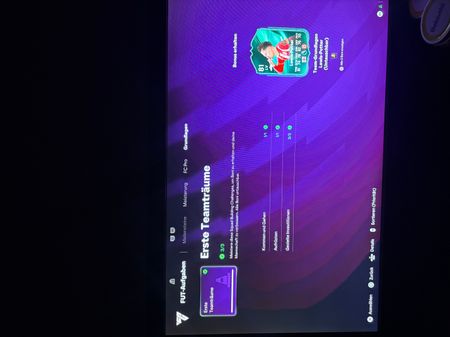
Ho iniziato oggi a giocare a fifa Ultimate team, e non riesco a sbloccare gli obiettivi basi. Ho già giocato molteplici partite, fatto anche delle scr, ma nulla. Non trovo neanche gli obiettivi da svolgere per sbloccare il mercato. Rimango sempre fermo sulla schermata di obiettivi di basi con scritto: completa per sbloccare “Sogno prima squadra” cosa devo fare per risolvere? [Titolo modificato dal moderatore. EA_Claus]77Views0likes9Commentsзвезды над гербом страны после победы в Men’s int. cup в карьере игрока
Добрый день EA, хотел бы отметить, то что после игры на Men’s int. cup в карьере игрока не добавляются звезды над гербом страны как знак победителя чемпионата, было бы прикольно, если бы это было продумано, по возможности прошу добавить эту фитчу, потому что будет интереснее играть в Men’s int. cup!Grosse déception fc27
Fc27 c’est probablement la plus grosse honte jamais vu dans l’univers fifa.!!! Un vrai jeu de m*rde avec des bugs à foison dans tous les modes de jeu. Saisons, pro clubs. Matches gagnés et pas comptabilisés c’est vraiment n’importe quoi ! Il y’avait des bugs dans les précédents fifa mais là c’est vraiment incroyable ! J’arrête ce jeu. Déception !