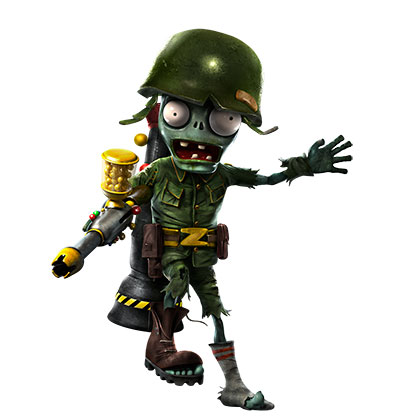
🌻 THE GARDEN WARFARE COMMUNITY IS STILL HERE — EA, THIS IS OUR MESSAGE
To the Plants vs. Zombies community, EA, PopCap, community managers, developers, creators, and everyone who has ever loved Garden Warfare: this thread is for you. If you have ever spent hours playing Turf Takeover, laughed with friends in the backyard, searched for your favorite character, chased a legendary character piece, or stayed in a match long after you should have gone to sleep, then you know that Garden Warfare is more than just another shooter. It is an experience that people remember. And we are still here. 🌻 1. GARDEN WARFARE IS NOT FORGOTTEN Garden Warfare and Garden Warfare 2 built something special: a colorful, chaotic, character-driven shooter with a personality that is difficult to replace. Garden Warfare 2 gave us dozens of characters and variants, unique abilities, maps, modes, secrets, progression, and countless reasons to keep playing. It created memories that players still talk about years later. Even today, players continue to return, find matches, share clips, create content, discuss balance, discover old memories, and ask for the future of this franchise. This community has survived years without a new mainline Garden Warfare game. We are not asking EA to believe that this community exists. We are asking EA to recognize the community that is already here. Player counts, active discussions, videos, fan art, gameplay clips, and the continuing demand for a new shooter are all worth paying attention to. Where reliable player statistics are available, they should be part of the conversation. A game does not need to be the biggest game in the world to mean something to the people who play it. 🛡️ 2. THANK YOU FOR THE RECENT SECURITY WORK — PLEASE KEEP GOING First, a sincere thank-you to the people responsible for the recent maintenance and security improvements in Garden Warfare 2. Players have been asking for a better experience for a long time. Seeing action taken against exploits gives the community a reason to hope that the game we love has not been completely forgotten. We understand that maintaining an older online game takes resources, technical work, and decisions that players may not see. We are not asking for unlimited support overnight. We are asking for meaningful steps that help protect the experience: Continued attention to serious exploits and security vulnerabilities. Better protection against cheating and malicious behavior. Clear communication when major problems are addressed. Consideration of smaller quality-of-life improvements where feasible. A reliable place for players to report issues and receive updates. The recent maintenance matters because it shows that improvements are possible. Please do not let this be the last time the community sees meaningful attention given to GW2. Even modest, consistent improvements could make a real difference to the people who continue playing. 🎮 3. WHAT WE WANT FROM THE FUTURE We want Garden Warfare 2 to remain playable, enjoyable, and safe for as long as reasonably possible. But we also want to dream bigger. We want a new Garden Warfare game. We want Garden Warfare 3. Not because we hate every other Plants vs. Zombies game. Not because we expect every new game to copy the past without changing anything. And not because we believe a new game would automatically succeed. We want it because we believe the Garden Warfare formula still has potential. Imagine a new generation of Garden Warfare with: The recognizable third-person shooting and character-based combat that made GW1 and GW2 special. New plants, zombies, abilities, maps, and creative game modes. Meaningful progression and customization. Strong anti-cheat protection and dependable online infrastructure. Regular communication with players. Community feedback considered throughout development. A long-term plan that gives players reasons to return. The most important thing is not to make the biggest game possible. It is to make a great Garden Warfare game that understands why people fell in love with the originals. Learn from the strengths of previous games, learn from their mistakes, and give the developers room to create something new without losing the identity of Garden Warfare. We know a project like this would require a team, funding, planning, and a real business decision. We are not pretending that making a game is easy. We are asking EA and PopCap to consider whether this passionate community could be the foundation for a future project. 💡 4. CREATORS AND FANS ALREADY HAVE IDEAS One of the most encouraging things about this community is that people have never stopped imagining what could come next. Creators such as Twilight Chomper Enthusiast, along with the many players who make concepts, videos, fan art, discussions, and suggestions, demonstrate how much creativity still surrounds this franchise. Their ideas are not a substitute for professional game development, and nobody expects EA to implement every fan suggestion. But they demonstrate something valuable: people still care enough to imagine new characters, new mechanics, new stories, and new possibilities. To every Garden Warfare creator: your work helps keep this community alive. To every player who has ever made a suggestion, posted a clip, drawn a character, or introduced a friend to the game: you are part of this story, too. And to creators such as Twilight Chomper Enthusiast and other established members of the community: if this discussion reaches you, please consider sharing your perspective. What should a future Garden Warfare game preserve? What should it improve? What would make you excited to play it? We want to hear different opinions, not just agreement. A serious discussion with thoughtful criticism is more valuable than a thread where everyone simply repeats the same sentence. 🤝 5. A MESSAGE TO EA AND POPCAP We know that community managers cannot promise unannounced projects. We know that they may not have information they are allowed to share. We also know that a forum post cannot create a development team by itself. We are not asking anyone to leak confidential information or make promises they cannot keep. We are asking for something more realistic: Please make sure this community’s feedback is heard by the people responsible for the future of the franchise. If a new Garden Warfare game is not currently in development, we would still like EA and PopCap to understand the demand for one. If there are no plans to announce, we understand that nobody can give us a release date. But if the possibility of a new shooter is ever evaluated, please remember that this community is still here, still playing, still creating, and still willing to support a game that respects what made Garden Warfare special. And if the answer is that there is no news, that is okay. We would rather receive an honest answer than an empty promise. 6-❤️PERSONAL TIME! I want to share something personal. I am a young player, and I have spent more than 400 hours in Garden Warfare 2. Those hours represent more than a number on a profile. They represent the fun, the memories, the characters, the matches, and the time spent loving a game that has become important to me. I know I am not the only one. Some players discovered Garden Warfare as children and have grown up with it. Others joined later. Some play every day, while others return occasionally because the game reminds them of a different time in their lives. We all have different stories, but we share something: this franchise has meant something to us. I dream of opening my phone one day and seeing an official announcement for Garden Warfare 3. I want to tell my brother, run around the house celebrating, and count down the days until release. Maybe that sounds dramatic to someone who sees this as just a video game. But if you have ever loved a game like that, you understand. That feeling is why I am writing this. I do not expect one post to change EA’s plans. I simply do not want us to stop expressing how much this franchise means to us. 🌻 7. LET’S MAKE THIS A REAL COMMUNITY DISCUSSION If you are reading this, please contribute something of your own. Answer one or more of these questions: What is your favorite memory from Garden Warfare or Garden Warfare 2? What is the one thing GW2 absolutely must preserve in a future game? What should Garden Warfare 3 improve, change, or introduce? Would you support continued security maintenance for GW2 while a future shooter is considered? What would convince you that a new Garden Warfare game respects the original community? If you disagree with something, explain why. If you have ideas, share them. If you have been playing for ten years, tell us what kept you here. If you are a newer player, tell us what brought you in. Please do not reply just to inflate a number. Reply because you have something real to contribute. Creators, long-time players, new players, collectors, competitive players, casual players, artists, and anyone who cares about this franchise: your perspective belongs in this discussion. And if you know someone who has something meaningful to add, feel free to share this thread with them respectfully. Let’s make this a place where the community can explain what it wants, listen to different opinions, and show EA and PopCap what Garden Warfare still means to people. THE FINAL MESSAGE PopCap. Garden Warfare community. We are still here. We appreciate the work that has been done to improve GW2’s security. We want that progress to continue. We want the existing games to remain enjoyable, and we want the possibility of a new Garden Warfare game to be taken seriously. We cannot promise how many people will respond to this thread. We cannot decide EA’s plans. And we cannot demand that a company make a game. But we can make our voices clear, share thoughtful feedback, support the creators who keep this franchise alive, and show that the interest in Garden Warfare has not disappeared. Please keep Garden Warfare 2 alive. Please listen to its community. And please consider giving Garden Warfare a future. One day, we hope to see those three words in an official announcement: GARDEN WARFARE 3. Until then, thank you to everyone who has kept this community going. 🌻 #WeWantGW3 This is a fan discussion, not an official announcement or a claim that GW3 is in development.
GW2 crashes on start up but only on my kids' accounts?
I recently thought it could be fun to play split screen with my kids on the xbox x since it allows split screen local co-op. The game is extremely slow to load on my own account and on my partner's account, but when I try to open it on my kids' accounts, it crashes after connecting to the servers. Something flashes on the screen but when I say flashes, I really mean flashes - there's no way for me to tell what it is. My kids are old enough to play the game within its rating and I can't find anything in their account settings on Xbox that should prevent them from accessing the game. As I can't find the problem, I can't resolve it on my own. Any tips or ideas on what I could try?Exploit
Plants vs Zombies Garden Warfare 2 Deluxe Edition on STEAM - video Dailymotion To any EA Community Manager reviewing this: My infinite loading sunflower screen began immediately after my account was targeted by a malicious player using forced-invite server exploits on PC. I have video proof of the incident ready to share. Could a staff member please look into my profile or send a DM so we can safely clear the data corruption? Thank you!"
Comemore o Halloween com Plants vs. Zombies!
Olá, colegas jardineiros, Estamos no auge da temporada assustadora e o Halloween está quase chegando 🎃 Vocês estão se inspirando em Plants vs. Zombies este ano? Seja decorando a casa ou o quintal, escolhendo a fantasia ou esculpindo uma abóbora como uma... bem... Abóbora, não deixem de nos contar o que estão planejando se, de alguma forma, estiverem incluindo nossa franquia favorita na comemoração! Tive a sorte de adicionar estas duas novas estatuetas à minha decoração assustadora na rua. O Zumbi Bobo da Corte e o clássico Zumbi Cabeça-de-Cone vão participar do Desfile de Halloween este ano, junto com o Girassol! 🧟🌻 Na noite de Halloween, pretendo assistir a um filme assustador e, para relaxar depois do terror, vou rever os adoráveis episódios animados de Plants vs. Zombies. Mas com certeza não pretendo comer nenhum cééérebro, porque isso seria muito falta de educação 🤭🤭 Espero que todos aproveitem muito o Halloween! 🌻🎃🧟♂️👻PvZ GW2 - Account Corrupted by Old Exploits Infinite Sunflower Screen
My PvZ GW2 PC player profile has corrupted data from the old server exploits, causing an infinite loading sunflower black screen at startup. I am unable to access live chat support. Could a Community Manager please send me a Direct Message so I can securely provide my account details and get my profile pushed through the developer restoration cleanup tool? Thank you!
black screen GW2
To get out of the black screen you must die in the backyard After that you can check if your characters are level 46 or if the problem is solved Another reason for this issue is the presence of Crazy Dave in Garden Ops The level 46 corruption has been fixed for me but Crazy Dave is still there I hope EA fixes this issue for me and all players I have included some screenshots for you to seeSolvedGw2 kicks me
GW2 on Xbox disconnects me even in the Backyard, on both Wi-Fi and Ethernet Hi. Garden Warfare 2 lets me connect, but after a few minutes it sends me back to the main menu with this message: "You have lost your connection to the EA Servers. You will be unable to access any online features until you reconnect." This also happens when I stay in the Backyard without joining a match. It only happens with GW2. I've tried both Wi-Fi and an Ethernet cable, and the issue persists. My NAT type shows as Open. Is there a known issue, or a specific troubleshooting step I can try without deleting my progress or unlinking my EA Account?
Mystery Portal
A while ago there was a discussion revolving around the Mystery Portal, missing achievements tied to it, and the modes required to fix it. To my knowledge, it’s been two years with no fix. I wanted to bring everyone’s attention back to it seeing as we’ve recently seen updates to GW2’s anticheat. The proposed seasonal list in Jay’s original thread was great, and I promise nobody would get tired of it. February: Cats vs Dinos March: Brothers Knomus Boss Hunt June: Capture The Taco July: Sasquatch Boss Hunt September: Soil Survivors October: Spooky Squash Boss Hunt November: Legends Of The Brawl December: Yeti King Boss Hunt In summary, what people want are the old community challenges to return, alongside all the different Boss Hunts and Cats vs Dinos. Community Challenges, could, in theory, be in any of the mystery portal modes. Just lower the requirement for today’s player count across all platforms. My goal and hope is for everyone to be able to 100% GW2 again and obtain some lost, unobtainable cosmetics tied to these modes.PVZ Garden Warfare 2 Won't Launch – AMD Driver Version 0.0 Error (RX 9070 XT)
Hello, I'm experiencing a startup issue with Plants vs. Zombies: Garden Warfare 2 on my Windows 11 gaming PC. Every time I launch the game through the EA App, I receive the following error: "Please update your AMD Radeon driver. Detected AMD Radeon driver version 0.0. The required driver version is 13.251 or later." After clicking OK, the game immediately closes and returns me to the EA App. My PC specifications: GPU: Gigabyte Radeon RX 9070 XT Gaming OC GPU driver: AMD Software Adrenalin 26.10.1 CPU: AMD Ryzen 7 9850X3D RAM: 32GB DDR5-6000 Operating system: Windows 11 Game installed through EA App / Xbox Game Pass EA Play Troubleshooting already attempted: Verified AMD graphics drivers are up to date Confirmed the GPU and driver are correctly detected in Device Manager and DxDiag Repaired Garden Warfare 2 through the EA App Cleared the EA App cache Tested Windows compatibility settings Set the game to use the high-performance GPU Temporarily disabled the secondary graphics adapter, restarted, and tested the game; then re-enabled it Repaired EA Javelin Anticheat successfully None of these steps resolved the issue. Windows Reliability Monitor also recorded an earlier EA Javelin Anticheat crash involving anticheat.gameservice.exe, with exception code c0000374. I don't know whether this is related to the driver detection error. Other games, including Battlefield 6 and WARDOGS, run normally on this PC. Has anyone encountered this error with newer AMD Radeon GPUs, particularly the RX 9000 series? Is there a confirmed workaround or a known compatibility issue? Thank you for any assistance.