Drag No Longer Working for several objects
With the New Update and Patch fix the Drag to Trash and Sink interaction is NOT working. A very important tool considering that sims tend to be extremely messy and not clean up after themselves. Diapers will likely not drag to trash either. Certainly hope they get on this ASAP. No Mods or CC are enabled as i do not use them. Testing cheats is enabled but to no avail. Resetting sim does not work for it has nothing to do with the individual Sim. Edit by crinrict: Adjusted title to make more general Update: Hey all, The team is aware of and investigating this issue as we speak and we hope to have a fix for this released soon, please keep an eye out for any further updates in this thread. - EA_Cade43KViews2215likes640Comments
[S] Weather Effects Occurring Inside Structures
When it rains, rain falls in the house has a roof. Edit By Crinrict: Adjusted Title to fit archived thread, Added tag. Archived thread had around 187 me toos Update 2025/06/17 by crinrict See this link for more details on the current status of this issue: [S] Weather Effects Occurring Inside Structures | EA Forums - 5051547 and [S] Weather Effects Occurring Inside Structures | EA Forums - 5051547 Update 2025/04/24 by Crinrict This is currently not on the laundry list yet but Maxis listed it as something that needs extended investigation Laundry List - April 24th, 2025 | EA Forums - 1211120647KViews1974likes762Comments
Softlock MEGA THREAD
we've seen a lot of reports on getting softlocked in various points - the Isle of Grom Tutorial, various Missions and/or Challenges. the Full Circle team are working to indentify the cause of the issues and get a fix out as soon as possible, but we need some info. please reply to this thread if you're softlocked (can't complete a Mission, Challenge, or the tutorial) with the following info: Platform What MIssion/Challenge? If Mission, what step in the Mission? Username you're playing with (Gamertag, PSN ID, or EA ID - no emails. We'll assume it's the account you're posting with as well.) thanks for your patience - we're on it. the skate. team _______________________________________________ Hey there, Thank you all for your reports and for your patience. Our team is continuing to investigate the softlock issues. This thread has grown to 9,010 comments, which makes it messy and outdated. To make things easier for our team, we’ve decided to create a new thread here. If you’re still experiencing softlock issues, please post in the thread linked above and fill in the necessary information. We truly appreciate your patience and collaboration. Thank you very much. -Groguet136KViews1597likes9011Comments
Photos/Paintings turning black/blank (after 1.102.190/1.82)
Please use the following threads if you still have issues. Black Photos (Patch 1.119.109) | EA Forums - 12878373 Paintings go white after putting them in inventory/Reloading game (1.119.109) | EA Forums - 12879032 My pictures are black after I load back into my game on console. EDIT by crinrict The photos get removed from your save game with this bug. There is NO way to recover them other than loading a backup. Even if Maxis fixes the bug that they disappear you will not have them back as the information is just not there anymore. Instructions on how to recover a backup can be found here: https://sims4.crinrict.com/eng/2014/09/recover-backup-save-game/ Instructions how to fix your photos if the screenshot still existing (not for console) https://sims4.crinrict.com/eng/2025/04/custom-photos-in-game-fix-for-black-photos/ Make sure your photos are safe If you take photos you really care about, put them in a room and upload that to the gallery/library. They should stay save that way although there are also mixed reports for those After you took pictures you really care about, save your game. To me it looks like that the pictures aren't properly saved to your game if you click save & Exit. Click save first, then exit without saving.53KViews1559likes574Comments
[BH] Hobby-White board vanished and can‘t be placed (Script Call Failed)
Hello! Since the latest update the hobby-whiteboard from „hobby and business“ is vanished in every household (played and unplayed) and can‘t be replaced. I play on PS5. 🙁 Edit By Crinrict: Added Tag to Title20KViews1043likes295Comments
Sims wear default underwear/AA shorts when naked
When sims are supposed to be nude or have more revealing clothing the salmon colored (hideous btw) underwear from CAS body edit mode is showing. Edit By Crinrict: Adjusted Title Note from EA_Solaire: Hi all, This issue was fixed for Child, Teen, Young Adult, Adult, and Elder Sims, however it is not a retroactive fix and any previously made Sims will still have clothing visible under their privacy mosaic. While this issue is still being investigated, you can fix this for pre-existing Sims by first uploading your impacted households into the Gallery to save them, deleting the household from your world, then replacing the household in your world from the Gallery. Once you replace them from the Gallery, that will clear up any issues with the privacy mosaic. Note by Crinrict: For PC/Mac users you can use this mod to fix all your already broken Sims with a simple command: https://www.curseforge.com/sims4/mods/other-mods-reset-bathing-outfit You can remove the mod after doing so.32KViews878likes338Comments
[IL] Signed Fishing Spots Not Working in Sulani
Product: Sims 4 Language: German How often does the bug occur? everytime. Version Number: 1.108.318.1020 DX9 Expansion Packs: cottage living, Cats and Dogs, Seasons, island living, Eco lifestyle, Jungle Adventure, My first Pet, Backyard, Luxury Party Steps: How can we find the bug ourselves? Go fishing at fishing spots in Sulani What happens when the bug occurs? Sim cant reach the spot and resets his to do list. I tried every Fishing spot in Sulani and it never worked. Fishing from the boat is still possible. Have you installed any customization with the game, e.g. Custom Content or Mods? no Did this issue appear after a specific patch or change you made to your system? Yes Please describe the patch or change you made. The newest Patch Edit By Crinrict: Adjusted Title to fit the one at AHQ. Archived thread had around 1110 me toos Update 2025/04/24 by Crinrict This is currently not on the laundry list yet but Maxis listed it as something that needs extended investigation Laundry List - April 24th, 2025 | EA Forums - 1211120620KViews819likes322CommentsServer Error uploading to gallery/library
This is the text in the error message: Server error. We could not process this gallery request. Please try again later. I tried uploading the image from my phone, but I can't get my laptop to do so. Anyone else having this problem, for me it started after the new burglar update. Edit By Crinrict: Adjusted Title41KViews809likes869Comments
Photos/Paintings turn Black/white (Patch 1.120.140/2.26)
When loading into my game from my last save from last night (January 12), all my photos across the save are there. Now when I try to save today after the update, upon logging back into the game all the photos have turned black! I had to load back to the previous save from last night to get my photos back. But now I can no longer play/ save the game!! The photo system is completely broken. I don't know what code they put into this new update, but I cannot play anymore without the pictures turning black after saving. Please help fix it, I don't know what else to do other than ask for help. I tried making a new save, but photos still turn black. I've no mods/cc installed. The update today mentioned "fixes" with photo system items like graduation photos, celebrity photos, memorial photos, but I have a feeling somewhere within that coding something has gone wrong for existing photos. EDIT: Paintings are affected too. They turn white. Edit By crinrict: Adjusted Title Note by crinrict More info from Maxis on the issue: Photos turn Black (Patch 1.120.140/2.26) | EA Forums - 13095325 Please use the following threads for other instances of this issue [COL] Cross-Stich by Ref turning white/blank | EA Forums - 13016359 Please create a new thread if you have this for Puzzles as it currently doesn't have one. Note by crinrict Thanks for all that have provided info. Seeing that Maxis is on top of this, I will personally stop testing on this. Thanks to everyone that sent me saves. For a possible workaround by jacknifelee please see this post (apologies if someone else posted this earlier, I haven't had time to read the whole thread): Photos turn Black (Patch 1.120.140/2.26) | EA Forums - 13095325 Also a note for the next upcoming fix. Since black photos are a symptom of a bug and not a bug itself, the issue can have many causes and each needs to be fixed separately. The only safe thing you can do is keep backups of your save game and/or upload rooms with your photos to your library or gallery. This is true for the upcoming patch when they fix another instance. Do not throw your backups away. Keep them safe. You can also keep the files in the screenshot folder in a safe place and then restore them from there if necessary: https://sims4.crinrict.com/eng/2025/04/custom-photos-in-game-fix-for-black-photos/ (it's a bit of a tedious method and unfortunately doesn't work for console) You can also find a mini tutorial here: https://www.patreon.com/posts/mini-tutorial-148326243 to restore them from a backup. I haven't personally tested this though.32KViews764likes438Comments
[CLOSED] BF6 - Purchase To Unlock/Not Installed Error & Compensation Update
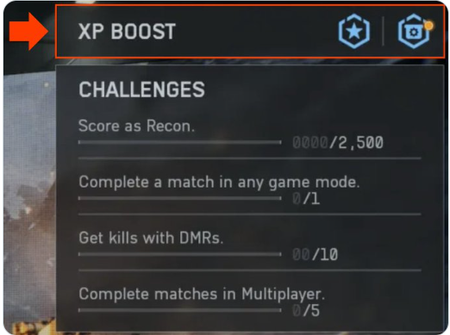
UPDATE NOV. 21, 2025 Hi everyone, We wanted to stop by with a brief update regarding the EA app issue that’s been discussed in this thread. Any players who were unable to access any modes have already received the content as per the original post. We’ve now followed up by granting XP Tokens to players who were identified to be impacted in some modes. If you’re included, you’ll find an in-game message in your Battlefield 6 Inbox (accessible from the main menu) with the tokens available to claim. Thanks to everyone who stuck with us and offered thoughtful, constructive feedback throughout the process. We truly appreciate your patience and passion for Battlefield, and with that, we’ll consider this thread closed. UPDATE 4, Oct. 17 - EA app Outage In-game Rewards Update We're aware that some players impacted by the EA app outage during the Battlefield 6 launch did not initially receive their in-game rewards. This issue was caused by an error in the rollout process. We've completed a review of the timing and activity in this window and distributed items to players who were initially missed. No further action is needed to receive these rewards. We appreciate everyone's patience and understanding as we resolved this issue and thank you for playing Battlefield 6. UPDATE 3, Oct. 12 - EA app – Compensation Update Players impacted by yesterday’s EA app outage will now find their XP Boosters delivered to their in-game mailbox and XP Boost inventory. To see your XP Boost inventory, on the main menu, select "Training Grounds" and select "XP Boost" in the top-right menu. Thank you for your patience and understanding! https://x.com/BattlefieldComm/status/1977242087172268060 https://x.com/Battlefield/status/1976804746674815031 From the Battlefield X account: https://x.com/Battlefield/status/1976728927348703540 Update 2 The team is in the process of deploying a resolution for the issue that causes players on the EA App to be unable to start game modes due to missing DLC/content. Players will need to restart the game for this to take effect. We expect this to be completed within the next hour or so and will update when it's done. Installation of Content We're aware of an issue preventing players from accessing the game with some receiving an error stating they need to purchase DLC or similar. Stay tuned for further updates as the team investigates this issue. Thank you for your patience! Originally posted by Battlefield Comms on X. Update: Installation of Content We believe we have found a possible cause for this issue. We are in the process of validating a potential fix and will provide an update when we have it. Originally posted by Battlefield Comms on X145KViews699likes8340Comments