
3 years ago
Black screen and or freeze
I re installed battlefield 2042 July 30th. I'm able to play one match when the match ends I see the ribbon score screen the battle pass score screen then after that it goes to black screen with sound...

you said:
Did the command prompt to fix corrupt files nothing solves this problem
Are there files need to be fixed after clean windows install ?
you could do a clean windows install (without internet) @BuNgLelove69
You could use Geek or RevoUninstaller_Portable to delete complete origin and game and all the folders , (it gives also scan registry for anything related to game and origin, (scan , select all and delete it)
Fresh install origin and game (download setups, run as admin) @-MaDraDeuS-

 Community Manager
Hi folks,
Reopening thread after a clean up. Please remember to keep things polite and friendly. You don't need to agree with each other's positions but you do need to engage in a respectful way. Please keep that in mind for again.
If you do see a post or member breaking the rules, please only report it using the report function (clink on the three dots in the top right of the post and select 'report') and continue with the discussion as normal. I beg you, do not try to moderate them or put them in their place...it only puts your own account inline for moderation which nobody wants and adds to the amount of posts that need to be removed from the conversation when we're following up ^^; Have mercy plz.
Thanks all,
EA_Lanna


In my case, the game does not progress due to an error after the update. 😢
I tried everything, but it won't start.
Graphic board: RTX2080ti x 2 [SLI]
CPU: i9 9900k

Re installing windows won't help, I've tried it twice and all it was was a waste if time. Installing on different ssds doesn't help either. I was able to play multiple games Thursday night. It's completely random
I know some of us have the i5 6600k and that's the minimum cpu for this game but the problem wasn't here during the first 3 months of the games life. Also people with better cpu's are also having the same issues. I haven't ran into a black screen in awhile. I'm mainly freezing on the map loading screen
Turned off Overwolf tonight because I read overlays may be the issue, I had a good run and strung together 5+ games without issue. Thought it was fixed then had it lock up loading into next map, restarted, did it again, restarted, got in then locked up, restarted and locked up again and decided to quit trying. If EA cant put out a product that works, why bother? I've had zero issues from the start, until the last month or 2.
@AOD_gregers05 yeah alot of us didn't have freezing issues for the first 3-4 months of the game being out. I stopped playing after 3 months. I guess when update 1.0 or 1.1 came out people were experiencing blackscreens and freezing issues.

I finally got through a whole day without a single freeze! Sadly I do not have a solution as I haven't tweaked or altered anything. It simply loaded in and out with having to ctrl+alt+delete after freeze. Saying that I'm sure the problem will return.
I can do it your way however because I have the steam version my way kills it quicker, your way takes a little longer.
So I just played a whole evening (about 10-15 rounds) and not one single freeze either loading the maps or black screen after the round...do I dare to dream?
I was able to play multiple games in a row Wednesday night September 21st. Today(Thursday 22nd) froze on the first game I tried to load into, closed the app out restarted the game, played one match, froze on the second maps loading screen. This is getting very frustrating with how random it is. Some days I can play 3 games in a row some days I freeze first game. Some days I can play all day long. I have yet to freeze while actually in game playing a match.
So thursday sepetember 22nd when i was freezing alot. i ended up joining a friends lobby, he would back out after each game and select the queue instead of letting the game just search for a match for him. i was able to play all night long with with him. im going to test it today and see if i keep freezing. i am having problems again today friday 23rd. freezing after playing one game.
It seemed I was able to play more games before I ran into the map loading screen. But today Saturday 24th, I hit a black screen when returning to the main menu I haven't has a blackscreen in a very long time. Oh and exodus conquest is really stranded 24/7 128 players lmfao what is going in at DICE

 DICE Team
Even after updating, there is no change.
@EA_AticI've still froze on the map loading screen
DICE TeamBlack screen is also happening on PS5 too.
results in having to close gane and reboot
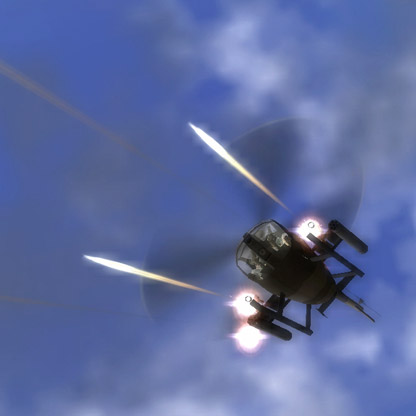
I'm getting this randomly after a match ends what happens is the players models and guns wont load thus getting stuck on a black screen. I also in a recent match had it but this time it was during a match near the end i updated one of my gun attachments after spawning the gun was invisible just a few mins before the match ended the player models etc.... were not loading when you see this you are 100% sure the game wont load back to the menu forcing a reload of the game. I have this pattern when this happens verify the game files relaunch origin/ea app then the game will work for maybe a few 3-4 games or even more i have had it work perfect yesterday now today its doing it pretty frequently after every 1-2 games.
So something weird is going on here it's almost like the games not read/writing the disk so whatever is in the ram stays but when it needs something new it wont load
So this issue went away after the last few patches and now is back again after this latest patch to update you it's doing the same thing models wont load at end of match causing black screen need to end task. this has been happening every match play one then restart and today i was able to go back to the menu then i was looking at battle pass and customizing my classes i noticed the player models/skins were not loading showing the big loading icon... at that point i just restarted the game didn't even bother to play a match.
So last season this was the same 1st patch had the same problem then the next few patches or one of them fixed the issue now it's back again




