Forum Discussion


Rokebo73
2 years agoSeasoned Ace
@Ris3n_Da3mon Can ya tell me the partnumbers from the memory ya got installed ?
Also in wich memory banks ya got tthose 2 memory sticks in ?
Thanks
Also in wich memory banks ya got tthose 2 memory sticks in ?
Thanks

2 years ago
FF4D532G6400HC40BDC01 in slots 2 and 4.
- Rokebo732 years agoSeasoned Ace@Ris3n_Da3mon please do this:
Press Windows key + 'R' ,typ CMD
Press and hold down CTRL + SHIFT and press ENTER.
When User Account Control shows up, click Yes.
Use the following command lines, pressing Enter after each
(make sure you wait till each of the commands is executed properly):
sfc /scannow
DISM /Online /Cleanup-Image /CheckHealth
DISM /Online /Cleanup-Image /ScanHealth
DISM /Online /Cleanup-Image /RestoreHealth
tell us if any error is fixed.
I also see 4 monitors connected, did ya test game with only 1 monitor connected ?
Shutdown pc, disconnect 3 of youre monitors, boot system, windows will do some CFG changes, now reboot again (do not connect other monitors).
Now test game with just 1 monitor , Again update us !
PS did ya check if any memroy stick is faulty/broken ?
Do not use software to test youre mem. sticks.
Just test 1 stick only , thats in bank 2 (a2) (get the other one out),
no error , replace stick in bank A2 with the other stick and test it also (ingame).
Ya did update bios by your self ?
What EOCP did ya set for youre mem ??- 2 years ago
SFC and DISM found nothing. Crashed after running all 4 commands.
Crashed with 1 monitor.
Yes, I updated the BIOS myself. I used the instructions from ASUS.
I am using XMP I.
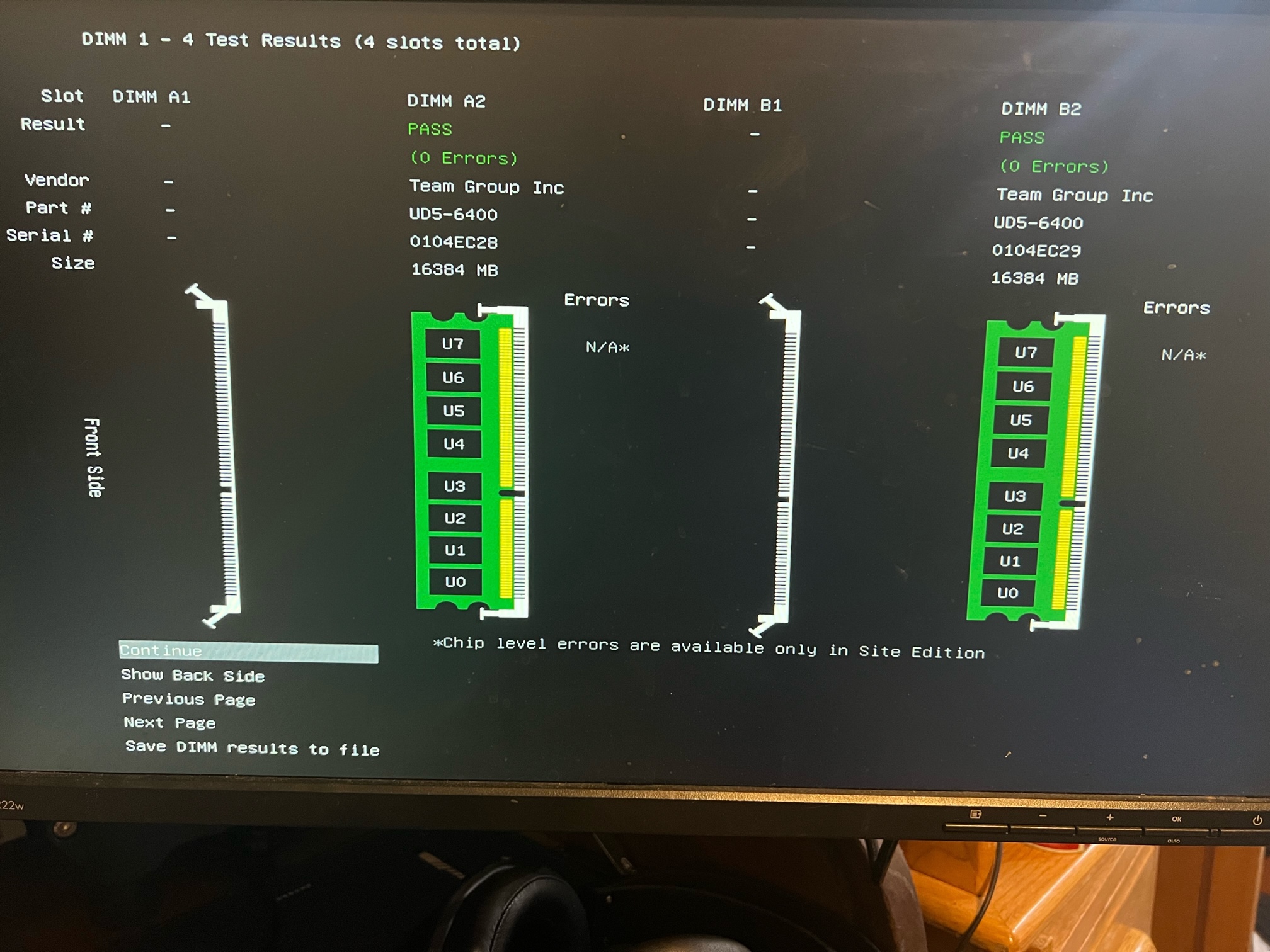
We're skipping a step or two by going directly to swapping memory sticks. We have not determined that there is anything wrong with my RAM. If it crashed with both sticks I haven't determined if it's the game or the memory.
I went through Corsair's methodology for testing RAM. https://help.corsair.com/hc/en-us/articles/14238510858637-How-to-Test-RAM-Modules-for-Memory-Issues
You're asking me to be at Step 7, without going through any means of determining that there is something wrong with the RAM. That's the figuring out which stick is bad step. We need to show that the ram is the problem before going through steps to figure out which stick is bad.
I honestly have no reason to believe there is anything wrong with my RAM. Both tests ran without issue. Darktide, Call of Duty, Dead Space, Cyberpunk 2077, baldur gate 3, Control, all run fine without issue. I can run cinebench and prime95 all day. I've left my computer to compress dozens of 40gb files.
So if Windows memory diagnostic, and memtest86 results are not enough, What other tests would you like me to run to evaluate the status of my ram? There's no point in switching RAM sticks until we determine that there is an issue with my RAM. That's nothing but a test of desperation at that point, and with this being the only piece of software that is crashing, I'm not that desperate, I have plenty of other games that are stable to play.
- Rokebo732 years agoSeasoned Ace@Ris3n_Da3mon software is not always show an error/faulty memory!
I have seen this this before, that mem test software doesnt popup/show an error.
But after testing sticks , each seperatly , and gaming did show errors !
Just to make sure memory isnt the error, ya should test them as i explained.
sometimes ya need to do a hard reset cmos, connectying 2 pins at motherboard. <-- check mb manual.
A bios flash could make issues sometimes if it isnt reset , also this i have seen in the past 😉
I also have seen broken/faulty cpu (especialy 13900xx , there seems to be a bad batch made from this cpu.
Ya realy need to test/check everything, even a new clean install windows, with up to date drivers (chip set drivers , firmware driver ect ect ect ect)
Featured Places