Game continues to use 100% CPU since Season 3 update, now in Season 4


Product: Battlefield 2042
Platform:EA App - PC
Please specify your platform model. PC
AMD or Nvidia Model Number Nvidia GeForce 3080 Ti 12GB
Enter RAM memory size in GB 32
Are you using any software with an overlay? Yes
Which part of the game is the issue happening in? Multiplayer
Which part of the mode? all gameplay
Please select your region North America
On which server did this happen? all
When did this happen? (dd.mm.yy hh:mm) every time I play.
Summarize your bug Input lag while playing. The input will lock up every one to two minutes for 2 to 3 seconds. If I was moving, I would continue moving in a straight line until input unfreezes.
How often does the bug occur? Every time (100%)
Steps: How can we find the bug ourselves? play on a PC with the same build, although it sounds like lots of other people are having similar problems.
What happens when the bug occurs? Input lag while playing. The input will lock up every one to two minutes for 2 to 3 seconds. If I was moving, I would continue moving in a straight line until the input unfreezes.
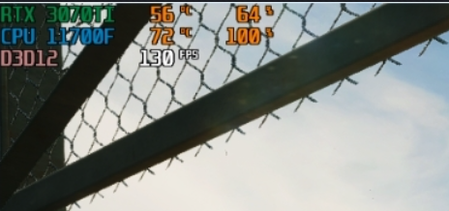
What should be happening instead? The game should not be using 100% of the CPU and only 60% of the GPU. Other triple AAA titles on my computer have the CPU at 50 - 60% and the GPU at 80%.
See attached DXdiag and linked video.
I decided to see if the same problem happened on my gaming laptop. (See DXdiag.txt attached) The same thing happened. Input lag every few minutes for a couple of seconds. Mind you, I have never installed BF 2042 on my gaming laptop, I don't play FPS games on it, so it was a fresh install.
So, I use GeForce Experience on both my desktop and laptop. On my laptop, there is a setting for "whisper mode" under the settings. I set it to whisper mode and what it thought were the optimal settings for my laptop. Mostly things on high, some ultra, and a few mediums. In the game, my CPU usage was down to about 60% and the game ran smoothly at 40 FPS. I then translated those settings to my desktop by moving the PROFSAVE and PROFSAVE_profile files to my desktop. No luck, CPU usage is still at 95+%. But maybe it has something to do with power settings for the CPU and GPU?




