Forum Discussion


4 years ago
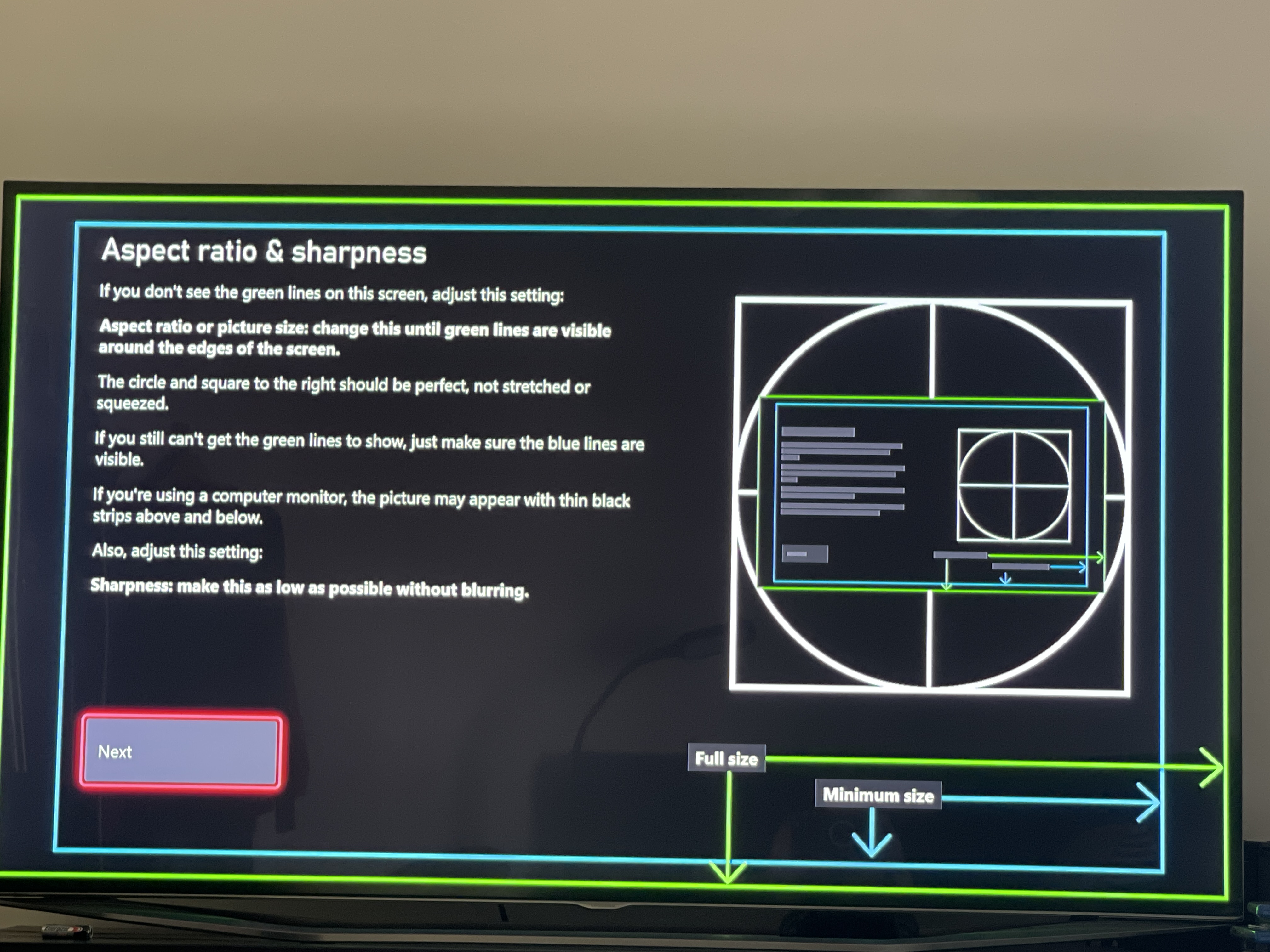
I had the same problem. I have a XBX and Samsung TV. On the Xbox go to Settings>General>TV and Display Options>Calibrate TV. Cycle to the third screen that says Aspect ratio and sharpness and has a blue rectangle and a green rectangle [image]. Now adjust the aspect ratio on your TV so the green rectangle is visible. Problem solved.

4 years ago
I have the same problem and nothing is working, TV settings or Ps4 Pro settings.
Featured Places