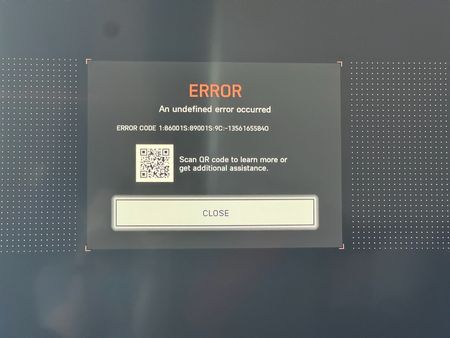
ERROR CODE 1:86001S:89001S:9C:-13561655840 on Xbox

Of course.
On the Xbox itself, I went to "Settings", then "Account", then "Verify your Age".... and it provided me a QR code to scan. Once I clicked the new link from the QR code, it allowed me to scan my face right there and then. Then within 10 seconds it verified I was 'over 18' and I just restarted the game and the error was gone. Was a very simple process. Hope this helps!
If this does not work for you or you are using a different platform then try going to the EA website and logging in... I imagine there must be a link there so you can join your Gamertag or Gaming account to it... then look for something that would allow you to confirm your age since this does seem to be the problem. Any issues, shout me back!