ERROR CODE 1:86001S:89001S:9C:-13561655840 on Xbox
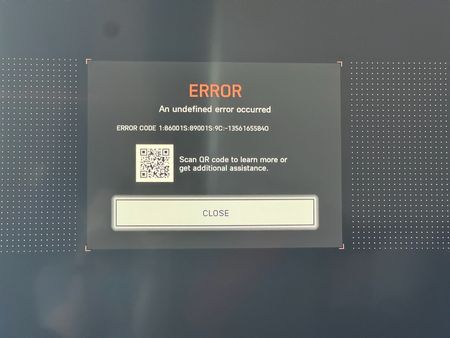

Here's what I got from support. Neither way has helped. Why do they make these things so difficult when you try to do right and setup your kids their own accounts.
The most successful workaround is to manually trigger a fresh identity confirmation: Log into the stepson’s EA account using a web browser (not the console) at the EA Account portal. Navigate to Security and enable Two-Factor Authentication (2FA). Relaunch the game on the console. It should now prompt for a manual login or verification code, which often bypasses the error loop.
OR
If the 2FA fix does not work, try clearing local data to force a fresh handshake with the server: For Xbox: Highlight the Battlefield 6 tile on the dashboard and press Menu. Select Manage game and add-ons > Saved data. Select the file with the gamertag and choose Delete from console (this will not delete game progress stored in the cloud).
At this point I had EA unlink his xbox account, which you can only do from support.
I think, it has something to do with creating his EA account thru the xbox and 'allowing' it with his mothers email address. It doesn't really create him an EA account that I could figure how to logon online.
I'm going to try starting over, creating an EA account for him from my laptop/web browser, then link his xbox account to that. Than try to login on the Xbox.