Steam - Unknown Error 1:86001S:51009S:11468332130:1073807360Q
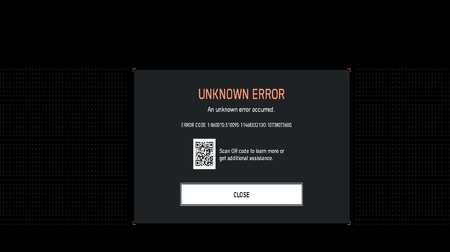

My issue was fixed two days ago after almost a month simply because of connections with a streamer friend being able to put me in direct communications with them. There is no way for you to fix this issue on your end if you're specifically getting the error code 1:86001S:51009S:11468332130:1073807360Q. The error code 100% factually has to do with your account having two EA IDs which should not be possible and the game is trying to authenticate using the other / old ID. Unless you have direct coms I have no idea how you'd fix this because your profile numerical ID has to be changed on their end to fix the problem and public EA support is outsourced and will not understand any of this. The person I spoke to confirmed that I was legitimately the first person to report this issue and diagnosed the problem over the past month because apparently the error code itself had no documentation at all.
The only thing that will work is if you're playing on Steam and you unlink your Steam account from your EA account, create a brand new EA account, and link your Steam to that new account. You're going to completely lose any account progress and have to start from fresh but if you bought the Phantom Edition you'll still have access to that content + the battle pass. If you bought the game on the EA app or on console, I don't have a solution for you.

Tried that didn't work

 Community Manager
Does your Steam ID match your EA ID? I've heard of others with mismatched IDs that were receiving this error. You could try renaming your Steam ID to match your EA ID if they are different.
Hi EA_Aljo - when changing the EA ID, it’s important to compare which EA ID is in use in the EA desktop application, and also the web application.
You’ll likely find that they don’t match, and cannot match as the user will get a ‘ID in use’ error.
This is also only a symptom of the actual underlying issue.
Please see the direct message I sent you with a work around that will actually work. (Users will need to contact EA support and remove all but one EA ID from their EA account)
Do I gotta tell tech support to Delete all my IDs except my EA one
My EA Username is Soulreaper850 and Steam is Just Soulreaper85
Community ManagerI've seen others saying having multiple EA IDs will cause this. Try opening a case with an advisor so they can go over your accounts to see if that's the case. They would need to delete one then. Cases can be opened by hitting the 'Contact Us' button at the bottom of this page.
Do I need to make my steam username the same as my EA username