BF1 fails to launch at all and always crashes (Error 0x186A1)
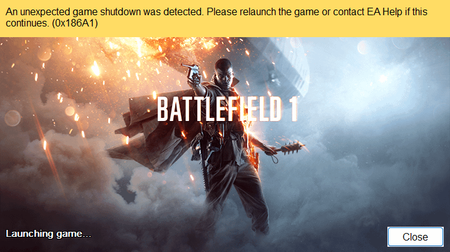

That error usually points to a problem with the EA AntiCheat launch process rather than the game files themselves. Since you’ve already reinstalled the game and repaired AntiCheat
Completely uninstall EA AntiCheat, reboot, then reinstall it from the Battlefield 1 installation folder.
Make sure Secure Boot and TPM are enabled in BIOS if your Windows setup supports/requires them.
Disable overlays temporarily (Discord, Steam, EA App, MSI Afterburner/RivaTuner, etc.).
Update Windows and your GPU driver, preferably with a clean GPU-driver installation.
Check Event Viewer → Windows Logs → Application/System immediately after the crash for an associated error.
Try launching Battlefield 1 directly through the EA App rather than Steam.
If it still gives 0x186A1, the Event Viewer error and your Windows/GPU details would be useful for narrowing down whether this is AntiCheat, a driver conflict, or another startup service.