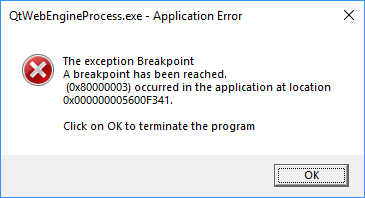
@Nasty_fu3ker Hello,
Please check the post from deaglenomics in this thread: https://answers.ea.com/t5/Origin-Client-Web-Technical/QtWebEngineProcess-exe-process/m-p/7024549#M17021 #145
Quote:
Something I use to fix this ,
Program called Firemin (essentially used to control the amount of memory firefox uses) really simple program which we are going to use to control QtWebEngineProcess.exe
* Install it or run the non-install version --> right click on it -- > Extended processes.
* In the list you can see a bunch of processes , replace with the following:
thunderbird.exe,sunbird.exe,seamonkey.exe,plugin-container.exe,QtWebEngineProcess.exe
We just added a comma then the QtWebEngineProcess.exe process , after that restart firemin.
There you have it , it will no longer consume lots of ram.
ps: You can use it to control other processes too 🙂
steamwebhelper.exe,Discord.exe,Steam.exe etc.
PS. You can set the process priority to low automatically with the following method (Only needs to be done once)
Set Process Priority (permanently)
Set DWORD value to end in 1 instead of 3 and change the process in that example to QtWebEngineProcess.exe.
That will always set the process to run in lowest priority.

 7 years agoHey @Nasty_fu3ker, KERNELBASE.dll, errors are most of the time tied with the Windows account on the system, I suggest that you try another windows account to see if the same issue happens for you. 🙂/Atic