Forum Discussion

26 Replies
 EA_Atic6 years ago
DICE Team
I would need a recording more then a stream, so my team can take a look on what is going. @XRival_67
/Atic
@EA_Atic where should I upload it to? yt?
@EA_Atic should I do something specific?
- EA_Atic6 years ago
@EA_Atic https://www.youtube.com/watch?v=qZ4psEja5mc&feature=youtu.be
its uploading
it also was a really good round performance wise
just a few hickups
les than usual
@EA_Atic I wonder what you'll come up with
cant wait to play it with good performance
@EA_Atic hey mate, anything?
 proxos6666 years agoHero+
Try using DDU (Link) and then start with an older nvidia driver before moving to the latest hotfix driver at this link
Your linked dxdiag shows the windows build at 17134.rs4_release.180410-1804 I believe the latest build should show as 17763.rs5_release.180914-1434 so it would appear some windows updates are missing
@proxos666 well maybe the dxfiag file has an older windows version in it because I sarted this forum a few weeks back
dont worry I'm up to date and this bug acured during the same win and drivers version
@proxos666 I'm on a fresh win install now anyway
- proxos6666 years agoHero+
Can you confirm your build is now up to date https://docs.microsoft.com/en-us/windows/release-information/
The build you had was a year old
Your dxdiag - Semi-Annual Channel 2018-07-10 17134.860
Latest release - Semi-Annual Channel 2019-03-28 17763.593
- proxos6666 years agoHero+
good stuff
Have you tried disabling the fullscreen optimizations on the game shortcut properties to see if any change in performance ?
@proxos666 you should know that thats never activated by default, same in my case
- proxos6666 years agoHero+
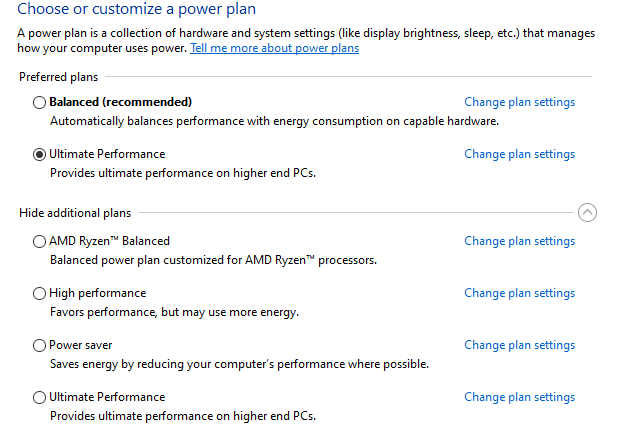
Have to check, cant see your system, and i gather you put windows power options back to high performance
- proxos6666 years agoHero+
How is the nvidia profile for the game ? adaptive sync limiting ? i'm running a pg279q how do you find the xg27vq
I presume the performance issue is stutter based ?
@proxos666 dude first of all the f* is wrong with you? havent you read anything in this forum? my problem is that my gpu is using only 50-60% and my cpu also
so I'm getting low fps 60-80 and from time to time hickups
and of course the nvidia profile is high performance based
and who the f* uses any type of sync if he wants high performance and fps?
sorry for getting salty but I'm on this s h i t for over a month now and I just cant take any dum or not tought "tips" like disabling vsync or just saying that is a cpu bottleneck
plz just read the rest of the forum if you have quastions, watch the video where you can see the %
and yeah the monitor is pretty good and just saying, once you go curved there is no going back
- proxos6666 years agoHero+
What can limit gpu and cpu usage have a good think about that, anyways good luck because i have better things to do
@proxos666 good, asking questions I already answerd or where self explanetory wasnt helping anyway, just frustrating
and there are no limitation on for the gpu and cpu wich should be self explanetory when I say that I did anyting imaginable and that I now very much about all this stuff
@EA_Atic hey I started to happen in PUBG too, could it be the mainboard? is the only think that I personally could thing of as hardware
 XTRA-Larsiano6 years agoSeasoned Ace
@XRival_67 If all else fails you could test a single player game modus with both WiFi and LAN cable disconnected. It might solve some issues.
- XTRA-Larsiano6 years agoSeasoned Ace
@XRival_67 If all else fails you could test a single player game modus with WiFi and LAN cable disconnected? It might solve some issues with certain people.
@EA_Atic new mainboard and same problem, bought an msi tomahawk, I dont know what else I'm soposed to do
- EA_Atic6 years agoWith the new motherboard, I assume you have reinstalled all drivers? @XRival_67Also, are you using MSI afterburner?/Atic

Featured Places