Forum Discussion

Anonymous's avatar
Anonymous
9 years ago
Solved

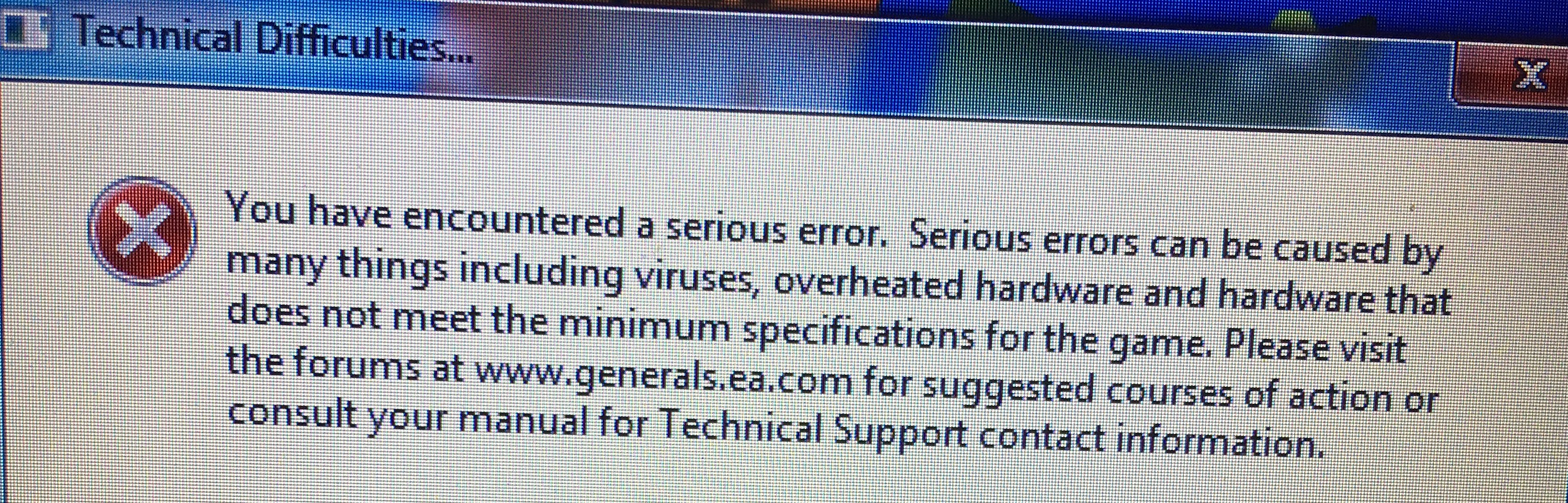
Command and Conquer Generals Zero Hour You have encountered a serious error

Hi

I recently purchased the Command and Conquer Ultimate Collection to play the game of my Childhood Command and Conquer Generals but whenever I got to launch the game I get and Error that pops up saying "You have encountered a serious error. Serious errors can be caused by many things including viruses, overheated hardware and hardware that does not meet the minimum specifications for the game. Please visit the forums at www.generals.ea.com for suggested courses of action or consult your manual for technical support contact information"

I have spent the past 3 hours looking for an answer for why it won't launch.

If anyone can help that would be great! Thanks!

  • if you have it on origin you need to do the following steps:

    1- open file explorer go to your origin games folder 

    2- go to c&c zero hour ( if you have the same problem at c&c generals do the same thing)  ////// for example:  local disk(d🙂/origin/command and conquer zero hour

    3- delete this file name (dbghelp.dll)

    4- then start the game

    --------------------------------------------------------------------------------------------------------------

    hope it works  🙂 

69 Replies

  • mrtnptrs's avatar
    mrtnptrs
    Seasoned Ace
    6 years ago
    @DarKbzalya That is indeed also a possible solution for this error that often seems to work for people 🙂 Thanks for the addition so people can look it up much easier in the future 🙂
  • if you have it on origin you need to do the following steps:

    1- open file explorer go to your origin games folder 

    2- go to c&c zero hour ( if you have the same problem at c&c generals do the same thing)  ////// for example:  local disk(d🙂/origin/command and conquer zero hour

    3- delete this file name (dbghelp.dll)

    4- then start the game

    --------------------------------------------------------------------------------------------------------------

    hope it works  🙂 

  • Anonymous's avatar
    Anonymous
    9 years ago

    @Nyerguds Thank you for your input. I really appreciate it! 

    Unfortunately I have done all the steps that Plokite has said, it did not solve the issue. I have also restarted the same and re-installed it, also it keeps on giving me the same problem.

    So, would you recommend me to do something else? Thank you so much in advance!

  • Anonymous's avatar
    Anonymous
    9 years ago

    @plokite95 Thank you so much for taking the time and replying to my post.

    I have done every step you said, but unfortunately it did not work. Do you have any other idea what I can do?

    Thank you so much!

  • Nyerguds's avatar
    Nyerguds
    Hero+
    9 years ago

    @taherfahmy

    It if keeps happening after installing DirectX 9 as Plokite described, try simply reinstalling the game; it might just fix it.

    @plokite95

    Deleting it may be optional, but mentioning it isn't y'know; a lot of people don't realize they can safely remove the folder, and that the installed DirectX no longer needs anything from there. That's why I make sure to always mention that 🤨

  • @taherfahmy

    Generals and Zero Hour are very vague with errors, as this message appears for a number of different things. My guess is that you don't have DirectX 9.0c installed on your computer, so you'll have to do so manually (don't worry, it won't conflict with DirectX 10 or newer).

    1. Download DirectX 9.0c redistributable from June 2010 from Microsoft’s official website.
    2. Run directx_Jun2010_redist.exe.
    3. Follow the instructions on the screen. This setup will extract the necessary files to the folder of your choosing.
    4. Once the setup closes, open the folder to which you extracted the files.
    5. Run DXSETUP.exe as administrator and follow the instructions on the screen.
    6. Restart your computer.
    7. (Optional) Remove the folder with extracted DirectX setup files if you wish to conserve space.

Featured Places