Can't play offline
 2 months ago
I understand the frustration here -- especially if you’re trying to avoid updates because of mods. That said, a few things in this thread are getting mixed together.
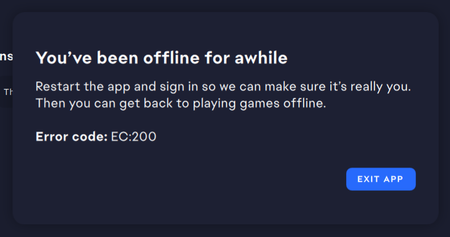
First, the error EC:200 is not caused by The Sims 4 itself. It’s the EA app requiring a fresh login to validate your session before allowing offline play. If the app can’t complete that validation properly, it will keep looping like you’re describing.
Second, offline mode isn’t designed to bypass updates indefinitely. If the app detects a pending or partially started update, it can prevent offline launch until that state is resolved. That’s why some of you are seeing the game try to update even with auto-updates turned off.
To get this working consistently, focus on a clean state before going offline:
- Launch the EA app online, sign in, and let it fully sync (no pending downloads or updates in progress)
- If The Sims 4 shows any update progress (even 0%), cancel it completely so it returns to “Update required” instead of a percentage
- Fully close the app (not minimized), then reopen it
- Switch to offline mode and launch the game immediately
If the app is stuck requiring login every time (EC:200 loop), that usually points to a session/authentication issue rather than a game or mod problem.On updates: turning off automatic updates prevents background installs, but it doesn’t override situations where the app requires a clean or verified state before launch.
If you’re still running into this after clearing any pending update state, share exactly what the app shows for the game tile (e.g. “Update required” vs % progress) and whether the login prompt appears before or after going offline—that helps narrow down where the loop is happening.