
SailorRoza
3 months agoRising Novice
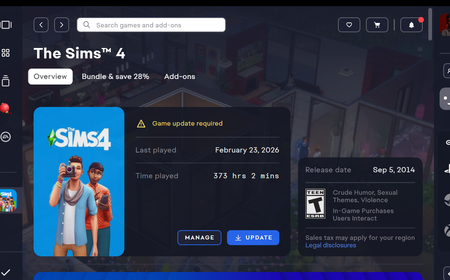
Constant Updating, cannot load into game
Infinite Updating, cannot load into the game. Ive uninstalled and reinstalled. Removed my mods. Started a new Folder for sims game in the documents. Completely brand new no mods or saves. Still ...
 3 months ago
SailorRoza Have you uninstalled and reinstalled the EA App or Sims 4, or both? Reinstalling the game should give you the updated version, as would repairing if you've only reinstalled the App.
Other than that, what antivirus do you use, and does it help to disable it and repair Sims 4? It's possible the AV is blocking something related to the game or to the connection with the App.
Please also list where you installed Sims 4. You can see the full path under Manage > View properties.