Forum Discussion

5 Replies
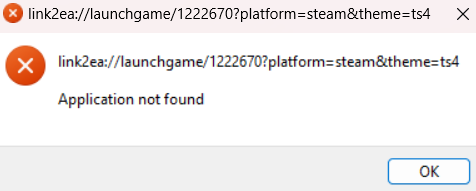
@kahtrah Please uninstall the EA App with Revo Uninstaller (the free version is fine), and restart your computer before reinstalling it. If that alone doesn't help, run the EA App as an admin: right-click the desktop shortcut and select "Run as administrator." Do the same for any other game launcher you need to use to play Sims 4, for example Steam.
Thank you, this worked 🙂
- @puzzlezaddict Hello! I have the same issue and when I right click the Sims shortcut there's no option for run as administrator. I tried running as administrator for steams (it had the option) and opening the Sims from there and it didn't work. Could you possibly help me?
@aesthetimae Does it help to uninstall and reinstall the EA App, then run the App and Steam as an admin?
I had the same problem. I fixed it by going to the EA website, trying to download the EA app again (it told me I already had it), I clicked "repair" instead, and now everything works. Hope this helps someone else!



Featured Places