Forum Discussion

5 Replies
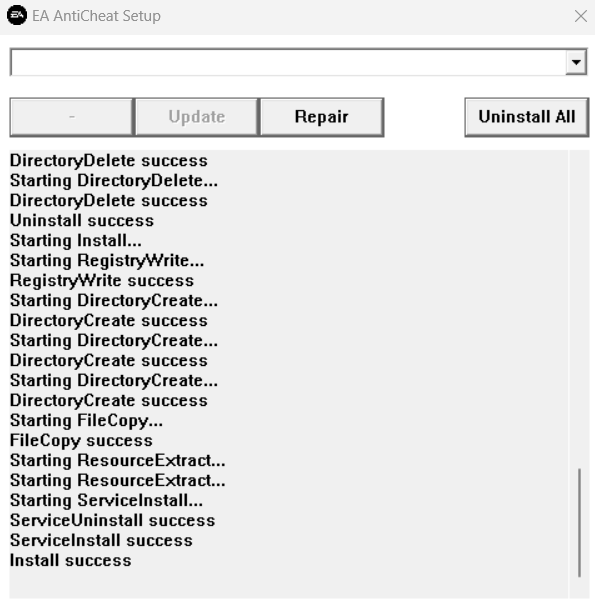
did you click on the update button after the repair done? i think it's necessary, otherwise it won't work. And looks like you did not select the game from the drop down list.
1. select the game from dropdown list.
2. click on repair.
3. select the game folder after the alert window shows up
4. wait for repair
5. when install success, click on update button
6. wait for it, it can be a bit slow
7. after a few secs the window suddenly gets closed. At this time the AC restarting and you need to wait until you get the "update success" result.
sorry for my english 😁it doesn't work with me.
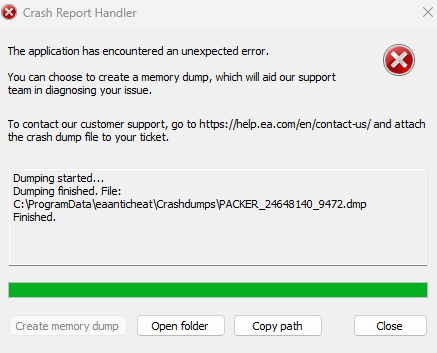
any another solutions to resolve this issue?If you solved the problem please share the solution here. Just can´t open EA FC 24 due to dump memory error.
- @fiiqskywalker So apparently deleting a file named CryptBase.dll just... fixes it. I'm not sure why but I found it and its worked so far. Hopefully if anyone else has this issue it works. Also if you're using any mods try deleting the ModData folder.
Another note: pretty much this happened because I tried running mods via Frostys WITHOUT running madden spark first so even without mods it just got all bugged out and yeah.... so glad at least some of yall found fixes  daldpald3 months agoRising Newcomer
I had this problem after I decided to play around with mods for Battlefield 1 XD. Your solution helped me, thank you very much.


Featured Places