Forum Discussion

20 Replies
This is an inherent issue and all EA Sports need to send out is a patch, but good luck.
Tried everything suggested and still having this code pop up, this game truly is unplayable with this issue please fix it
 EA_Illium2 years ago
EA Staff (Retired)
[Asking for information]
Hey Everyone,
If you are running into Error 5 when playing EA Sports PGA Tour, this can typically happen when there is an issue with saving your game.
If you are on a PC, try the following steps first:
Spoiler- Repair your game via the EA App - Repair (Library > Tile Dots > Repair)
- EA App's Cache (Top Left Menu > Help > App Recovery)
- Connection and Advance Connection Guides
- Check for other applications that may be limiting EA App or Game performance
- Run the System File Checker tool, then Check for Windows and GPU updates
If you are playing on Xbox, try these steps:
Spoiler- Quit the game and other running apps from Quick Resume (For Series X|S consoles) before playing.
- Remove any connected device, or additional USB's from the console then restart the Xbox and check
- Check for updates
- Try the steps in our Connection and Advance Connection Guides
- Open you're Xbox NAT Type
- Change DNS settings (You can use the public google DNS primary: 8.8.8.8, secondary: 8.8.4.4, unless there is a different DNS you would rather use)
- Persistent Storage
- Go to settings > Select Device & Connections > Then Blue-Ray
- Select Persistent Storage > Clear Persistent Storage
- Alternate Mac:
- Go to settings > Select General > Then Network settings
- Go to advanced settings > Alternate Mac address > Select clear
- Select restart
If you continue running into this error code, let us know the following:
- What is your EA ID?
- Which platform do you play on?
- Are you getting an error message?
- Have you tried the steps above?
- How often do you get the error when playing PGA Tour?
- Do you play on multiple platforms?
Thanks!
[Update]
Thanks for the info you've shared on this so far. It's been helpful for our testing, but I'm afraid we haven't been able to replicate the same issues on our side.
To confirm Career Progress should be autosaved every hole. If you run into "error code 5" on one hole, but NOT the next hole your game should have saved correctly and you should not see any loss of your progress.
However, if you repeatedly get the error message during each hole your progress has not been saved and I would recommend trying the steps above, then checking if the error message continues.
Thanks again!Platform: Steam/EA Play
PSN ID/Xbox GT: The-Arcitc-Fox0
Region: North America
Are you getting an error message? yes error 23 on start up and when attempting to play PGA Career Mode
Date this issue started (is it still happening?)? 02/14/24
Is anything else happening? Everytime on startup its asking for the same things
Please share any steps you've tried to far to resolve the issue: reinstalled, verified game files, reboot pc
I see after 6 months this is still an issue. EA has dropped the ball with this game. Absolutely waste of money to purchase this game. If you want to play a golf game go buy PGA 2K23. Until this issue is fixed I wouldn't waste your time with this game
Xbox series S. This game is absolutely unplayable, for 70 dollars I am disgusted. Consistently getting an "error while saving error code 5" it's not saving progress, and at times I'll lose a whole round in career mode. I've uninstalled the game twice, and re-installed it with the same result, I've deleted save data and tried again with the same result. It's dreadful, and the most frustrating experience I've had playing a game produced by EA.
I have the code pop up on xbox. Very frustrating. Used boost for points and lost it. Won't let me finish a round
On my PC
Hello,
I have tried uninstalling, re-installing, clearing the cache on the EA app, updating drivers, all to no avail!!
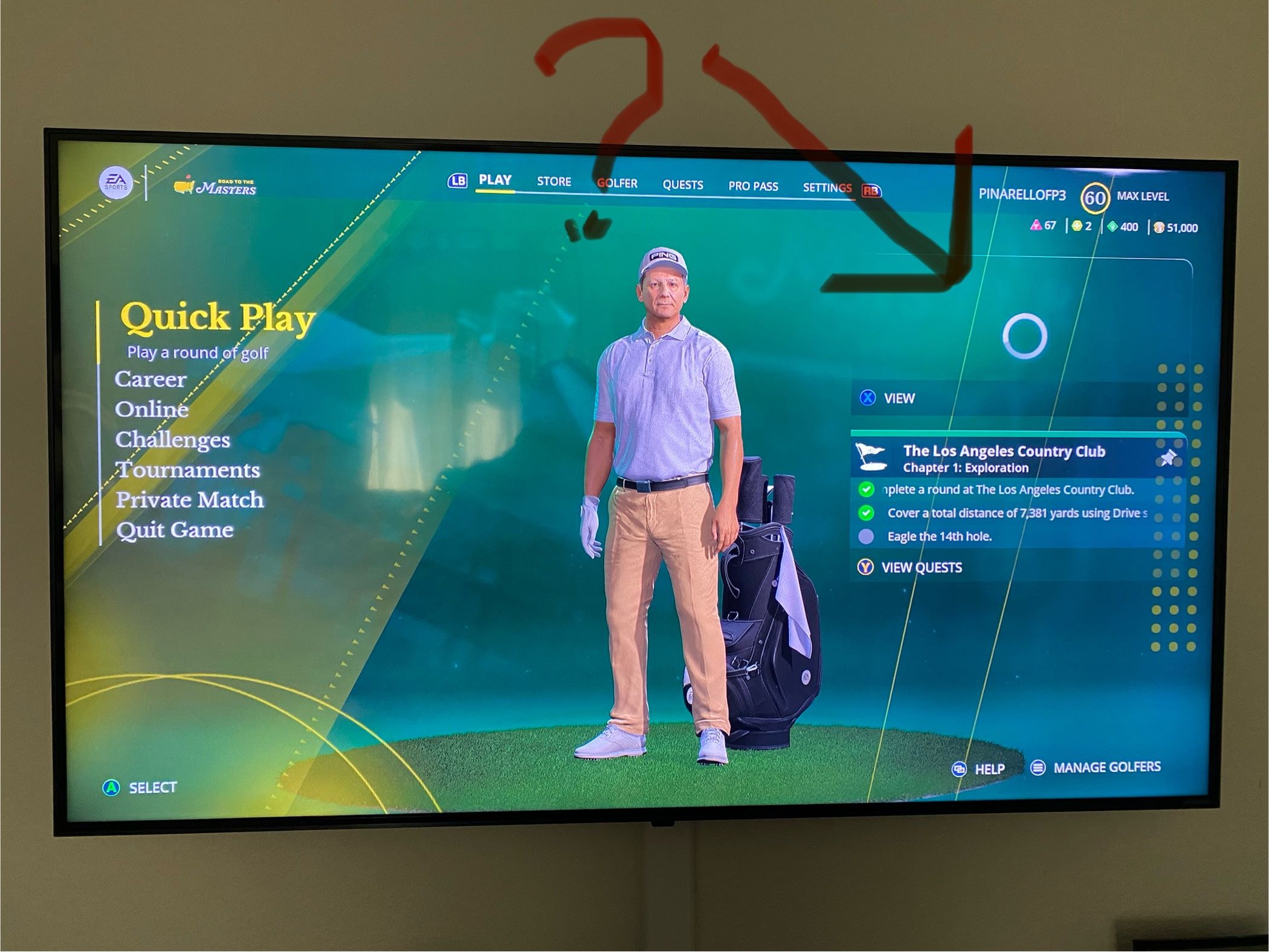
I have 291 hours invested into this game!! That's over 12 days of 24 hours each!! The game starts and goes through it's motions. It even tells me it's connecting to the servers. But when I get to this screen, I know that it's not connected because I have this going on (see photo please).
ERROR 23 is the order of the day!! BTW, before you go giving me basic IT fixes, I'm an electronics engineer.
Gaming Platform PC: EA APP Direct Download
My setup:
PC: ALIENWARE
OS: WINDOWS 11 HOME EDITION
AURORA R14 with AMD RYZEN 9 5900 12-core processor,
AMD RADEON RX 6700 XT,
Upgraded RAM from 16GB to 64GB
Upgraded storage from 512GB to 2.5TB (OS/SSD 512GB/ SSD 2.0TB/ SSD 2.0TB)
Regards,
Luis Muñoz
- EA_Illium2 years ago


Featured Places