[Current Issue] Sims 3 "serious error" when loading save
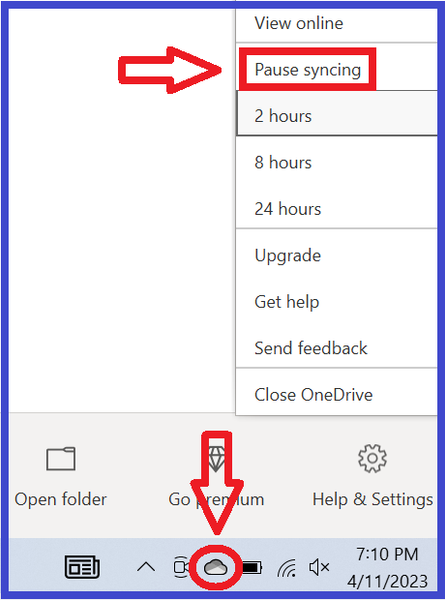

zylahbee7 Logging out of OneDrive doesn't move the location of the Documents folder. You can login to OneDrive again and specifically tell it to stop syncing your Documents folder (and the others, if you don't want them locked up too). Or you can edit your computer's registry to change the location of the Documents directory. Both options are covered under the first spoiler of the original post.



