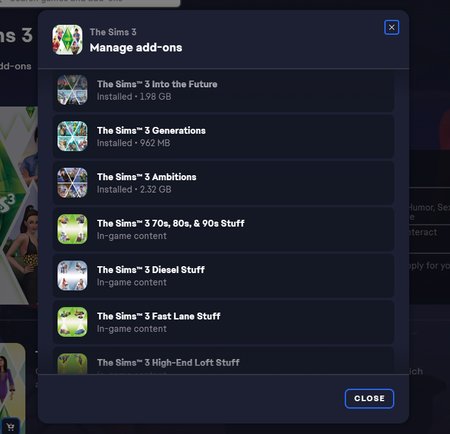
Game back up running. Expansions able to download, but stuff packs missing.


@Aventerra Tomorrow (today in most places) is a holiday in the U.S., so you may not get an official reply for a while. In the interim, I'd suggest doing a clean uninstall of Sims 3 with Revo Uninstaller (the free version is fine). This will clean out any leftover registry entries that might interfere, and it's important to do it after EA support made whatever changes they applied on the back end.
If you have saves or other user content you want to preserve, go into Documents > Electronic Arts and rename the Sims 3 folder to something that does NOT include "Sims 3" in its name. This will prevent Revo from finding it and flagging it for deletion. It is of course a good idea to back up your saves in general as well, preferably on an external drive.


 Community Manager
Please follow the steps above from @puzzlezaddict, let us know if you still have issues once you've tried that.
Hey guys, a full re-intstall restored all the expansions.
I will still have to figure out why the custom Sims3.pack do not show up the game launcher since they are in the downloads folder.... but I am tremendously happy and thankful for your guys' help.
I can go back to Simming! Thank you so much! 😢
@Aventerra For the Sims3Packs, try emptying the Downloads folder and downloading a new copy of one item. You can also double-click a Sims3Pack to open the launcher and start the install process.




