How to download New Sims 3 64bit and metal update on to a external hard drive


@elizabeth211995 You can see hidden files and folders by clicking cmd-shift-. (period); the Sims 3.app should show up then.
Please post the full specs of your Mac, including operating system, as described here:
Heres the specs of the computer
Here also is the information one my external hard drive i am using
Heres what I look like when i do the cmd-shift-period
I hope all that helps 😃

Your sims3 file looks like 32-bit. Make sure you’re downloading and installing the Metal one.
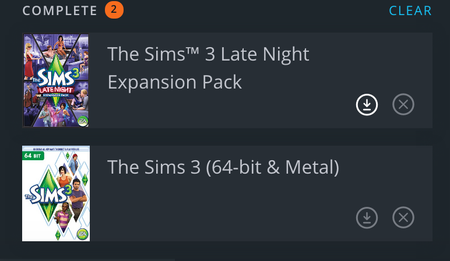
This is what it shows for the sims 3. It says 64bit and metal. It says complete on it but when it click on it this is what it shows..
It just says to install. normally when the game says complete on the game library when you click on it it should give you a play option not install. not sure what is wrong with it.
@elizabeth211995 Have you ever had the old 32-bit version of Sims 3 installed on this computer? Try running the Origin reset tool for macOS:
https://help.ea.com/en-us/help/origin/origin/how-to-reset-origin-on-mac/
You may have to restart the download.