Forum Discussion

malinkj's avatar
3 years ago
Solved

Origin won't download The sims 3

I bought The sims 3 base game plus all the expansions some years ago and uninstalled it after a while. Now I wanted to give it a go again and tried to download it and install.

I click the Download-button and then I get an error code telling me there's some kind of networking problem and the download doesn't work. 

I have tried these things:

-open origin with Run as administrator. Doesn't make a difference.

-I've checked my virus program, both with it completely off and with Origin and everything Origin in the "good to go"-list. Doesn't make a difference. 

-i've changed the UAC. Doesn't make a difference.

- I tried reinstalling Origin the normal way but that didn't work so I just made a complete recovery and reset of my computer and reinstalled it that way. Yes, I do want to play The sims 3 that bad, lol. Didn't make a difference with a factory reset either.

So yeah, nothing works. Please help. 

  • I also had this issue today and I found on another thread that you needed to install the EA app and it worked immediately for me! 

    https://www.ea.com/ea-app-beta The app uninstalled origin so I'm guessing they are in the process of switching platforms or something


57 Replies

  • MorbidMoo's avatar
    MorbidMoo
    3 years ago

    I switched to EA instead of Origin so I could get Generations and World Adventures added to my game. It started downloading Generations but ONLY AFTER I clicked to download World Adventures and added it to the queue. EA kept crashing and having to be restarted. Eventually it got done downloading little by little after each reset. Now that I don’t have another game in the queue behind world adventures, it can’t download. At least I got generations, I guess.

  • hello!! i just tried downloading ea plays app thingy... and it worked for me! i had the same thing happen to me but when i downloaded it through the EA desktop app it worked!!! you login with your origin account logins!! hope it helps!🙂

  • A26R29's avatar
    A26R29
    New Traveler
    3 years ago

    @puzzlezaddict wrote:

    @A26R29  Any content that shows up in Origin should also be present in the EA App.  Try clearing its cache:

    https://help.ea.com/en-us/help/faq/clear-cache-to-fix-problems-with-your-games/

    If that doesn't help, let me know.


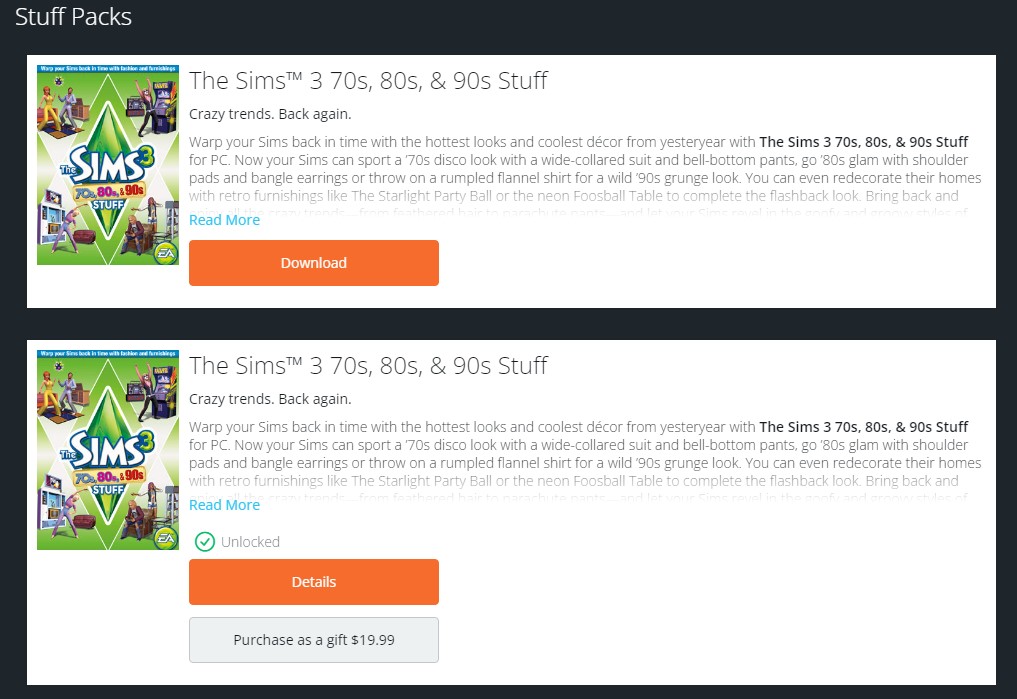
    Thank you, I actually hadn't tried clearing the cache on EA App yet. Sadly this still didn't work for me. All of my other DLC shows up fine. But I redeemed this specific key yesterday while this issue is still ongoing, and I believe it must have messed something up. I uploaded a screenshot showing the difference between Origin and the EA App. I am hoping the issue resolves itself when/if EA fixes this download issue with Origin, but I honestly don't know. I've tried talking to customer service multiple times now, and they have no idea how to help me apparently. They confirmed that the DLC is on my account, and are not sure why it doesn't show up on EA App. 😔

  • EA_Solaire's avatar
    EA_Solaire
    Icon for Community Manager rankCommunity Manager
    3 years ago

    Hi there @A26R29,

    That issue with Origin should be resolved now, can you try clearing the cache for the EA App again and let me know if you're still not seeing your expansion? 

  • I'm having similar issues. The games are installed on my PC, Origin says verified yet wont show in the SIms 3 Launcher. I keep being told by the advisors to download EA App and do it that way and I already have and EA App says I don't own the majority of the packs so therefore everything is unplayable. I've cleared the cache on both, repaired the game on both but the EA App says I have to buy everything again. I refuse to buy more when I already own them and have spent hundreds on the game. Attached proof. I have no idea how to fix it

  • puzzlezaddict's avatar
    puzzlezaddict
    Hero+
    3 years ago

    @ToniiTragedy  If you purchased the packs from an unauthorized third-party retailer, it's possible you received bad codes that EA cancelled after the fact.  This is typically how that problem presents.  The only way to find out for sure is to contact EA customer support and ask about the status of your packs, not only whether they're still attached to your account but whether the codes are active and valid.

    https://help.ea.com/en/contact-us/

    You can contact EA Help on Twitter or Facebook instead if you prefer.