2 years ago
Sims3 Not Loading on Mac
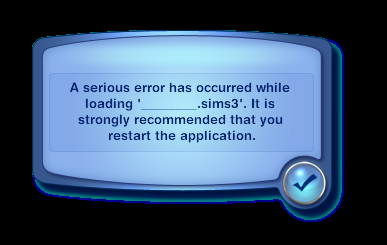
Hi, sims 3 isn't loading, any ideas how I can fix this? Error attached. It normally takes an hour to load, but now not loading at all.
MacBook Pro (16-inch, 2021)
Apple M1 Max, 32GB,
Mac OS Monterey
Hi, sims 3 isn't loading, any ideas how I can fix this? Error attached. It normally takes an hour to load, but now not loading at all.
MacBook Pro (16-inch, 2021)
Apple M1 Max, 32GB,
Mac OS Monterey
this is the error without translation
see attached after resetting origin
@nastiabut Please repair the game in Origin: open your game library, right-click the Sims 3 icon, and select Repair. This won't help with the original issue, but the Origin reset will have removed files necessary for Store content to work, and for installing custom content through the launcher. The repair puts them back.
For the error itself, that typically means the save is corrupt. Try loading a backup instead. If you've never made one, you can use the automatic backup the game creates. Go into Documents > Electronic Arts > The Sims 3 > Saves, and you'll see a folder with your current save name and another with the same name plus a .backup extension. Rename the save, for example put a 1 at the end, and delete the .backup, and you'll be able to select that save at the Main Menu.
Before launching the game again, please delete the five cache files in the main Sims 3 folder. For reference, they are:
Let me know whether the backup loads. If it does, use "Save as" to rename the save so the backup stays intact should you need it later.