Forum Discussion

thisisreallyrya's avatar
4 years ago

The Sims 3 M1 Mac graphics settings

hey 🙂 some of the in-game graphics settings don't do anything at all. i've tried editing graphicsrules.sgr, options.ini along with many other things (including downloading peoples working files to replace mine with), reinstalled the games, deleted the ''The Sims 3'' folder in my documents but to no avail.

-here are the most obvious ones-

high detail lots: doesn't work at all, only loads the focused lot. always acts as it's set as 1

texture quality: i believe it always acts as low, no matter the setting.

reflection quality: there are reflections on mirrors and such but super water doesn't work at all.

-my settings-

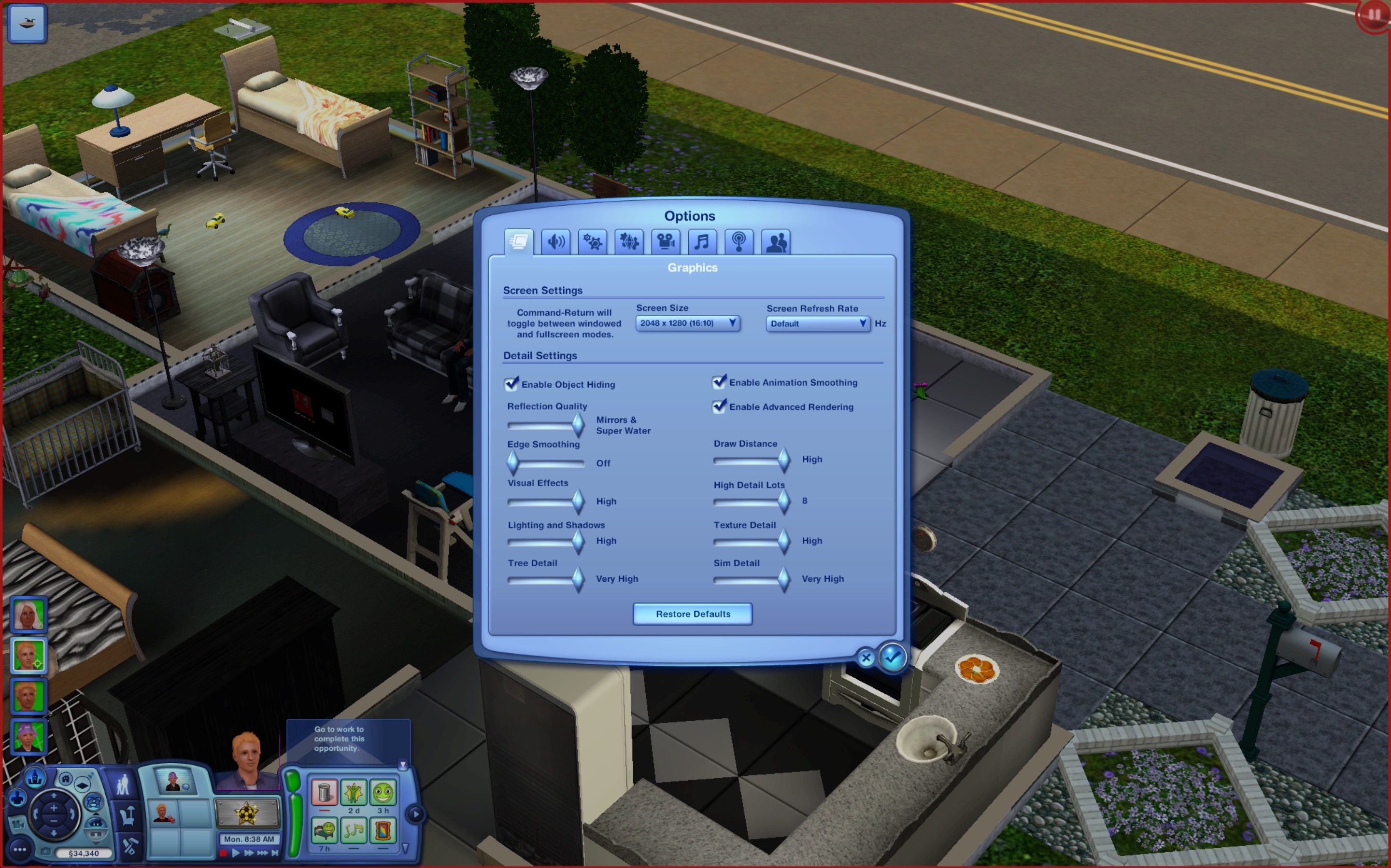
resolution is set to 2048x1280 fullscreen, tried windowed mode too (ts3 changes my computer resolution when i switch to fullscreen which makes everything blurry, i go back to display settings to turn my display resolution to default so the game looks exactly as the resolution it's set to)

every graphics setting is maxed except for edge smoothing, that's disabled.

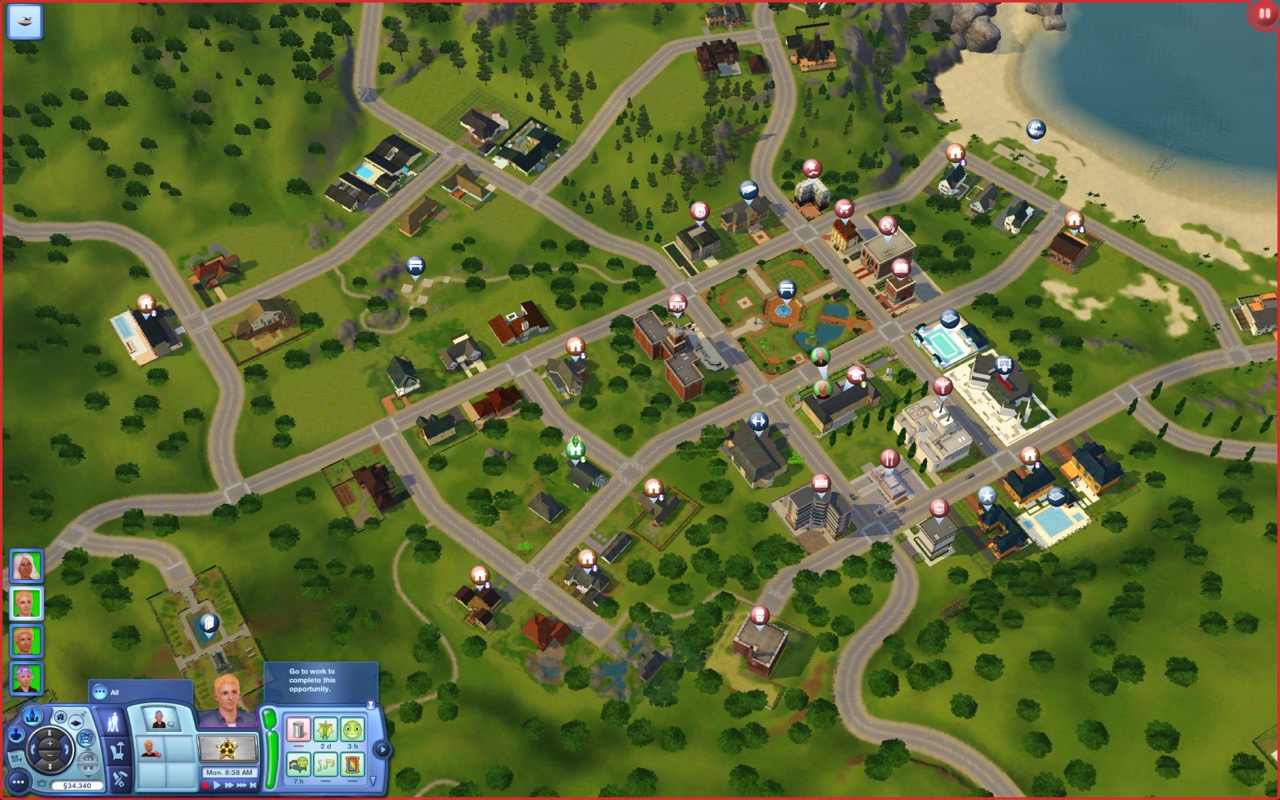
i've attached pictures to help describe my issue better, i'll include more in the replies. (notice how the roads look terrible in map view)

my computer is macbook air 2020 M1 16 gb with more than enough storage for TS3.

i have movie stuff, high-end loft stuff and late night installed.

thank you so much for your time 🙂

7 Replies

  • more screenshots, these are nicer to look at 🙂 the high detail lots setting don't work, wall textures (along with every other texture) are terrible.

  • @thisisreallyryan  A few things to note here:

    • Super Water seems to be an issue, in that its effects aren't present, for everyone using the 64-bit Mac version.
    • Map View is always low-resolution in any version of the game.
    • Color banding and other artifacts of compressed textures are also present in any version except where someone has an old OS and graphics driver that support dithering.  This is due to the texture files and would require remastering to fix.
    • Shadows are similarly pixelated on all or most versions, although it's always been worse in macOS than in Windows.  It's worse on AMD graphics cards than on Nvidia as well, so it's not only about the OS.

    For the rest, please delete options.ini, load the game to create a new one, change the graphics settings at the Main Menu, quit, reload, and see how things look.  Please change high-detail lots to no more than 4 and enable edge smoothing and advanced rendering.  Let me know which issues are still present and not explained by the above, for example if only one lot is high-detail at a time.  For that, please also scroll around to see whether your active lot stops being rendered in high-res when another one starts.

    For what it's worth, your screenshots look pretty normal for Sims 3 other than the high-detail lots issue.  But it's entirely possible I'm missing some details.

  • i deleted the options.ini file and i've attached the video of high detail lots issue, it seems to only load one more lot other than the active one when set to 4 (sorry for the horrible quality, size limit :D ). thanks for helping me by the way!

    about the textures, i've only played on windows before and (i strongly believe) there's a difference in map view between texture quality high-medium. it was never HQ of course, but my game always acts as the texture quality was set to medium. i distinctly remember the road texture difference between medium-high bc i had to compromise quality for performance on my old computer :D i remember the game looking a LOT better than this in all high settings, especially the map view. though of course, this is a mac version, this is how it usually goes :D i've attached a screen recording screenshot of the road texture switch (the screenshots are taken about 1 seconds apart)

    this could very well be just how the game works on mac, i've only played on windows before. i really hope not though

    i realized i can't upload .mp4 files â˜šī¸ screenshots were attached instead

  • I want to say that I'm experiencing the same problem, graphic rules file doesn't work at all (I tried to change shadows to 8k because that would be the most visible change) and no matter what graphic settings you choose they all stay the same. I have them on ultra and the game looks like low on PC

  • puzzlezaddict's avatar
    puzzlezaddict
    Hero+
    3 years ago

    @MACIEJOowaty  Please post a screenshot of all your in-game graphics settings.  Please also double-check that the changes you made to graphicsrules.sgr are still present.

    Just so you know, shadows are quite bad in both Mac versions of Sims 3 regardless of settings, so that's not really the best metric.  I'd suggest testing something else instead.

  •  @puzzlezaddict I can't solve the problem of pixelated shadows even putting 7680 in the graphics rules!! I'm using a Macbook pro M1