Forum Discussion

crinrict
11 hours agoHero+
Hi Gambler91A
sounds like an outdated UI mod issue so how did you remove your mods/cc ? Did you delete the localthumbcache file and move the mods folder to the desktop ?
Could you maybe post a screenshot ?
 b7id2tvvx0ou9 hours agoNewcomer
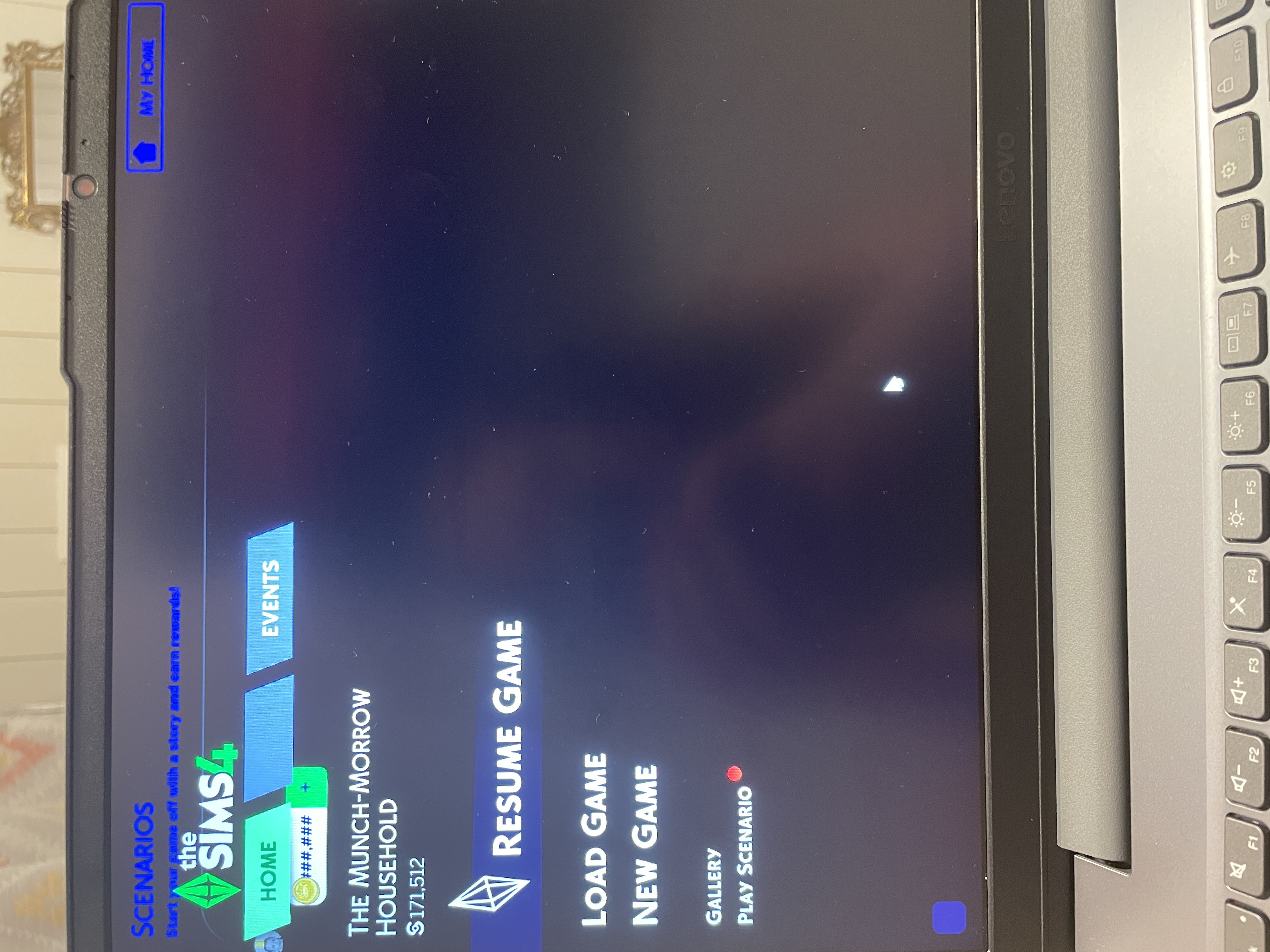
Hi! Think i got the same problem. The menu looks like this (file below) . When i took the mods out, it was working fine, but when i put it back in, it turned black again and impossible to do anything.
- Gambler91A7 hours agoSeasoned Novice
yes, exactly this!! thank you! between the game lagging and the main menu being like that, I could not get a screenshot to save my life lol
- Gambler91A7 hours agoSeasoned Novice
I did move the mods folder to the desktop, along with turning off the cc/mods option in the Sims 4 settings. I cleared as much cache as possible, including the localthumbcache, and I also cleared the cache through EA app > about > app recovery. As I stated in the post, I wasn't able to capture a screenshot directly from my own laptop due to the issues with the main menu. However, someone uploaded their own picture, and it is exactly what issues I am also having.
I have done the 50/50 method with the mods, breaking it down into much smaller portions to check mods/cc, and have made sure all are updated. The image provided is not mine, but it is exactly how my screen looks as well. Since removing and slowly re-adding mods to see if it was a mods/cc/UI issue, I noticed the issue wasn't any outdated mods, but having any mods at all. Even after removing and disabling script mods, just having cc in the game resulted in the same issue as pictured. Unless I have no mods/cc allowed via settings and moving the folder itself to the desktop, the Sims 4 will not go beyond the main menu as pictured.
Featured Places