Forum Discussion

KuroiQuinn's avatar
KuroiQuinn
New Scout
1 month ago

New update texture issues

My current game was fine before the update. The update removed and broke all my cc. I do not use script mods, only items and cas items. I applied the hotfix and while most came back, they came back wrong. All of my cc hair textures look fine in CAS. When you get to playing the game however, the texture is gone and looks like something from a Playstation 1. Color gone, texture gone. And they have very obvious hair line issues. A few of my EA items have changed their colors in builds and on Sims as well. For example, I had red cowboy boots on one of my sims and now they're gray. I had a blue patterned couch in the living room that is now a basic blue. Etc. 

I tried to add a screenshot but it would seem the forums are being glitchy too. 

10 Replies

  • KuroiQuinn's avatar
    KuroiQuinn
    New Scout
    1 month ago

    Yes. As stated in my post, I jave run the hotfix patch. 

  • crinrict's avatar
    crinrict
    Hero+
    1 month ago

    a game repair and patching isn't the same though.

    Are you on EA app or Steam ?

  • KuroiQuinn's avatar
    KuroiQuinn
    New Scout
    1 month ago

    Both. The game literally launches both. The repair is the hotfix. 

  • KuroiQuinn's avatar
    KuroiQuinn
    New Scout
    1 month ago

    The picture size has nothing to do with being unable to upload a picture. The website was glitching, as I said. The selection box for the image was malfunctioning and not loading. I have done IT work, I dont need someone trying to assume its user error. I told you what the error was. 

  • KuroiQuinn​ 

    KuroiQuinn wrote:

    Both. The game literally launches both

    Was this in reply to Crin's question about EA App and Steam? If so presuming you are using a Windows machine and the Steam version of the game? Always helpful to know when trying to troubleshoot 🙂

    You can upload an image one of two ways in a message, were neither of them working? If not it would be helpful to know the browser you are using, maybe EA need to look into it, or is it working now?

  • The game is bought through steam but launches through EA launcher. Like I said, both. But thats not the problem. Its the textures on the cc. 

  • KuroiQuinn's avatar
    KuroiQuinn
    New Scout
    1 month ago

    Also, as I stated, the image selection box wouldn't pop up. Its the same browser most phones use. The built in chrome. 

  • KuroiQuinn's avatar
    KuroiQuinn
    New Scout
    1 month ago

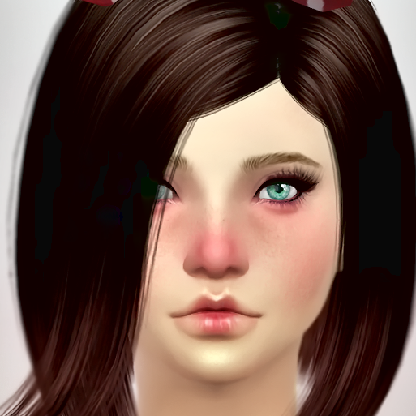
    It appears to be opening now, however half my images aren't being included.  I had to screenshot the image from the picture I took to get it to accept it.  It's pretty much any hair that isnt EA. All of these worked fine before that nasty update no one wanted.  But also, a lot of my EA items are either missing swatches or the original swatches I had set, have been changed on about 80% of my lots and sims. For example, I did the red cowboy boots from Ranch on the sim pictured below, now the boots are Grey. Or I have a red couch where I once had a blue one, etc. 


  • Anyone want to give me an update on EA fixing everything they broke? I sure would like to use my cc again and not these ugly Ken doll looking plastic caps EA tries to call hair. I would really like my items back that this nasty company broke.