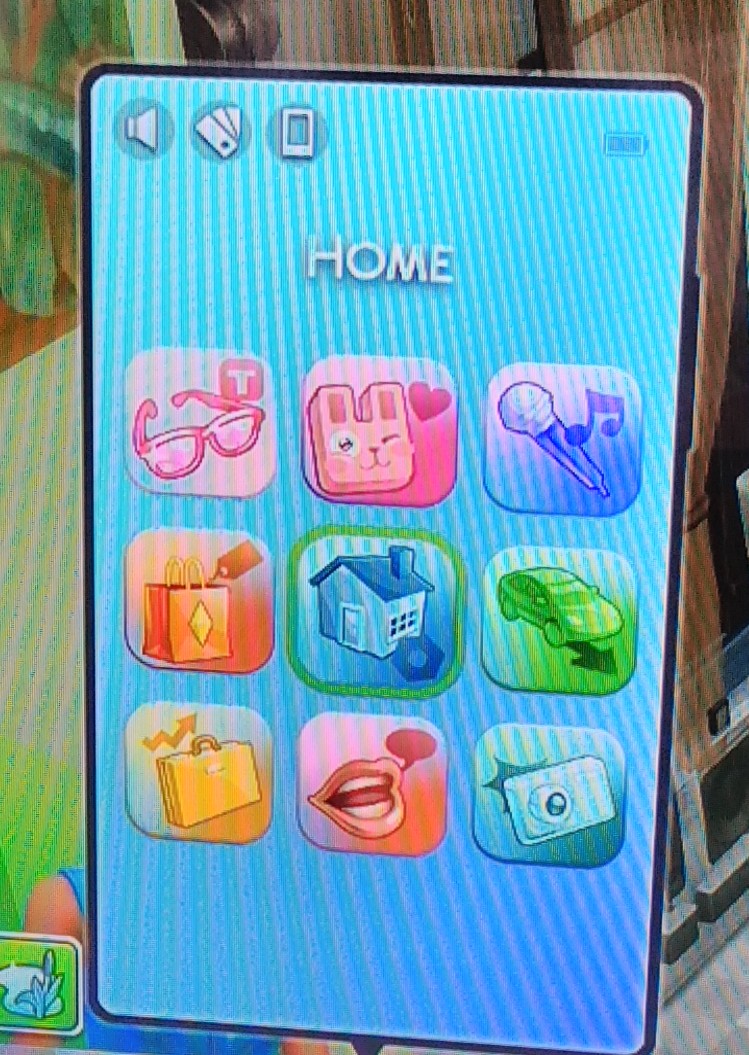
@Cup0fEspresso not sure what's going on there but I've added an image of what it should look like (except for the first 2 that are from High School Years). Could you let us know if you are on Xbox, PlayStation or PC please and if you are on PC do you have mods? That will hopefully get you help from the right player. I'm on Xbox Series X. Is your game fully updated to the latest version from the end of October?
Could you check if this is all of your Sims and Households too? I did see a couple of old threads with kind of similar issues, one that mentioned travelling fixing the problem and one that was caused by mods.
I can tell you what I would do as an Xbox player but please ignore if you are on PC. I'd uninstall and reinstall my game and clear my locally saved data. On Xbox this is Sims 4>Manage Game and Add-ons>Saved Data> and the small amount of data next to my username I would delete. I'd then load up my game and see if it was all as it should be.
Here's the troubleshooting steps for console if you are on PS, you'll need #2:
https://answers.ea.com/t5/Technical-Issues-Consoles/READ-FIRST-Console-Troubleshooting-Guide-and-Known-Issues-Patch/m-p/12363039#M19682
Heres the one for PC:
https://answers.ea.com/t5/Technical-Issues-PC/READ-FIRST-Troubleshooting-your-Game/m-p/3621199#M15260
Hope something here helps but if not just pop a reply on here with a bit more information about your system.
Good luck.