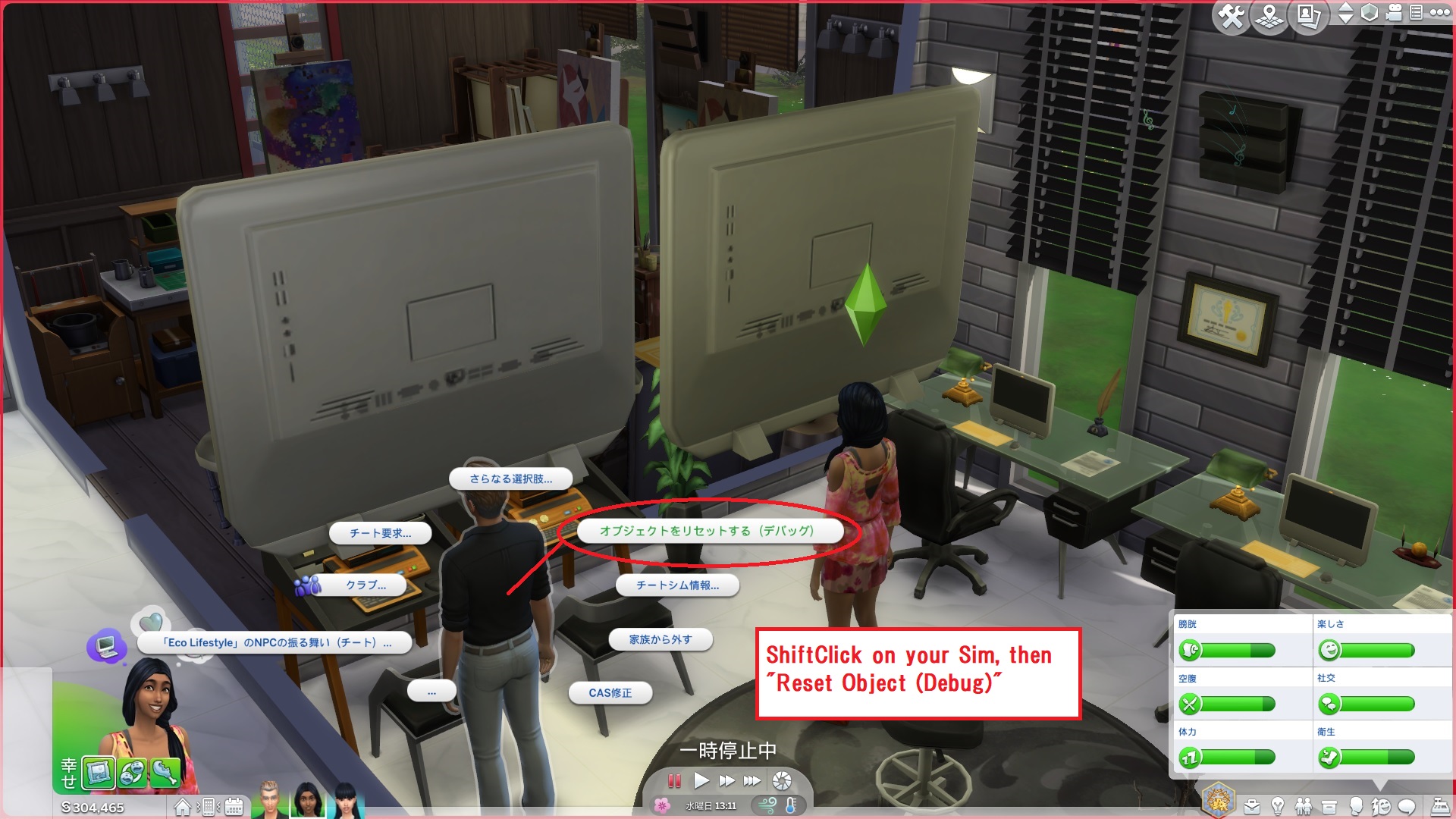
@19DebbieB62 I tried to reproduce your issue (see DebugMode03.jpg; does it look like this?) and found out that the "Reset Object (Debug)" option no longer works for giant objects that were placed on the ground before leaving your lot (i.e. by traveling to another lot or entering CAS). Was this the case? If so, I'd suggest you start a new thread in Bug Reports as there are currently no known "Set as Head" issues in association with leaving the lot or entering CAS.
While doing so, I am afraid, you have no other choice at this point but to use mods like MCCC or the Tmex-AllCheats.ts4script (I'm not sure if I am allowed to leave a direct link, however you may find these just by googleing). After placing the mod files in your "mods" folder and enabling debug mode, shift + click on the giant mail box, select "Destroy Objects (Debug)" one by one. Make sure you have the latest update and/or all the fixes when downloading. It might be a good idea to keep a backup of your "saves", "Tray" and "Screenshots" folders before using mods, just to be on the safe side.
Edited: It is pointed out that this is not a bug, so using mods might be the only way to go.