Forum Discussion

7 Replies
 elliebreton3 years agoLegendI can't say that's anywhere on my list of desires that they improve/fix ?
 ck2133 years agoLegend
"celipoesias;d-999991" wrote:
I loved the new main menu in The Sims 4, but I found the thumbnail quality used to show the Sims to be very poor. It gets blurry, and gives a sense of low quality. It's a small detail, but it would be nice if it could be improved.
https://i.imgur.com/cdSSDQG.png
They really should fix that.
It doesn't reflect well on the game that it's one of the first things you see when you load up the game, especially for a new customer.- Here's how to fix the resolution. Go to C: > program files > origin games > the sims 4 > game > bin > res right click on thumbnailconfig.ini scroll to the section then where it says size_small and change the numbers from 64,64 to 256, 256. The sim should not look blurry anymore.
- ck2133 years agoLegend
"EynSims;c-18126814" wrote:
Here's how to fix the resolution. Go to C: > program files > origin games > the sims 4 > game > bin > res right click on thumbnailconfig.ini scroll to the section then where it says size_small and change the numbers from 64,64 to 256, 256. The sim should not look blurry anymore.
Thanks.
Much nicer to look at.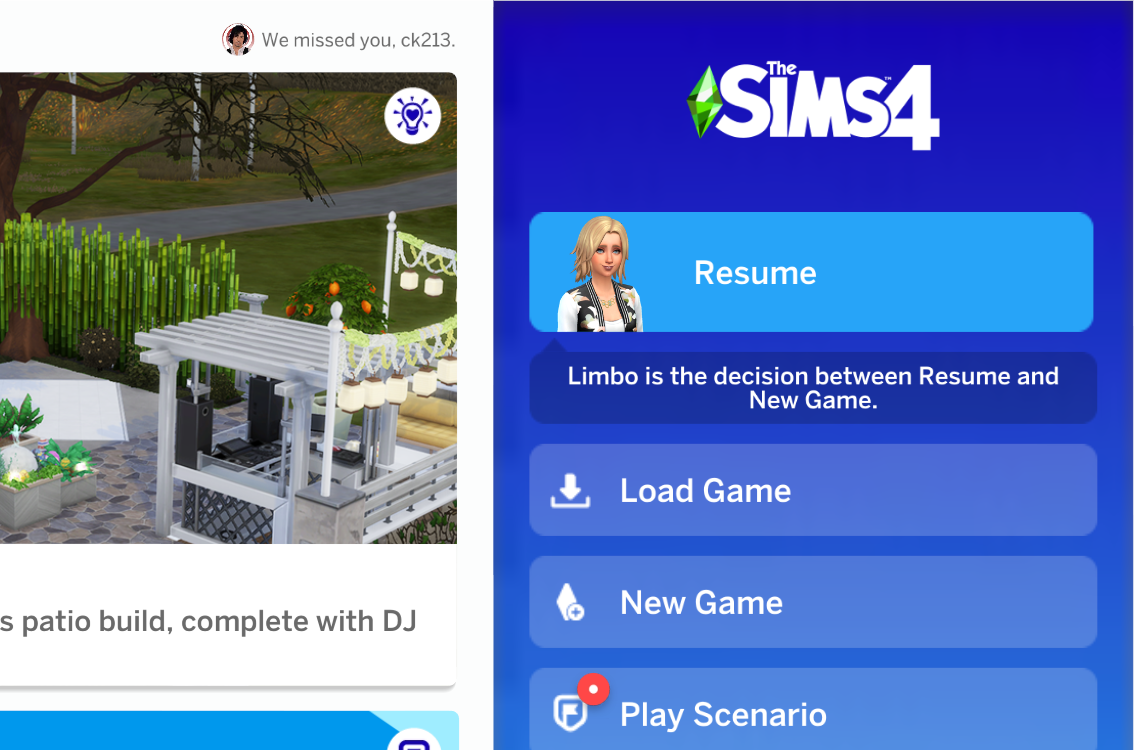
 Babykittyjade3 years agoSeasoned AceIt's your graphics settings. My sim looks very clear.
"EynSims;c-18126814" wrote:
Here's how to fix the resolution. Go to C: > program files > origin games > the sims 4 > game > bin > res right click on thumbnailconfig.ini scroll to the section then where it says size_small and change the numbers from 64,64 to 256, 256. The sim should not look blurry anymore.
Thanks so much for this :) it was one of the biggest annoyances for me believe it or not lol."Babykittyjade;c-18127659" wrote:
It's your graphics settings. My sim looks very clear.
I don't believe it's graphics settings, I'm playing at ultra graphics on a 2k resolution and it was still blurry. logionX3 years agoLegend
"EynSims;c-18126814" wrote:
Here's how to fix the resolution. Go to C: > program files > origin games > the sims 4 > game > bin > res right click on thumbnailconfig.ini scroll to the section then where it says size_small and change the numbers from 64,64 to 256, 256. The sim should not look blurry anymore.
Thank you, looks much better. This should have been the default settings in my opinion.

Featured Places




