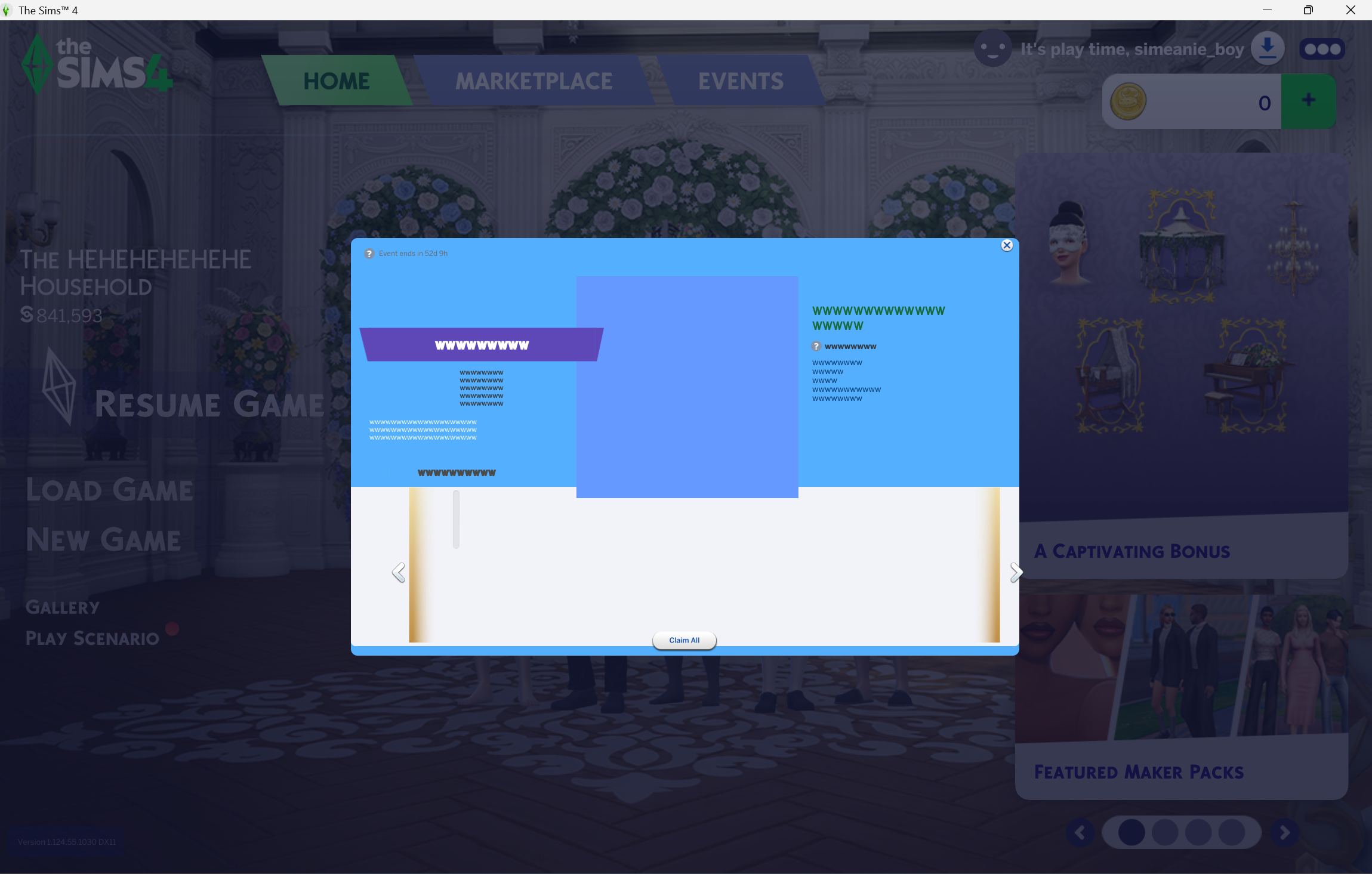
Re: Broken Main Menu UI with wwwww's after patch 1.124
Bridgerton Window Bug
[SOLVED IN THE COMMENTS]
After finally adding my mods back after the sudden update, I was aware of this bridgerton daily window popup while I was testing every one of my mods. When I didn't have any of my mods yet the window already look like that [I didn't mind but I just wanted to test my file for my mods, putting it back, just in case.] [Pic for reference]. While testing for my mods, I see that bridgerton window fixed, and then broken again, fixed and broken again repeatedly. Now that I have put all my mods, Is there a way to fix this?
I've used pressing ESC but the window would still be there but with only the x button and the claim all button remaining. I tried starting my game but nothing happens, closing it and opening it again, its still the same. I am stuck with a dimly lit screen and can't press anything other than exit. I hope this isn't a mod issue. After I finished fixing up my mods, it was actually clear but then my pc had to be updated and here we are with this window.
I hope this would be fixed immediately.
Getting The Last Save
[solved]
ALSO, while I was testing out my pre-saved world without my mods [they're mostly bald, naked and have whack **bleep** furniture] after the update, I accidentally pressed save and exit, [force of habit] would this affect my world now or would this be fixed slowly by the mods I am using? [I am seeing a small bit of them popping up like my sims hair but the world is still the same from when I accidentally saved it.]
If the answer is no then is there a way for me to access my last save? The saved world before the update? If so, How? I'm so frustrated at every update these days. Any help would be very appreciated.