[CC Related] Shoes On Werewolves
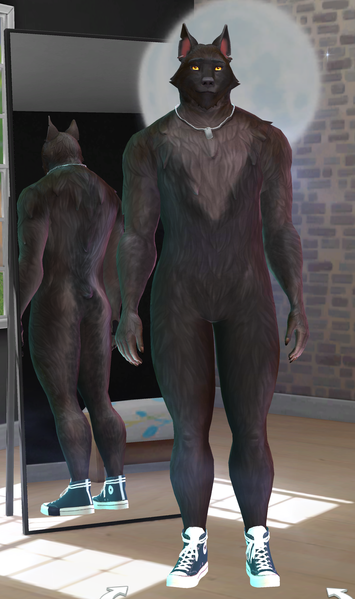


Old post... but since the problem still persists today, here is the easiest solution I found.
Whenever you want to create a werewolf, the best thing to do is follow the second option. But if you have already created one and don't want to have to start all over again or lose a story you've started, use the first option.
- If you have already created the Sim:
Disable the mods, save and exit the game. Open the game and enter the CAS of the family/group. All customized content will be removed, including the irremovable shoes. Save and and re-enable the mods. Restart the game for the mods to take effect and that's it.
PS: To avoid removing the mods from the entire family (if there are werewolves and other species in the same group), move the werewolves to another family/group. Save the game, disable the mods, restart the game, open the family/group with the werewolves in the CAS edition, save it, and then put them in their original group. Do not open the CAS of the original family! Otherwise, all the modified material from the family will be removed. Just save the game, re-enable the mods, and restart the game. That's it. Only the mods applied to the werewolves have been removed, and now you can edit as you wish without the irremovable shoes.
- If you haven't created the Sim yet:
Start the game without the mods. Create a basic werewolf Sim. Save the game and re-enable the mods. Restart the game and use the mods as you see fit.