[MOD RELATED] Sims disappeared from household/Blue flashing square on map
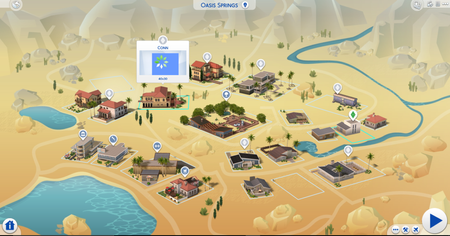


for the past few days, when i clicked on my household, the sims were missing and there was a blue flashing square instead. i removed my mods folder to my desktop, deleted my localthumbcache then repaired my game to see if it would help, but my household remained the same. so maybe it has nothing to do with my mod?? i’m stuck. please help!!

@emmymaurice When a mod has corrupted a save this way, simply removing the mod doesn't fix the issue. You'll need to revert to a previous version of the save as well:
https://sims4.crinrict.com/eng/2014/09/save-games/#wiederherstellen
@emmymaurice You may not be able to use the 50/50 method, at least not when the blue flashing square is the issue. It's possible that reverting to a previous save, playing it forward with certain mods present, and checking for the blue flashing square may work. The problem is, I don't know that this issue is consistent enough to produce reliable results, as in, a bad mod might not corrupt your save on its first try.
If you do want to test, be sure to make a backup copy of your entire saves folder, so you can recover a backup save again if necessary.
The more reliable approach may be to just download new versions of your mods, ones that have been confirmed compatible with the newest patch.